How to Sync the U.F.O. TW to DLsite Audio with CSV Files
If you own a U.F.O. TW, you're missing out if you don't know how to drive it with CSV files synced to audio works.
Especially if you're a masochist who loves dirty talk: put on a blindfold, let a CSV file drive the U.F.O. TW, and the precum will get out of control.
But a lot of people give up because they can't figure out how to set it up.
It's a bit of a hassle, but if you never try it, you're missing out.
If you want to know how I bought a genuine unit (not a fake) at the lowest price, here's that story:
 Where to Buy a New U.F.O. TW for the Lowest PriceWhere to buy a genuine VORZE U.F.O. TW in Japan: I checked 10+ shops, ordered from NLS step by step, and found a phishing site selling fakes.Read the article ›
What Is a U.F.O. TW CSV File?
A CSV file is played together with an audio file, and it makes the U.F.O. TW move in time with the audio.
These CSV files are made by fans.
The 3 Things You Need to Drive the U.F.O. TW with CSV and Audio
To drive it with a CSV file, you need the following:
- An audio work bought on DLsite
- A fan-made CSV file
- A tool that plays the CSV file and the audio file together (it runs in your browser)
Here's the overall flow:
- Buy an audio work on DLsite that has a U.F.O. TW CSV file
- Download the audio files
- Download the CSV file that drives the U.F.O. TW from a separate site
How to Find Nipple-Teasing Audio Works on DLsite
First, search this site for “chikubi-zeme” (Japanese for nipple teasing).
Find a nipple-teasing audio work you'd like to buy.

The trick to avoiding duds is to buy popular works with lots of sales.
Don't buy it yet.
Copy and paste the titles you're interested in, or just remember them.
That's because fans may not have made a CSV file for them.
Find Audio Works That Work with the U.F.O. TW in the Fans' CSV Archive
There's a site where you can check whether a CSV file exists for the title you want.
Here it is:
>>> CSV archive for the A10 SA and U.F.O. SA (in Japanese)
Search for the title you want in the search bar at the very bottom of the site.
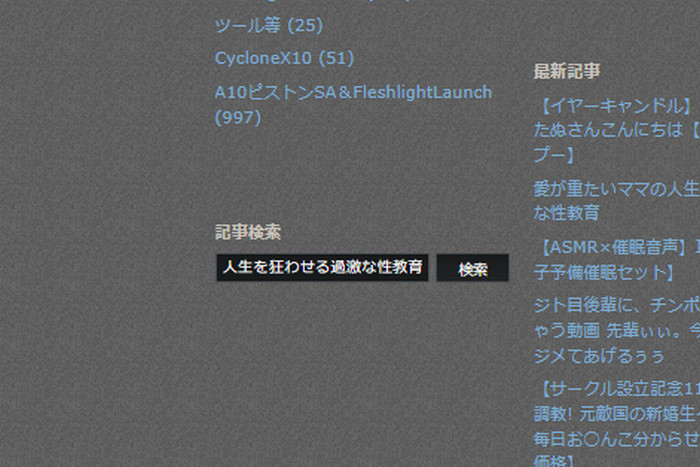
It points you to the sites where you can download a CSV file that syncs with it ↓↓
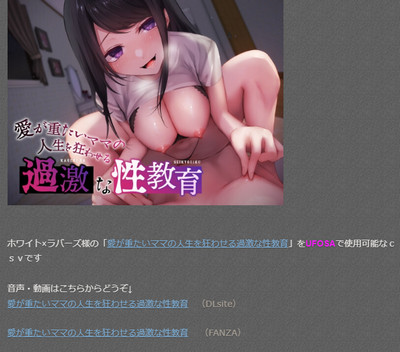
How to Download the CSV File You Found in the Archive
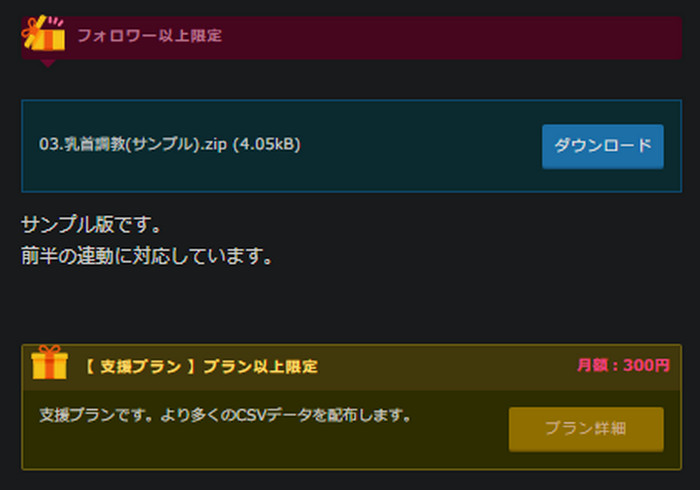
Most CSV files for the U.F.O. TW are free, but some are paid.
I paid to buy a CSV file from Esta's back issues.
Back issues are a one-time purchase, so you aren't charged again and again.
You can get CSV files from the fans who publish them on sites like Fantia and Ci-en (Japanese fan-support sites).
To download them, you'll need to register an account on each site.
Once you follow the creator, you'll be able to download the files.
[On a PC] How to Download the Audio Files You Bought on DLsite
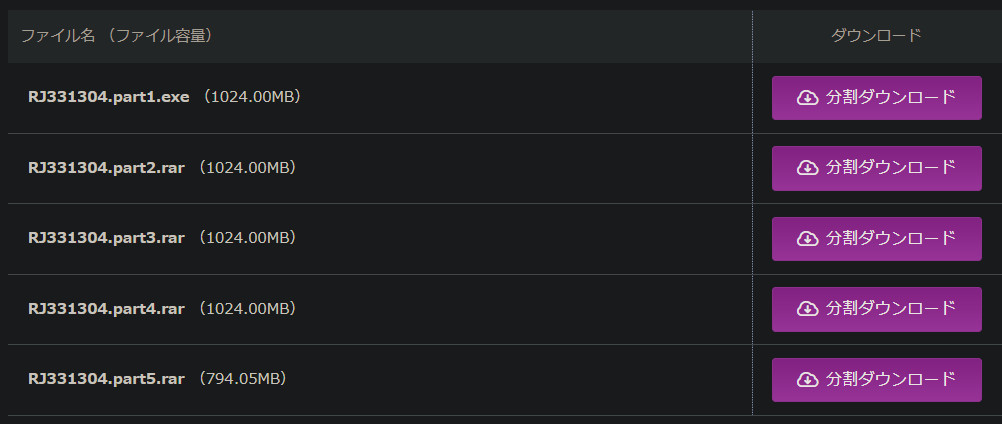
You can download everything at once, but I downloaded it in parts.
Some works are four 1 GB files (4 GB in total), so an external hard drive comes in handy.
When I wrote this, the downloads were so big that many works couldn't be downloaded on a phone. As of September 2026, though, the Web CSV Player developer publishes a guide to saving DLsite works on a phone and unzipping them on an iPhone.
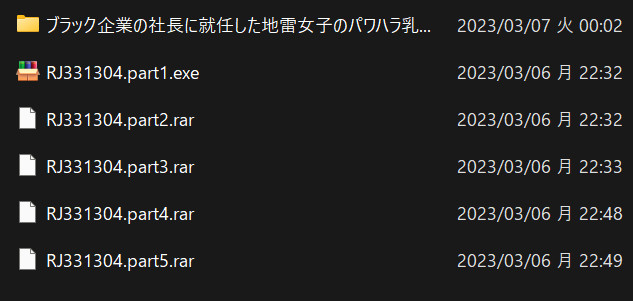
Once all the parts have downloaded, run the PART 1 “.exe” file and it will start extracting the files.
How to Use the Tool That Plays the CSV File and Audio on the U.F.O. TW
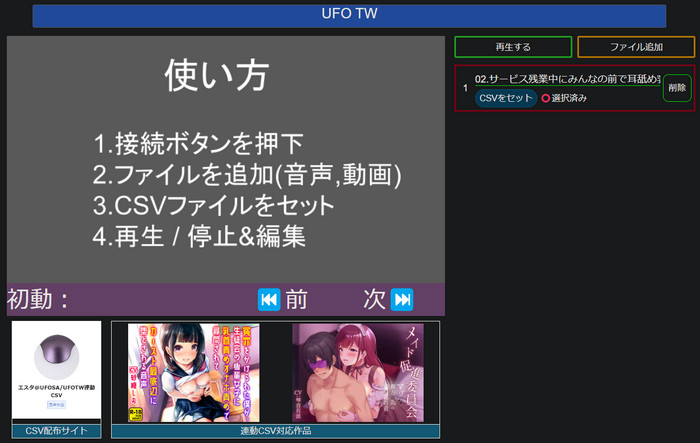
You need a tool that plays the CSV file and the audio file together. When I used it, Web CSV Player was free; since April 2024 the full version is a one-time purchase, and the free trial can't play tracks longer than 3 minutes (as of September 2026).
It works on phones (iPhone and Android) and on PCs. As of September 2026, the developer says it works in Chrome or Edge (not Firefox), and on iPhone only in the Bluefy browser.
It runs in the browser, so a tablet should be fine too.
If you want to use it on a phone, you'll need to move the files you downloaded on your PC over to the phone.
Go to this site:
First, press the blue “Connect” button at the very top to connect the U.F.O. TW to your PC over Bluetooth.
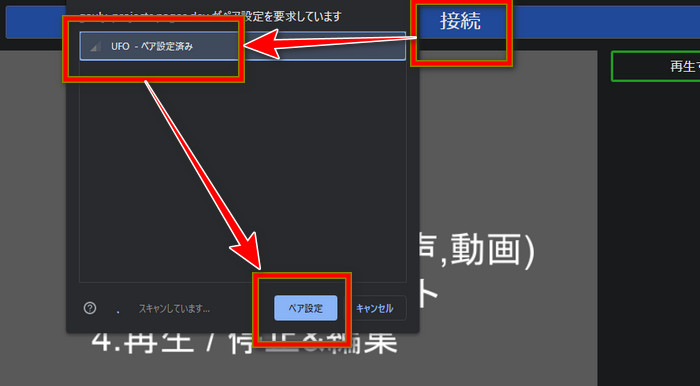
Once it's paired, the “Connect” button changes to “UFOTW.”
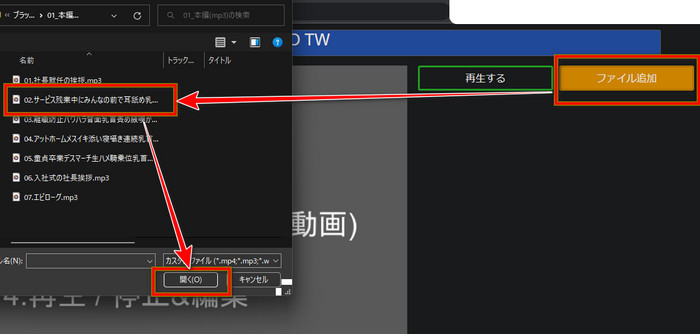
Click “Add file” and choose the track you want to play from the files you downloaded from DLsite.
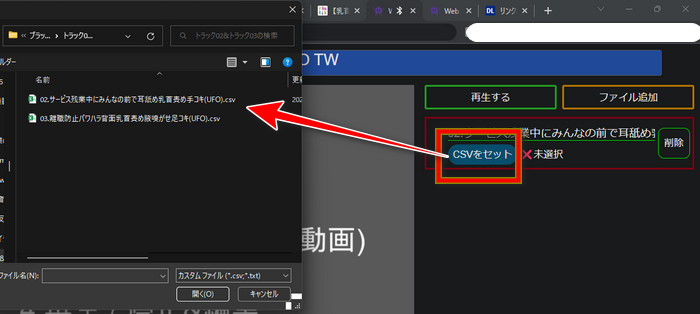
Next, choose the CSV file that matches that DLsite audio file.
↑ Now press “Play,” and the U.F.O. TW should move along with the audio.
[Video] Here's what it looks like with a CSV file ↓↓
What to Do When the U.F.O. TW Won't Move with a CSV File
If the U.F.O. TW won't move with a CSV file, try restarting your PC. (In November 2024 the developer also announced a fix for connection problems with some U.F.O. TW units.)
Mine didn't move at first, either.
Basically, the U.F.O. TW moves when the woman in the audio says “kori-kori” (the sound of teasing a nipple), so if it doesn't, something is wrong.
Buying a different audio work on DLsite and trying its CSV file might also get it working.
How Other Users Enjoy the U.F.O. TW with CSV Files
Here's one setup I saw in someone's review:
- The U.F.O. TW on the nipples
- The A10 Cyclone SA Plus on the penis
- A Revo Stealth in the butt
- Wearing a leotard with a hole in the front
- Self-bondage to a chair
- Doujin audio works about machines or tentacles are recommended
Here's my story of buying a genuine unit (not a fake) at the lowest price:
Where to Buy a New U.F.O. TW for the Lowest PriceWhere to buy a genuine VORZE U.F.O. TW in Japan: I checked 10+ shops, ordered from NLS step by step, and found a phishing site selling fakes.Read the article ›