U.F.O. TW, the Successor to the U.F.O. SA: Stock News and Video Sync
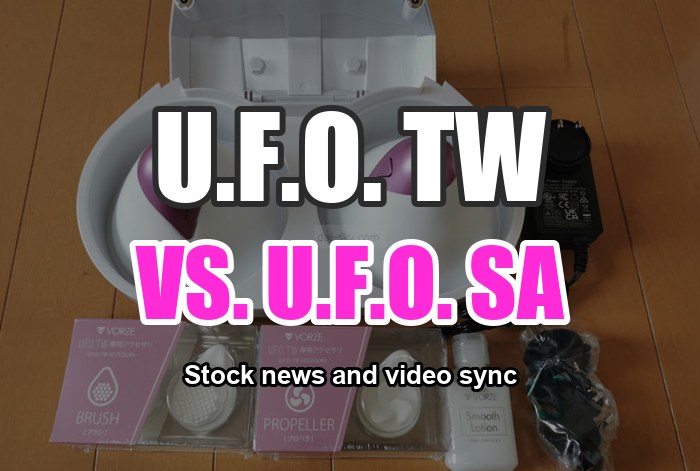
[January 22, 2023] Back on Sale from 1 p.m.! The U.F.O. TW (Successor to the U.F.O. SA) Is Finally in Stock
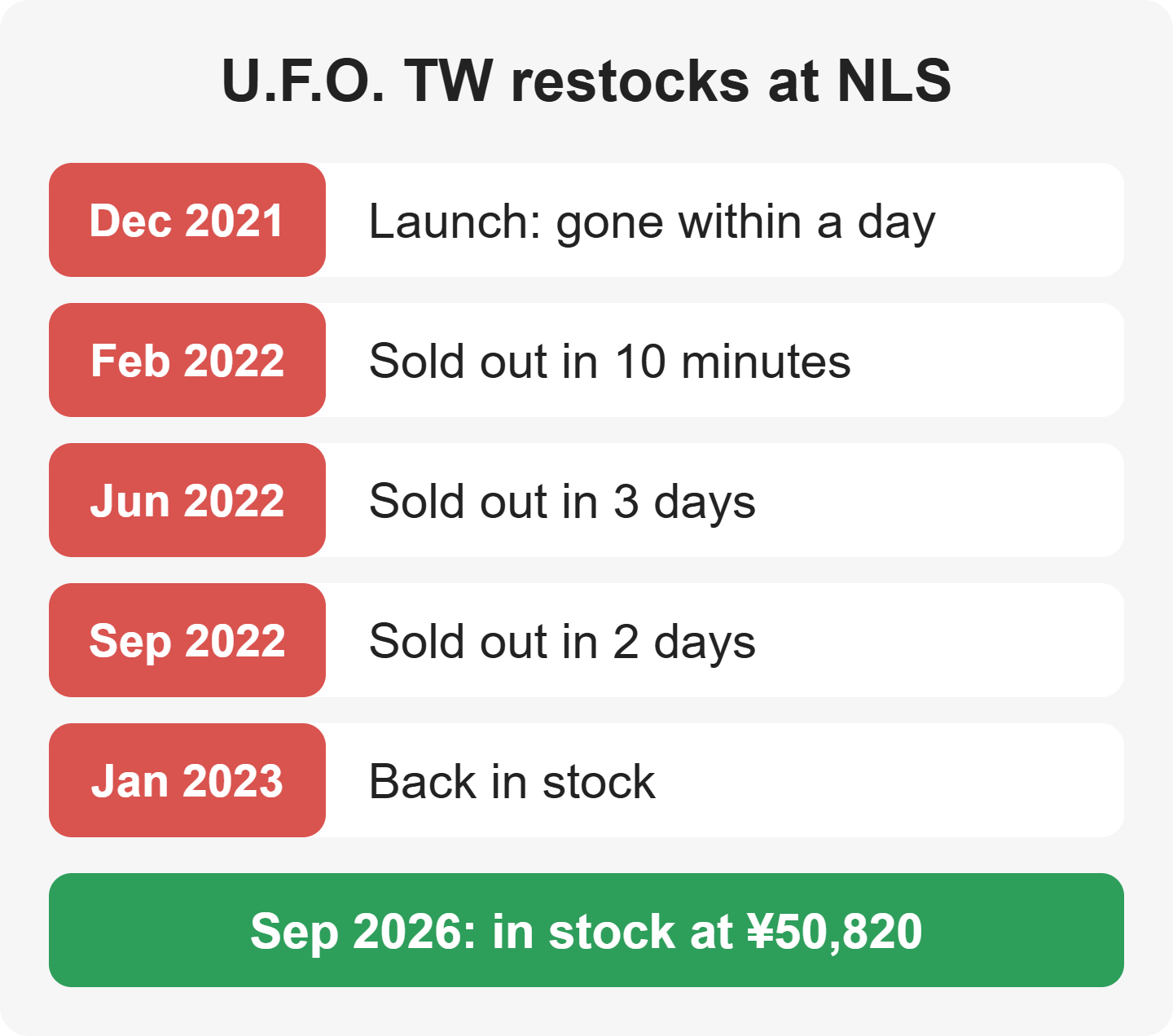
[How the U.F.O. TW (successor to the U.F.O. SA) has sold]
- December 2021: launched → sold out the same day or the next
- February 20, 2022, 1 p.m.: restocked → sold out in 10 minutes
- June 19, 2022: restocked → sold out in 3 days
- September 11, 2022: restocked → sold out in 2 days
- January 22, 2023, 1 p.m.: back in stock… (as of September 2026, NLS lists it in stock at ¥50,820 (about US$322))

The popular “U.F.O. TW” was restocked and back on sale at NLS, the official Japanese online store for RENDS/VORZE.
When it was restocked on June 19, 2022, it sold out in 3 days.
The February 20, 2022 restock was only 465 units, for NLS alone. They went on sale at 1 p.m. and were completely sold out in 10 minutes.
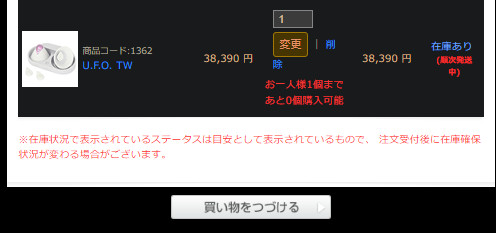
Whenever it came back in stock, there was a rule: “so many customers are waiting that it's limited to one per customer” (in 2022–2023).
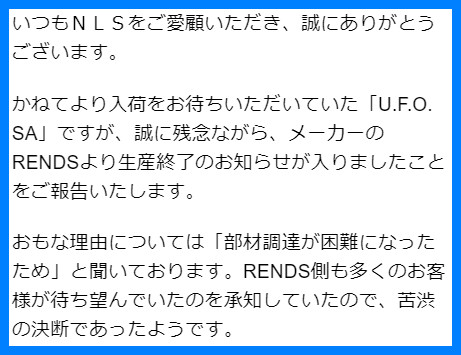
Note: the U.F.O. SA hadn't been restocked for a very, very long time, so of course it was out of stock → it has been discontinued (NLS lists it as discontinued in 2022).
The wait between restocks kept getting longer: two months, then four.
Note: if you missed a restock, the next one could be a long way off (that's how it was in 2022–2023).
It could even sell out while it was sitting in your cart, so the safe move was to buy just the U.F.O. TW first and add attachments and accessories later ↓↓↓
On this page I cover the following about the U.F.O. TW:
- The U.F.O. TW, U.F.O. SA and U.F.O. MOBILE compared
- What to buy along with it
- How to find synced videos on Adult Festa, a Japanese VR video site (do you know which ones to buy?)
- How to sync it with a phone, a PC or a VR headset (with screenshots)
Where Can You Buy the U.F.O. MOBILE, U.F.O. TW and U.F.O. SA for the Lowest Price?
On December 17, 2022, I checked where you could buy them for the lowest price.
The U.F.O. TW and U.F.O. SA could only be bought at NLS. (As of September 2026, Adult Festa also sells the U.F.O. TW in sets with a video, and the U.F.O. SA has been discontinued.)
↓↓ Where the U.F.O. TW was sold (shops checked December 17, 2022; NLS price updated September 24, 2026) ↓↓
| NLS | Amazon Japan | Rakuten | Otona no M's | FANZA | Nobunaga TOY | Tsuhan Daimaou |
| ¥50,820 | Not sold | Not sold | Not sold | Not sold | Not sold | Not sold |
[Old Model] Is the U.F.O. SA in Stock? Will It Come Back?
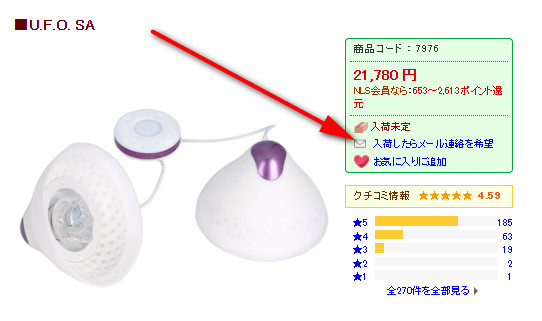
The U.F.O. SA had been out of stock at NLS for a long time.
I asked the maker directly, and they said they didn't know when sales would resume.
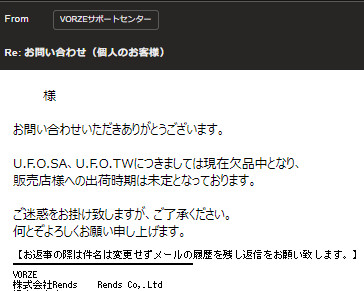
I never got a restock email from NLS.
If you wanted the U.F.O. SA rather than the (newer) U.F.O. TW, the advice was to register your email address under “Email me when it's back in stock” so NLS would contact you before it was restocked. (That no longer helps: the U.F.O. SA has been discontinued — see the note below.)
[Added January 22, 2023]
NLS told me that the U.F.O. SA has been discontinued.
[A Big Upgrade] U.F.O. TW vs. U.F.O. SA vs. U.F.O. MOBILE: And What About Adult Festa Video Sync?
U.F.O. TW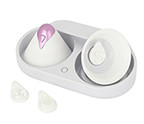 | U.F.O. SA (discontinued)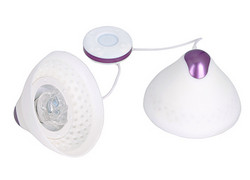 | 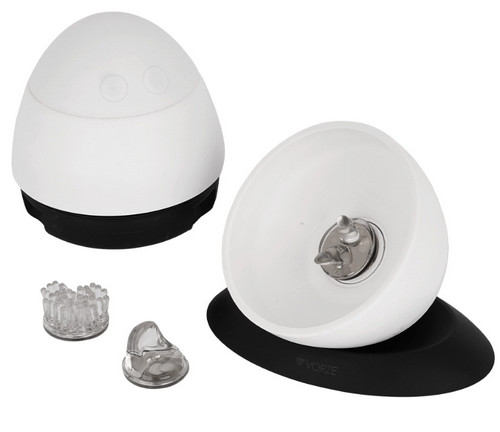 | |
| Price | ¥50,820 (about US$322) | ¥21,780 (last listed price) | ¥15,620 (about US$99) |
| Weight | Each cup: 154 g Cradle: 555 g | 400 g | Each cup: 164 g On its stand: 410 g |
| Run time | 1 hour | 2 hours | 2 hours |
| Charge time | 2.5 hours | 2 hours | 2 hours |
| Warming | Heats for 30 min Keeps warm for 30 min | – | – |
| Video sync |  | |  |
| Waterproof | | | |
| Wireless | | | |
| Warming | | | |
| Suction on the chest | |  | |
| Where to buy | View at NLS | Discontinued (NLS page) | View at NLS |
Yes Partly NoDropping to 1 hour of run time hurts a little, but losing the cables is a huge plus!
Syncing the U.F.O. TW with Adult Festa videos became possible in March (2022).
[U.F.O. SA → U.F.O. TW] What was improved
- [1] The U.F.O. SA had tons of broken-cable failures; the TW is wireless, so the cables no longer get in the way
- [2] The warming function means no more “cold shock”, so it feels more like real body heat
- [3] Going wireless made it lighter (you can even wear just one cup)
- [4] The controller became buttons on the cups
- [5] Stronger suction (it works for men and flat chests too)
The U.F.O. TW is not supported on SKYWORTH VR headsets, so be careful (still true as of September 2026) ↓↓
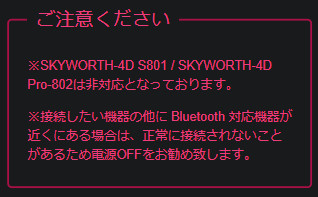
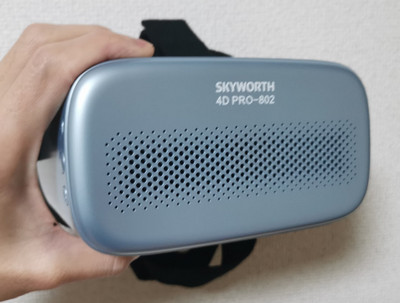
If you watch without that VR headset, Adult Festa videos do sync with the U.F.O. TW.
If you buy the VR headset called “DPVR-PRO-P1PRO-4K,” it syncs with the U.F.O. TW.
The older non-Pro DPVR also syncs with the U.F.O. TW, but the resolution is completely different, so keep that in mind.
(As of September 2026, Adult Festa's newer 4DMEDIAPLAYER+ app also works with Meta Quest: the Quest connects to your phone over Wi-Fi, and the U.F.O. TW connects to the phone over Bluetooth.)
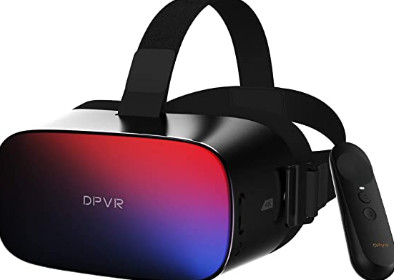
Buy the VR headset shown above ↑ from Amazon or elsewhere and you can't go wrong (as of 2023).
[5th Generation, New in December 2022] The U.F.O. MOBILE: Bad Reviews and Stock
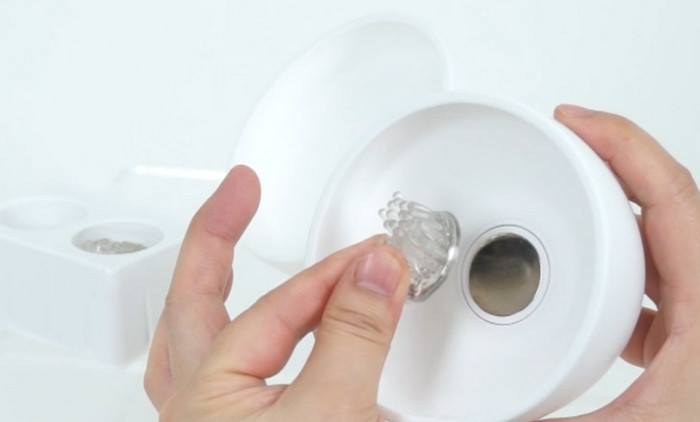
The newest model in the U.F.O. series at the time, the U.F.O. MOBILE, went on sale. (It has since been joined by the U.F.O. MOBILE MEN, a version with shallower cups for men.)
- December 7, 2022: launched → sold out in a few hours
- December 20, 2022, 6:06 p.m.: restocked → sold out in a few hours
- December 27, 2022, 6:02 p.m.: restocked → sold out in a few hours
- January 16, 2023, 6:05 p.m.: restocked → sold out in a few hours
- No restock scheduled (as of January 2023)
In fact, some reviewers said the U.F.O. MOBILE had the downsides below, so they bought the U.F.O. BASIC instead, which was also more than ¥5,000 cheaper ↓↓
- The rotation patterns are simple
- Not many intensity levels
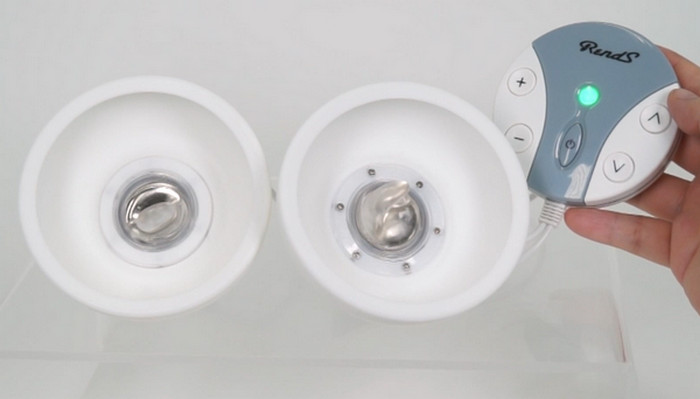
U.F.O. MOBILE Features ↓
- Press the suction button and it sticks on
- No cables
- No video sync
- No warming function
- Splash-proof
- Buttons on the cups
- Stronger suction
- USB charging
- Comes with 3 types of attachment
For some reason the U.F.O. series was made in small numbers and was almost never in stock, so it sold out within 3 days in the past.
[Most Popular] U.F.O. TW (Successor to the U.F.O. SA) Attachments
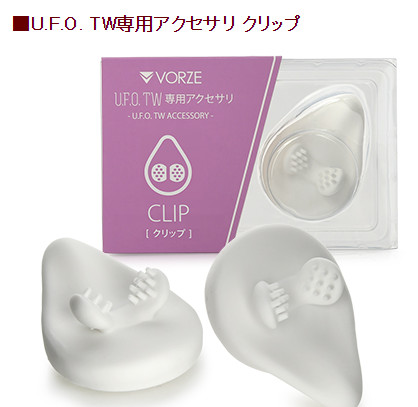
This is sold separately.
It feels like “being gently bitten” or “being flicked by a fingertip,” and it was the best-reviewed U.F.O. TW attachment when I wrote this.
What to Buy Along with the U.F.O. TW (Successor to the U.F.O. SA)
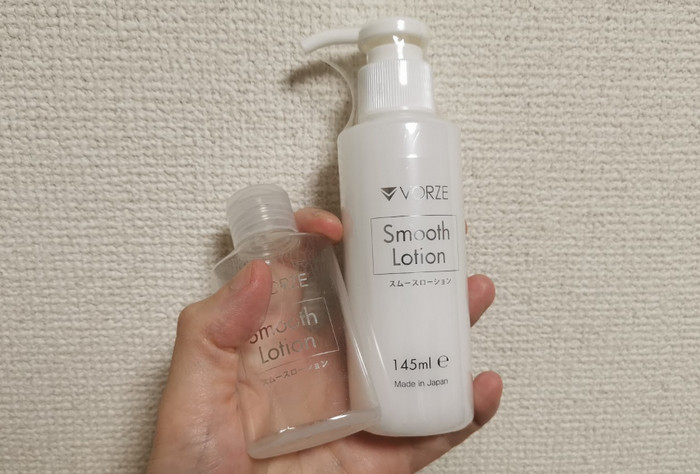
The lotion that goes best with the U.F.O. is “VORZE Smooth Lotion,” made by the company that developed the U.F.O.
I use it too. It isn't sticky — it's smooth and light — so rinsing it off afterward is super easy.
A 50 ml bottle comes with it, but in my case it ran out in no time.
At NLS, shipping is only free on orders of ¥5,000 or more (still true by Japan Post as of September 2026), so I regret not buying lotion together with the U.F.O.
Lots of people use this lotion just for the U.F.O.
| NLS | Amazon Japan (Dec 2022) |
| ¥836 | ¥909 |
Do You Need the U.F.O. Series Chest Supporter?
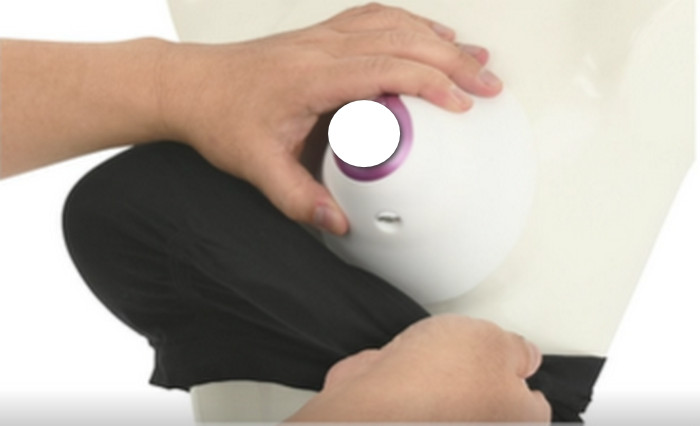
The U.F.O. TW has much stronger suction than the U.F.O. SA, so you don't need one — but I'd recommend it if:
- You worry that the U.F.O. might fall off
- You have a hairy chest (it weakens the suction)
There are lots of reviews saying “I couldn't see around me in the VR headset, knocked the U.F.O. with my hand and it fell off.”
If you want to focus on the video, I recommend buying one.
If you mostly use it lying down, you should be fine without.
It looks less like a bra than the older supporter, so it's easier to explain if someone finds it. (Store it together with the U.F.O. to lower the risk of being found out.)
It's cheap at ¥781 (still ¥781 as of September 2026), so I recommend buying it with the U.F.O. TW.
How to Find U.F.O. TW (Successor to the U.F.O. SA) Synced Videos on Adult Festa
I explain how to find and buy videos on Adult Festa that sync with the U.F.O. TW, both on a PC and on a phone.
There are two types of video:
- The TV (2D) video site
- The VR (3D) video site
The way you find synced titles differs a little between the two, so I cover both.
[1] Finding synced videos on a PC
Let's start with VR videos.
Go to the Adult Festa top page.
For VR videos, click the icon at the top right → “Synced VR videos” → “Synced goods: U.F.O. SA.”
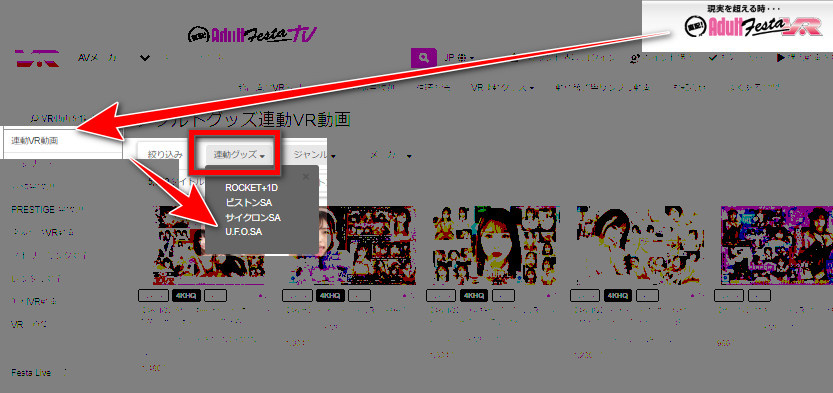
There was no U.F.O. TW option yet (June 2022).
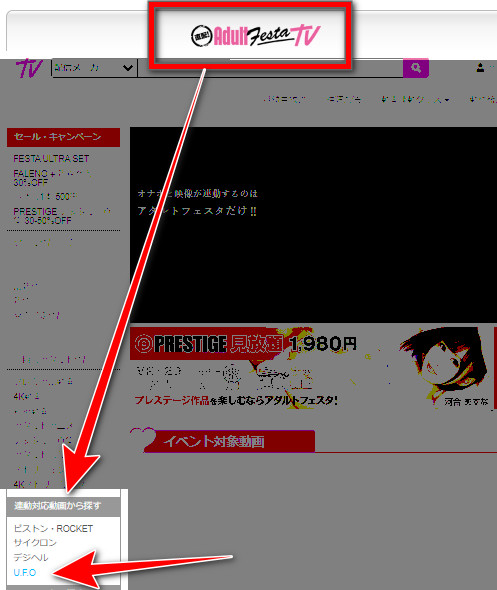
For 2D videos, click “Adult Festa TV” at the top left → “UFO,” and the synced videos are listed.
[2] Finding them on a phone
Let's start with VR.
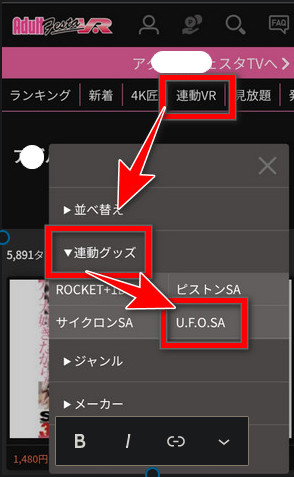
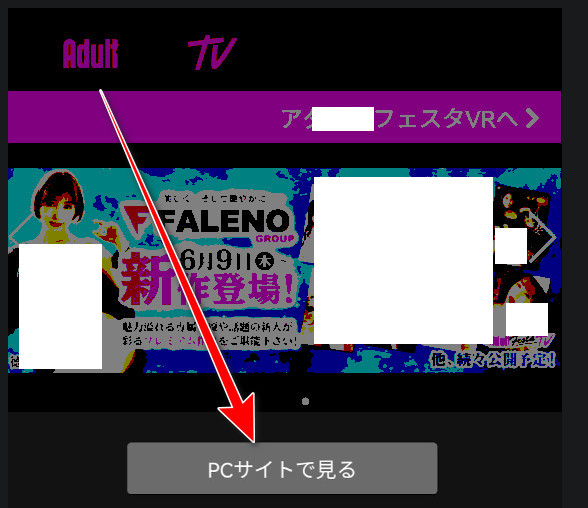
For TV (non-VR) videos, switch to “View PC site.”
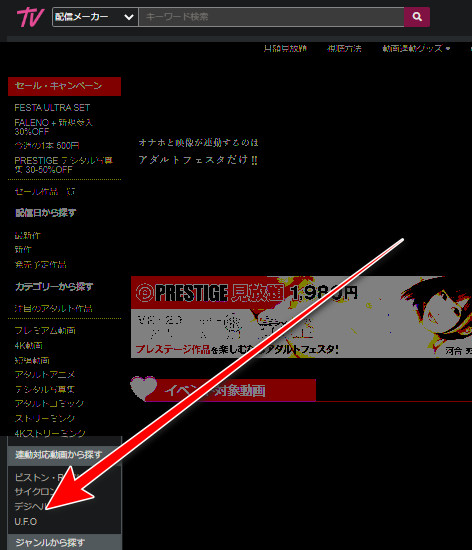
Click “Find synced titles” in the left sidebar and choose “UFO,” and the synced videos are listed.
If you bought a U.F.O. TW, not enjoying synced videos would be a waste!
Give it a try!
[With Screenshots] How to Sync the U.F.O. TW (Successor to the U.F.O. SA) with Adult Festa
There are three ways to enjoy the U.F.O. TW with Adult Festa:
- A phone (a phone VR headset works too)
- A PC
- A VR headset
The sync steps differ a little for each.
It's hard to picture how it works, right?
For each of the three setups above, I explain with screenshots how to install “4DMEDIAPLAYER,” the app that plays Adult Festa videos, and how to sync.
[1] Syncing the U.F.O. TW (Successor to the U.F.O. SA) with a Phone
Install 4DMEDIAPLAYER on your phone ↓ (from Google Play or the App Store). (As of September 2026, Adult Festa also offers the newer 4DMEDIAPLAYER+; the steps below are for the original 4DMEDIAPLAYER I used.)
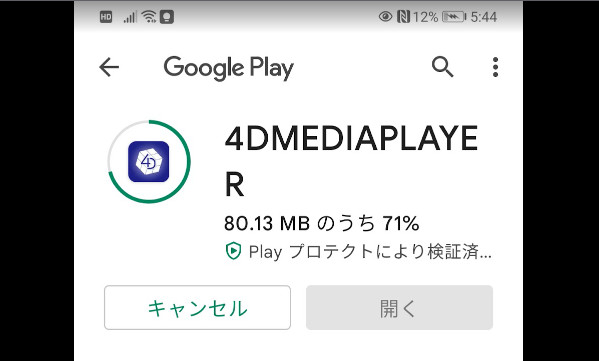
Open the 4DMEDIAPLAYER app on your phone.
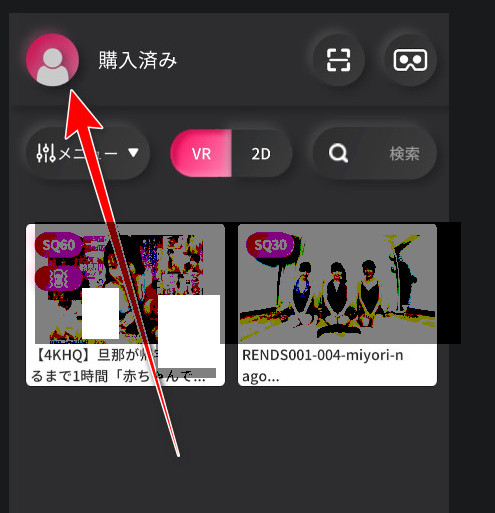
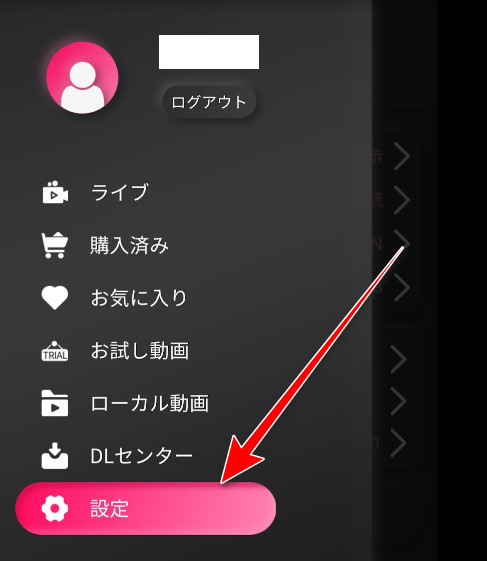
Tap “Settings.”
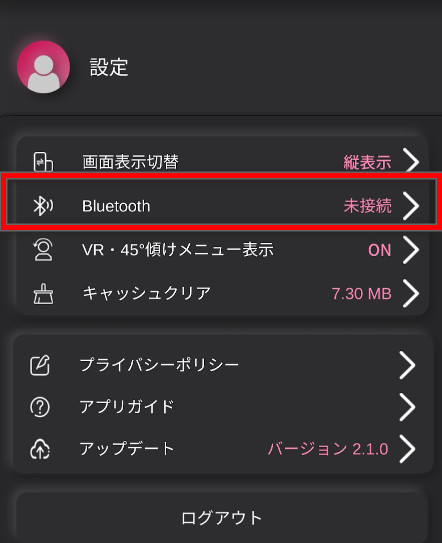
Choose “Bluetooth.”
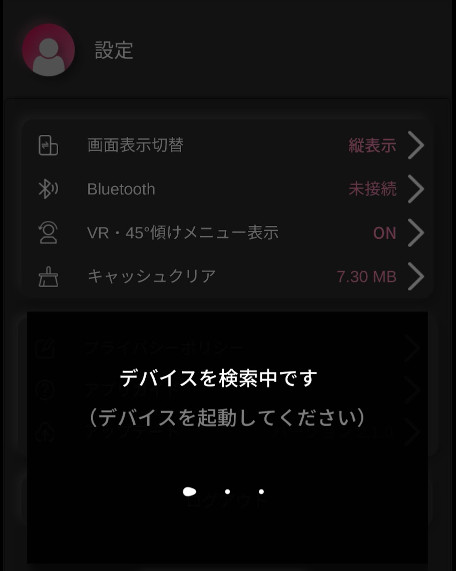
“Searching for devices” appears.
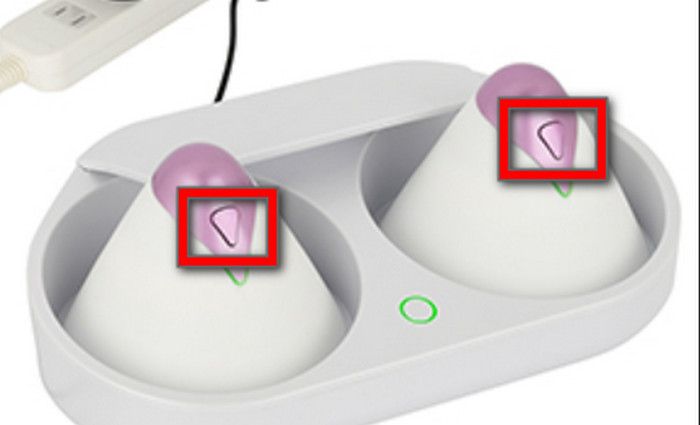
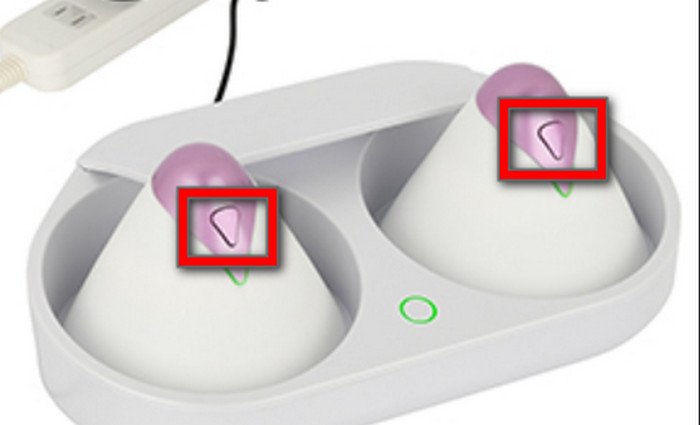
Turn on one of the U.F.O. TW cups.
When the connection succeeds, 4DMEDIAPLAYER shows “Connected: U.F.O.TW.”
If the U.F.O. TW's light turns blue, the Bluetooth connection has worked.
Turn on the other cup, and its light turns blue too.
Play a video and the sync starts automatically.
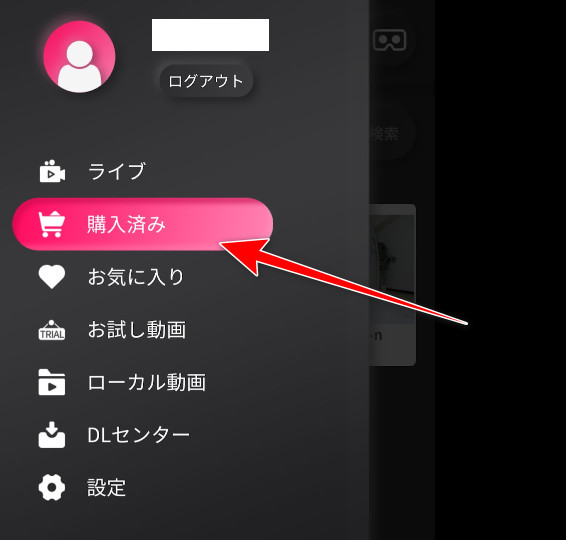
[2] How to Sync the U.F.O. TW (Successor to the U.F.O. SA) with a PC
You use your PC's built-in Bluetooth. (If your PC doesn't have it, you need to plug in a wireless USB adapter, sold separately.)
Click 4DMEDIA PLAYER.
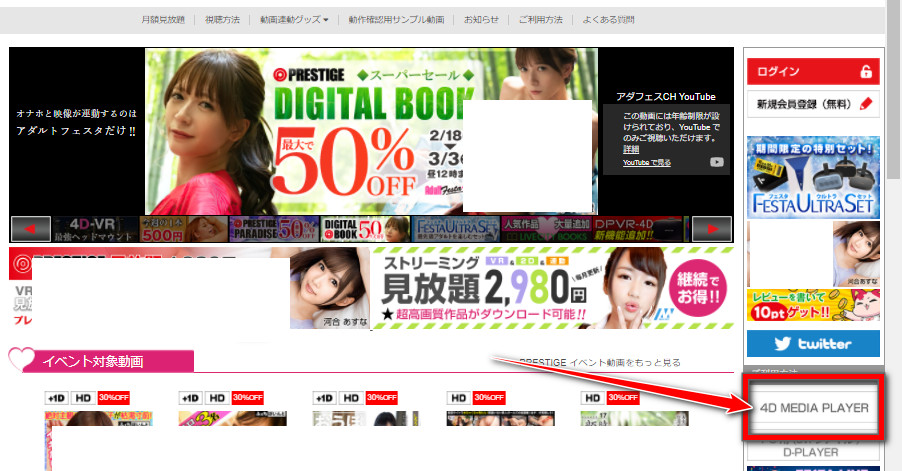
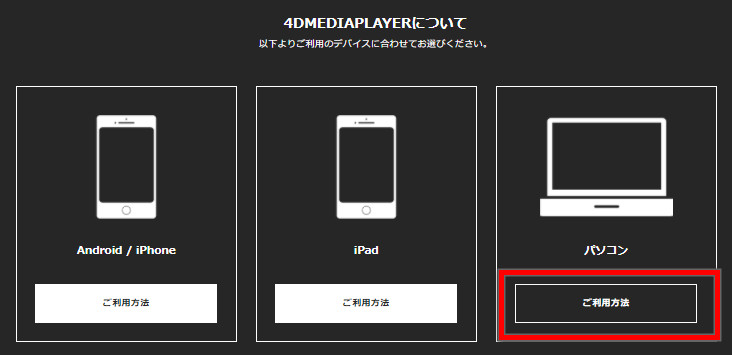
↓ Click “How to use” under PC (on a phone, click “Android / iPhone”).
↓ Click Download.
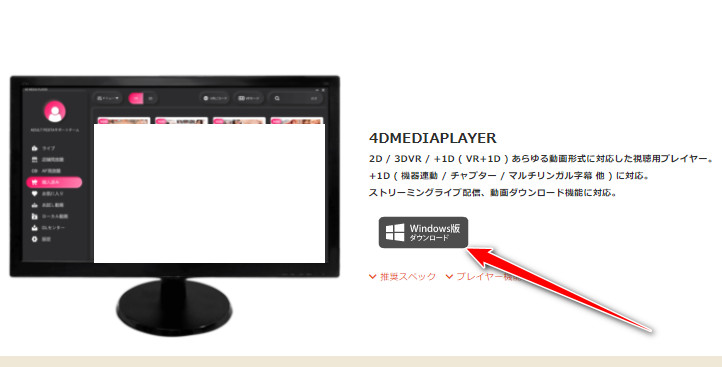
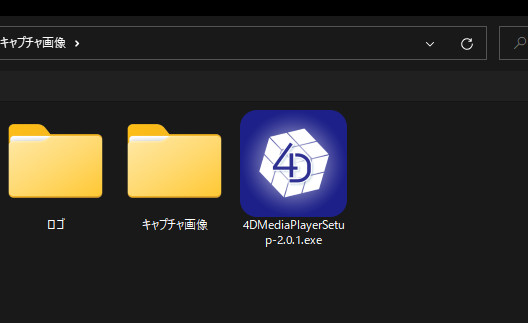
↓ Double-click the file you downloaded.
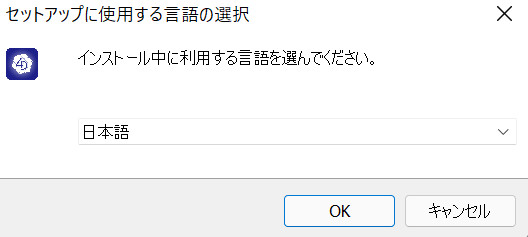
↓ Choose the language (I chose Japanese) → OK
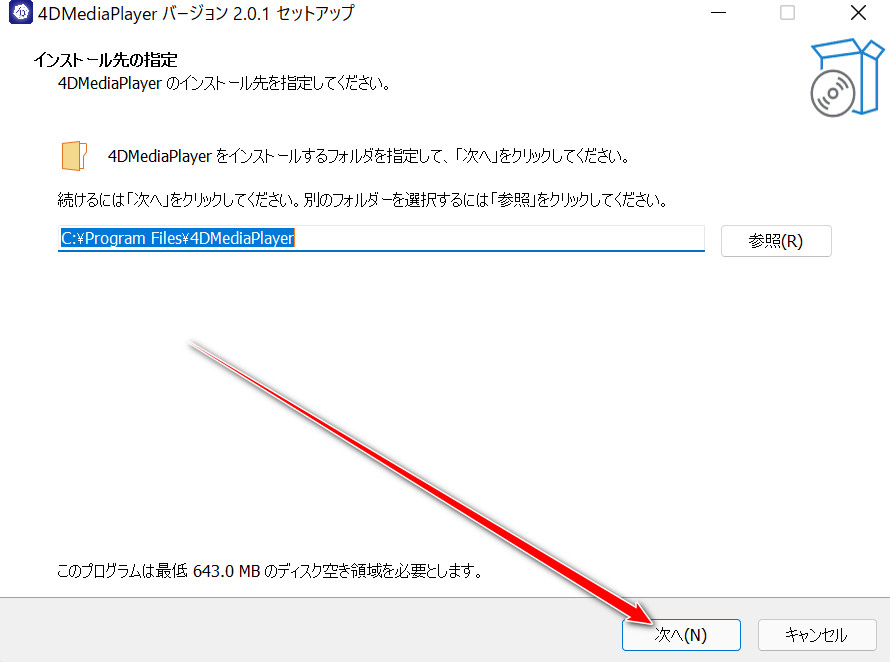
↓ Click Next.
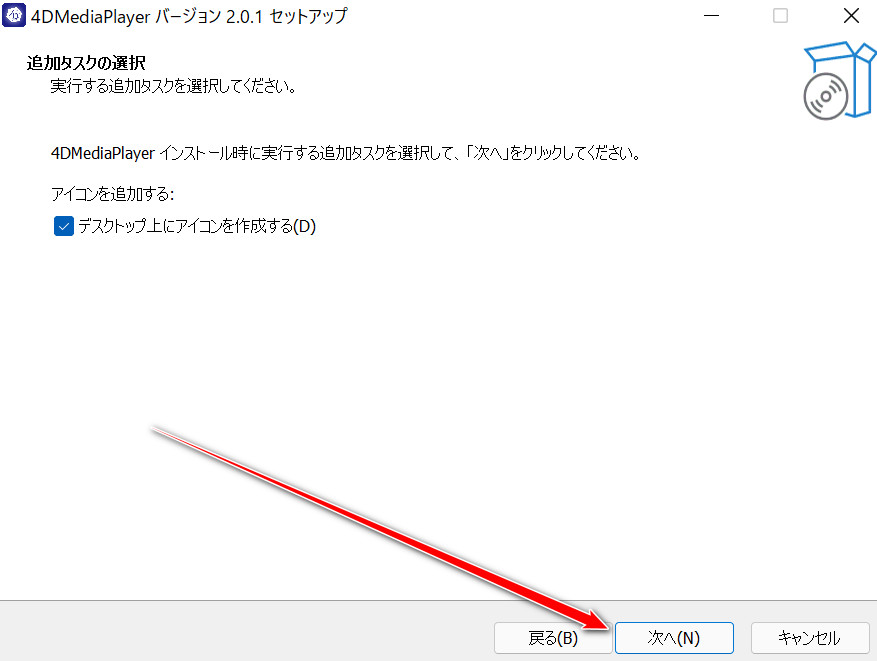
↓ Click Install → tick “Run 4DMEDIA PLAYER” → click Finish.
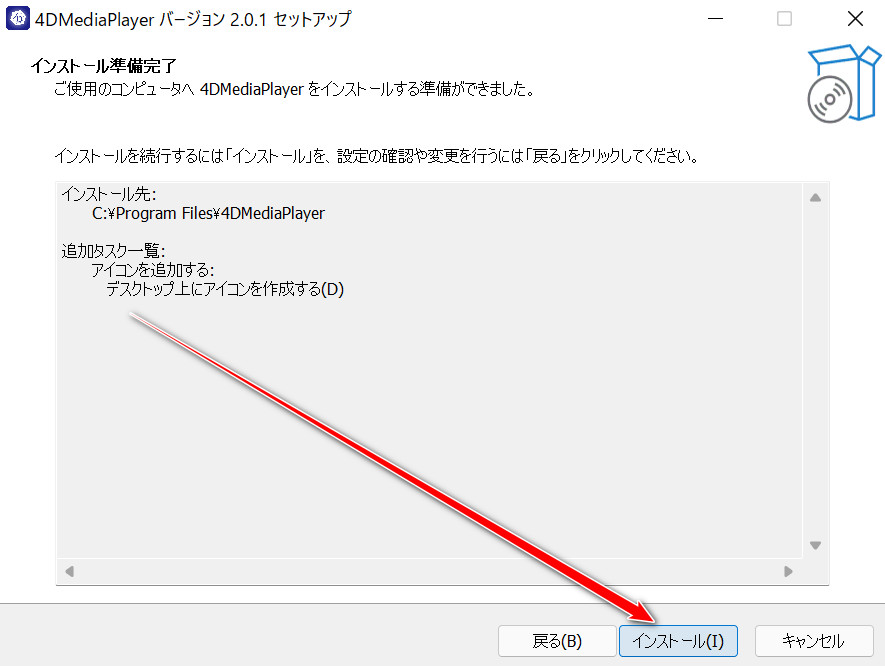
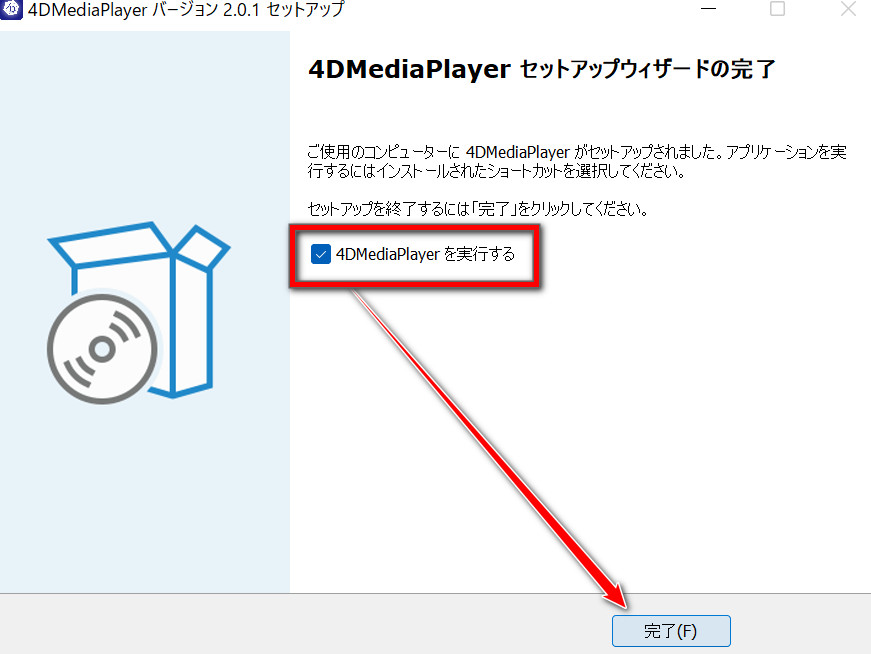
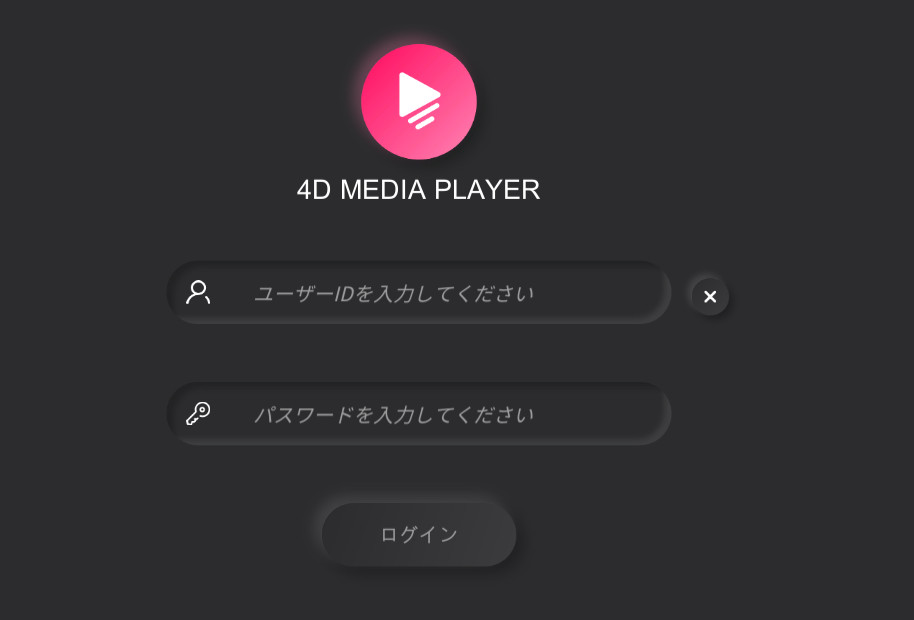
4DMEDIA PLAYER starts. Enter the user ID and password you registered with Adult Festa.
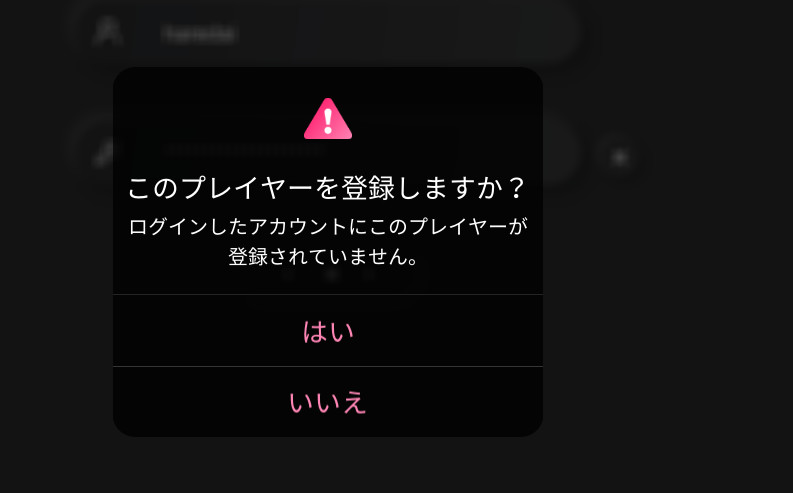
↓ Choose Yes.
↓ Turn on the U.F.O. TW.
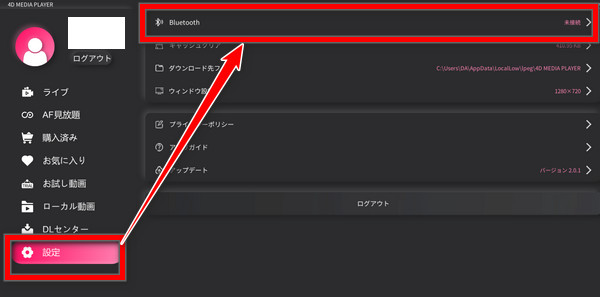
↓ Click Settings, then Bluetooth.
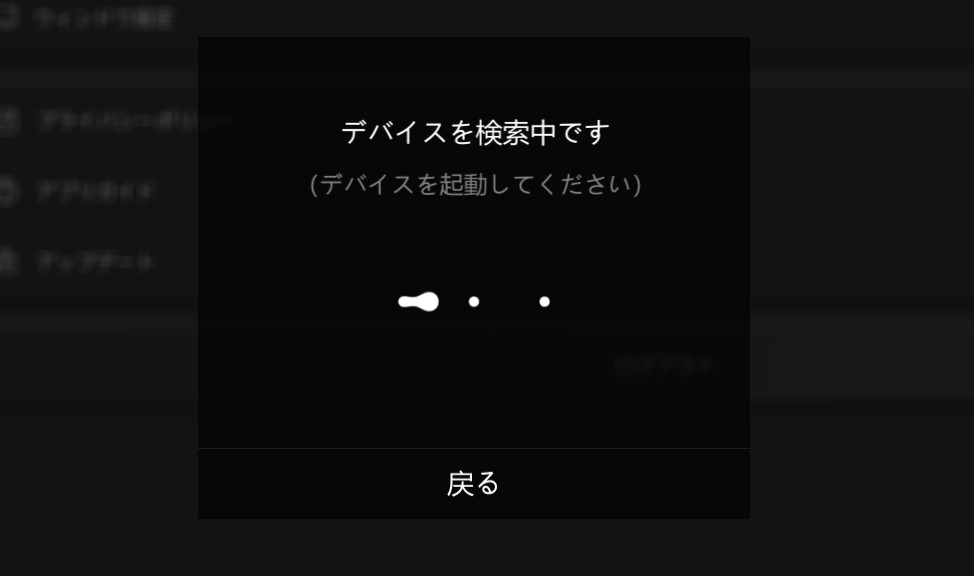
↓ The U.F.O. TW shows as connected (the screen says Piston SA, but…).
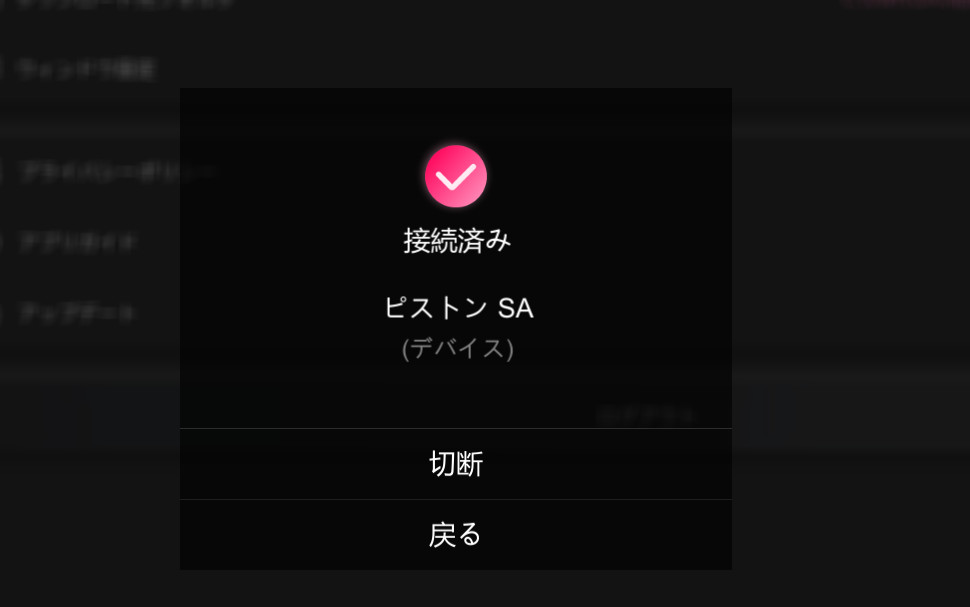
If it won't connect, try restarting the 4DMEDIA PLAYER software.
Turn on the other cup. If both lights are blue, the Bluetooth connection is working.
Once you've checked, choose “Back” to close the connection screen.
Pick a video and play it, and it syncs automatically.
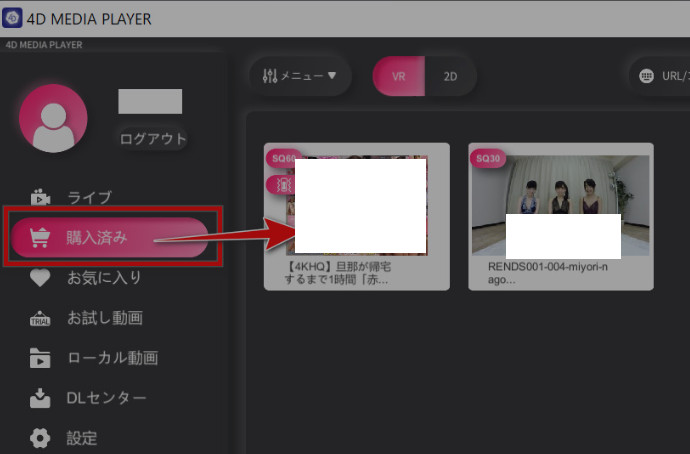
Syncing with a VR Headset (DPVR)
On the VR headset, 4DMEDIAPLAYER is already installed.
Press the headset's power button to start the DPVR-4D or DPVR-4D Pro.
Click the Bluetooth icon at the bottom of the screen inside the headset.
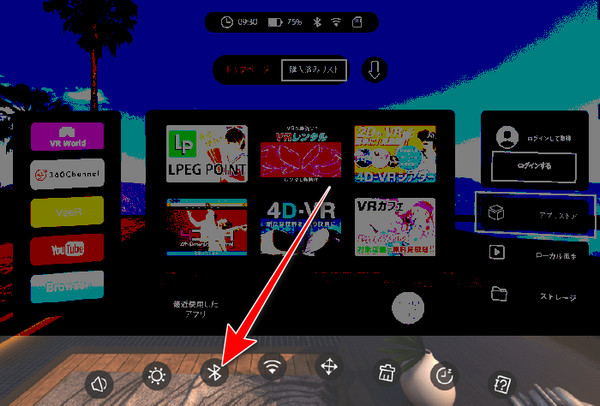
The headset's device connection screen shows “Searching for devices.”
Turn on one of the U.F.O. TW cups.
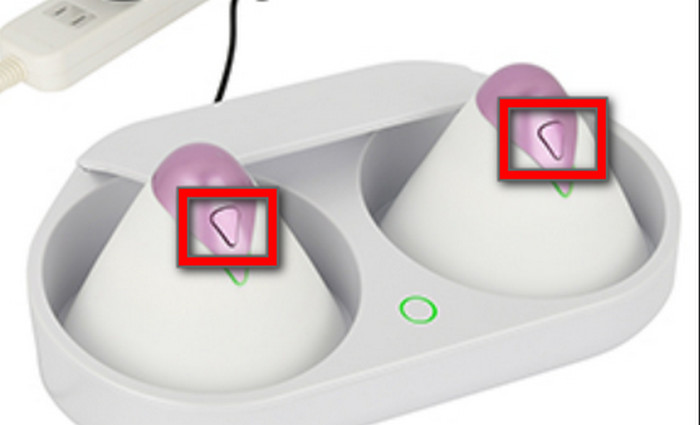
When the Bluetooth connection succeeds, the headset shows “Connected: U.F.O.TW” and the U.F.O. TW's light turns blue.
Turn on the other cup, and both lights turn blue on their own.
Once it's connected, log in inside the headset (with your Adult Festa ID and password) and choose “Purchased list” to see the videos you bought.
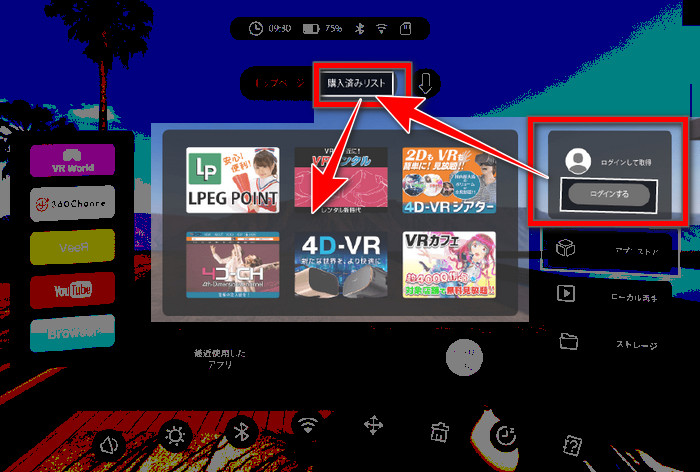
Play one, and it should be synced with the U.F.O. TW.
It's easier to buy Adult Festa videos on a PC or phone than inside the VR headset.
Once you log in on the headset, videos you bought on your PC or phone show up there.