The U.F.O. TW App: Why You Need It for Slow Mode (and How to Install It)
The short answer
- The app widens what you can do with the U.F.O. TW
- The slowest rotation is only available from the app
- You can't control it from far away
- When I tested it (March 2023) it worked only on Android, not on iPhone — as of September 2026, VORZE and NLS point iPhone users to a separate, unofficial app, BleToyBox
If you love the slowest, gentlest rotation, installing the app is a must.
That's because you can't get the lowest speed with the buttons on the cups alone.
When it's synced to a video, the speed follows the video, so that's not a problem.
Here's my story of buying a genuine unit (not a fake) at the lowest price:
 Where to Buy a New U.F.O. TW for the Lowest PriceWhere to buy a genuine VORZE U.F.O. TW in Japan: I checked 10+ shops, ordered from NLS step by step, and found a phishing site selling fakes.Read the article ›
What Is the App That Controls the U.F.O. TW?
It's an app that lets you control the toy from your smartphone.
It gives you more control than the buttons on the cups, so it's definitely handy.
With the buttons alone, you can't speed up or slow down the rotation within each mode.
You're stuck with each mode's preset, fairly fast speed.
With the app, though, I could change the speed in about 5 steps, even for the clockwise rotation (white mode). As of September 2026, NLS's product page says the VORZE Controller app gives you 7 patterns with 7 speed steps each.
That said, the buttons alone are plenty of fun, so there's no need to force yourself to install the app.
Note that while it's synced with a VR headset or a PC, you can't control it from the app.

When I wrote this (March 2023), one app could control all of these VORZE toys:
- A10 Piston SA+
- A10 Cyclone SA+
- U.F.O. TW
- U.F.O. SA
- Bach Smart
[U.F.O. TW App] Installing and Using It on Android (Videos)
How to install the Android app
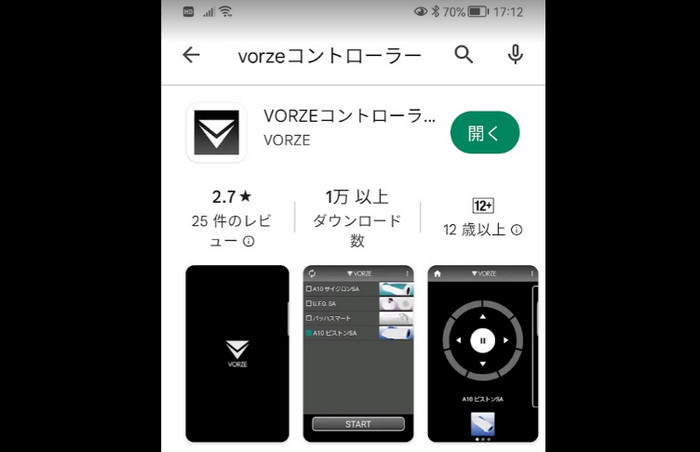
Open Google Play on your Android phone, search for “VORZE,” and install the app (VORZE Controller; still available on Google Play as of September 2026).
How to connect the app to the U.F.O. TW via Bluetooth
Open the app and turn on the U.F.O. TW, and “U.F.O. TW” will appear in the device list.
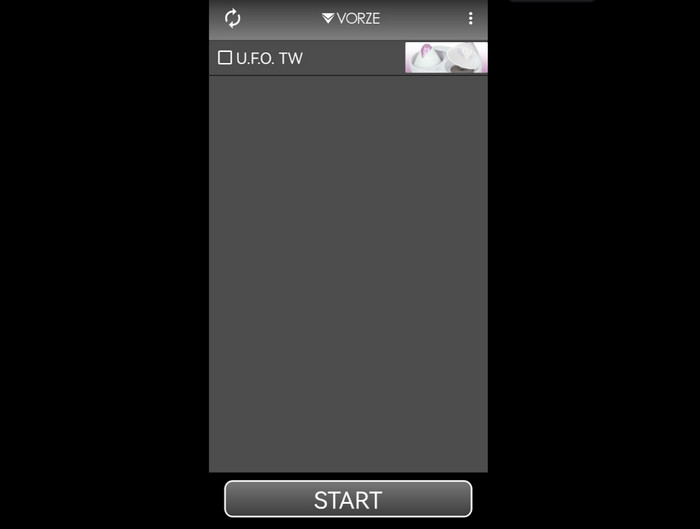
Tick its box and tap the button at the very bottom to start connecting.
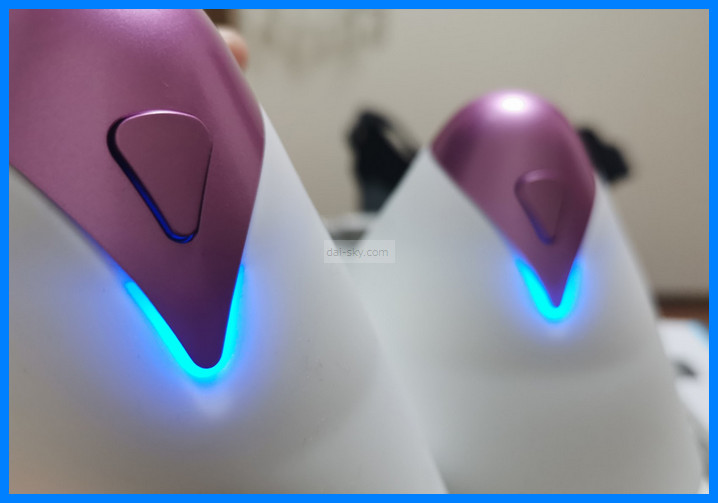
The light on the U.F.O. TW's power button changes from green to blue.
Speeding it up remotely
Keep pressing the ↑ up-arrow button and each mode spins faster.
Slowing it down remotely
Press the down-arrow button to slow down a rotation you've sped up.
Turn the speed all the way down and it stops.
Changing modes
Press the left and right arrows to change the mode.
The U.F.O. TW itself has just one button, so you have to press it over and over, cycling all the way around, to get to the mode you want.
With the app, though, you can go back to the previous mode.
The color in the app changes every time you switch modes, so it's easy to see which mode you're in.
You can watch videos of exactly how each mode moves (using the buttons on the cups) in this article ↓↓
 How to Use the U.F.O. TW: Charging and Controls (with Videos)How to use the VORZE U.F.O. TW, with videos: the 5 modes, pausing, warming, attachments, wearing it, cleaning, charging, storage and a left/right trick.Read the article ›
Pausing remotely
Press the center button to pause.
Let go and it starts moving again.
It only stays paused while you keep holding the button down.
If you want it to stay paused, press the down arrow and lower the speed until it stops.
[U.F.O. TW App] Does It Work on iPhone? I Tried It
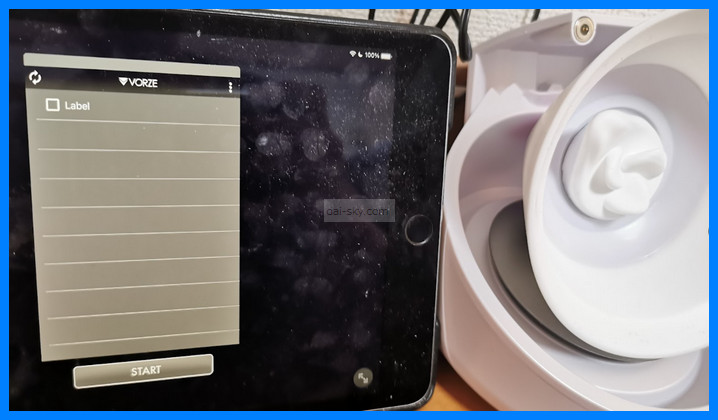
I installed the iOS version of VORZE's app to see if it would run the U.F.O. TW.
It found the U.F.O. TW over Bluetooth, but for some reason it showed a picture of the A10 Cyclone, and as soon as I tried to control it, the app crashed.
Bottom line: it didn't work. That was in March 2023 — as of September 2026, VORZE's spec page and NLS say the U.F.O. TW now works on iPhone through a different, unofficial app, BleToyBox (free on the App Store, iOS 15.0 or later; the App Store listing itself doesn't name the U.F.O. TW).
Back then, my advice was to buy a cheap Android phone or keep a spare one just for this.
How Far Away Can You Control the U.F.O. TW with the App?
With the U.F.O. TW on the second floor, I could control it from the first floor.
It even worked when I stepped outside the front door.
But from about 20 meters away from the house, it didn't work.
The connection dropped.
Basically, assume you can only control it remotely inside your home.
Fun Ideas for the U.F.O. TW App
Let someone else control it
There's no random mode, so you need another person to keep things unpredictable.
It's perfect for play where someone else torments you.
Being teased through the app's remote control would really feel like being toyed with — I think that would get me going.
Have someone run it together with the A10 Piston, at random
One phone can't run the U.F.O. TW and the A10 Piston at the same time, so you'll need two phones. (That was my experience in 2023; as of September 2026, the app's Google Play description says it can connect up to 8 devices at once.)
Never knowing whether your penis or your chest will get it next should really build up the excitement.
You'll need someone to run them for you.
Here's my story of buying a genuine unit (not a fake) at the lowest price:
Where to Buy a New U.F.O. TW for the Lowest PriceWhere to buy a genuine VORZE U.F.O. TW in Japan: I checked 10+ shops, ordered from NLS step by step, and found a phishing site selling fakes.Read the article ›