How to Use the A10 Piston SA: Buttons and Step-by-Step Guide
This is my guide to using the A10 Piston SA.
I use my A10 Piston SA all the time and know it inside out.
Based on that experience, I’ll walk you through it step by step.
The controls can be confusing at first, but this article should clear up everything.
If you don’t learn to use it properly, you won’t get anywhere near the pleasure it can give you.
This guide mainly covers manual control. For syncing with Adult Festa (a Japanese VR video site), see this article. (As of September 2026, Adult Festa’s smartphone player is called 4DMEDIAPLAYER+; it’s on both Google Play and the App Store and lists the Piston SA as a supported toy.)
>>>> The complete A10 Piston SA sync manual (which VR headset do you need?)
It also explains how to use the VR headset.
If you haven’t bought one yet, read this article to get a genuine A10 Piston SA at the lowest price I found (as of May 2022)!
 Where to Buy a Genuine A10 Piston SA for the Lowest PriceWhere to buy a genuine VORZE A10 Piston SA + PLUS in Japan: NLS vs. Amazon Japan vs. FANZA prices, stock history, must-have extras and scams to avoid.Read the article ›
How the A10 Piston SA’s Buttons Work
Power button (also the emergency stop)
Press this button to turn it on.
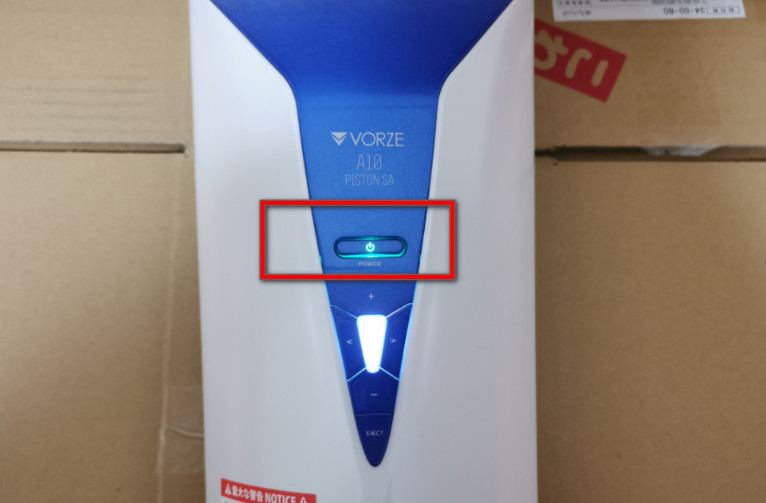
If nothing happens for about 30 seconds, it turns itself off.
The A10 Piston SA has a pause button, but no stop button.
To stop it, press the power button.
Mode buttons
Press the “< >” buttons on the left and right of the A10 Piston SA to switch the movement mode.
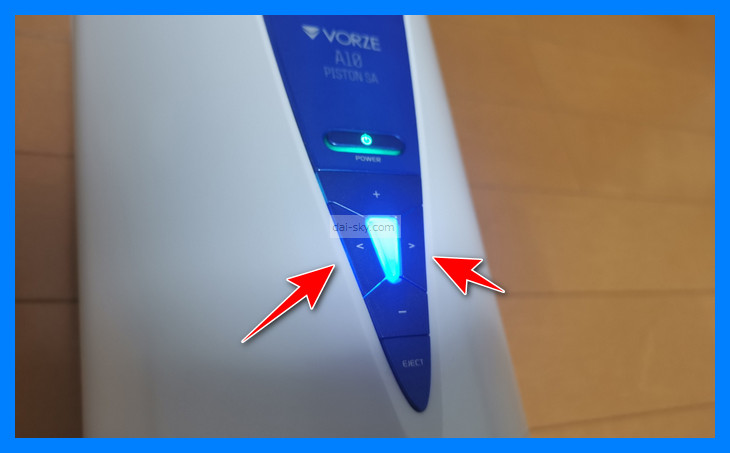
There are 7 modes to cycle through.
The right and left buttons move forward and back through the list of modes.
The light changes color with each mode, so you can always tell which mode you’re in.
Here are the modes:
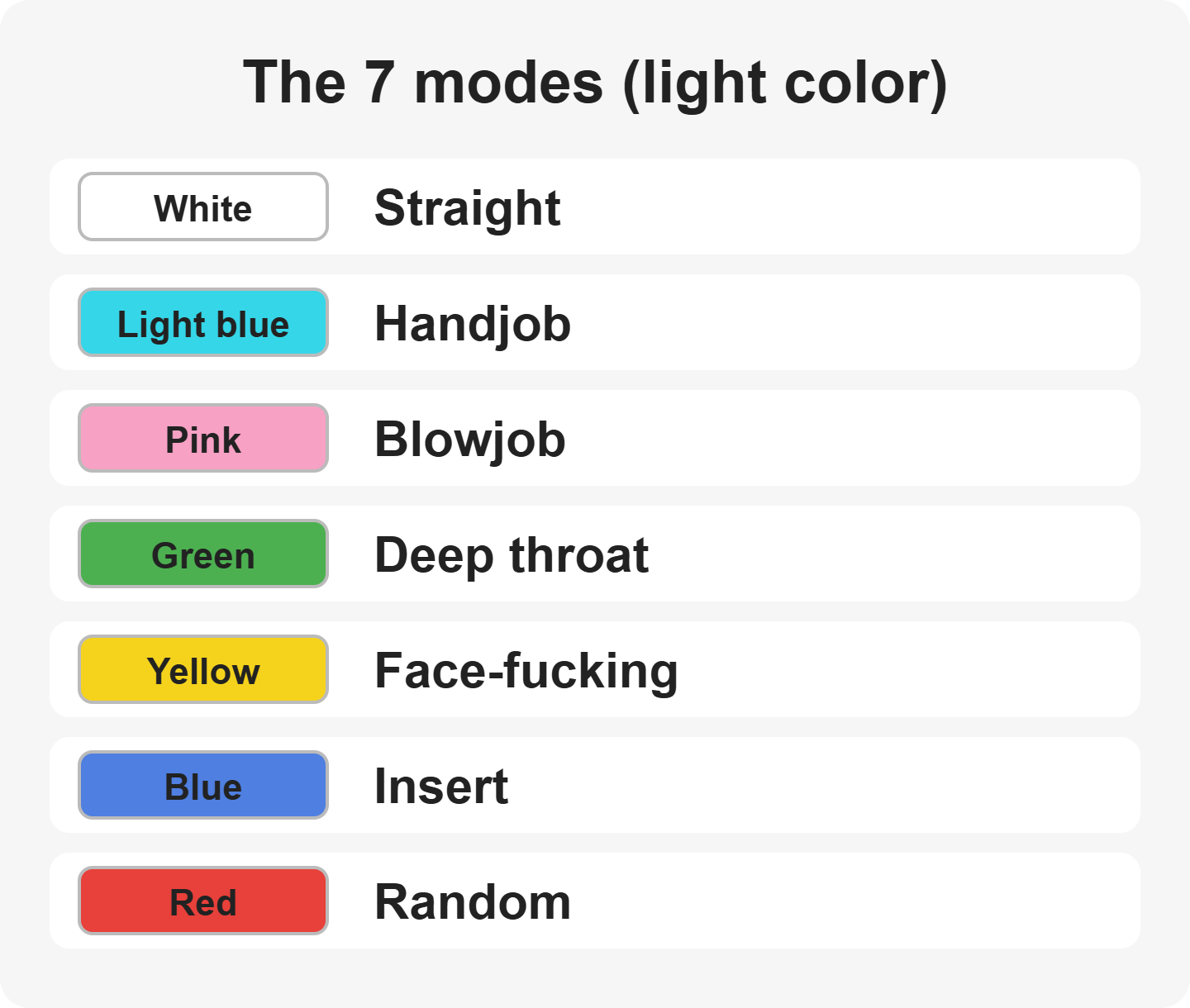

Personally, I like the blue Insert mode because it isn’t loud.
Slow stimulation that just goes on forever…
Speed buttons
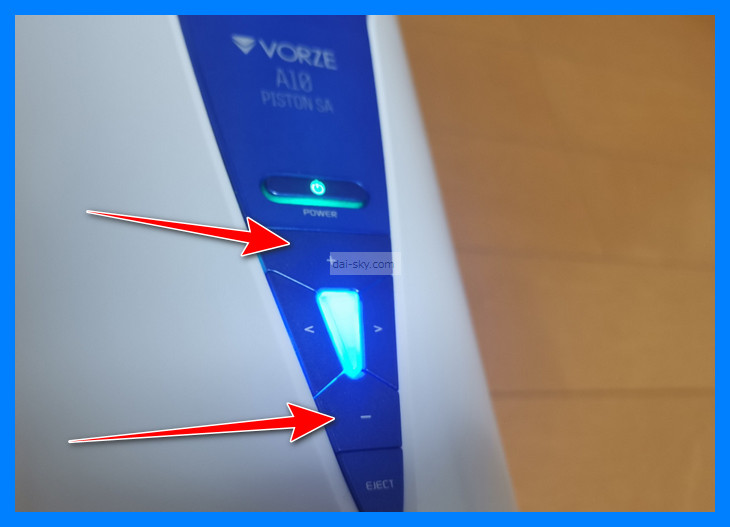
The up and down buttons change the speed level.
On level 1, the slowest, the machine is easily strained until the friction against your penis eases off, so it often stops.
So I recommend going straight up to level 3.
That way it rarely stops.
You can choose a speed from 0 to 7, and setting the speed to 0 stops it. Speed 0 is effectively the stop button.
Pause button
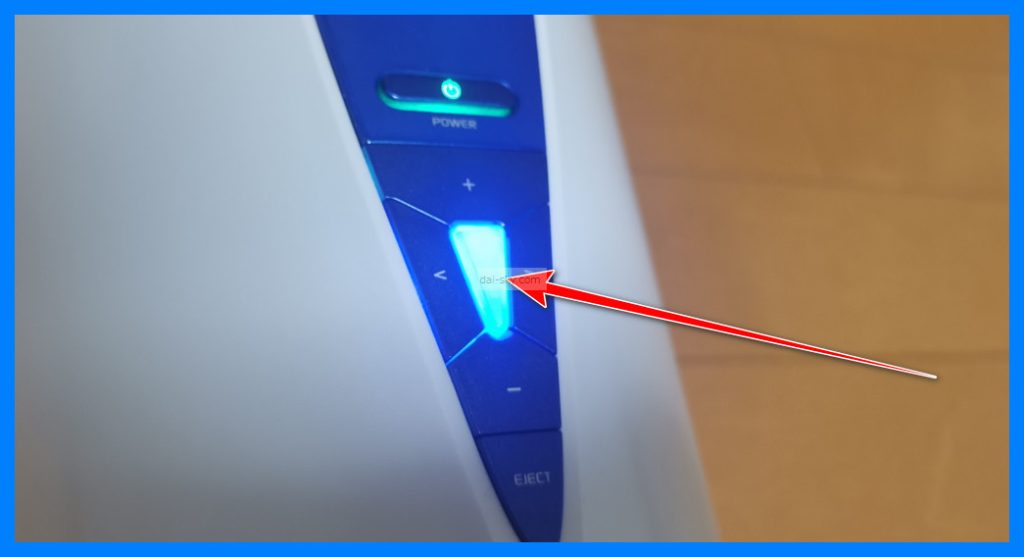
The button in the middle that changes color is the pause button.
It keeps moving until you lower the level to 0, so make good use of pause.
You can also use pause to help you last longer.
You can’t stop it while the light is blue in sync mode, so keep that in mind (that’s how mine behaved in May 2022).
To stop the A10 Piston SA, either turn it off with the power button or stop the VR video.
Step by Step: Getting the A10 Piston SA Ready
Set the official sleeve in place
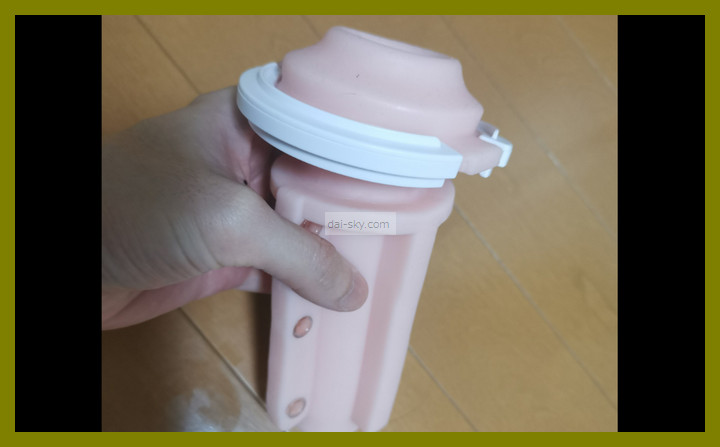
Put in whichever sleeve you like.
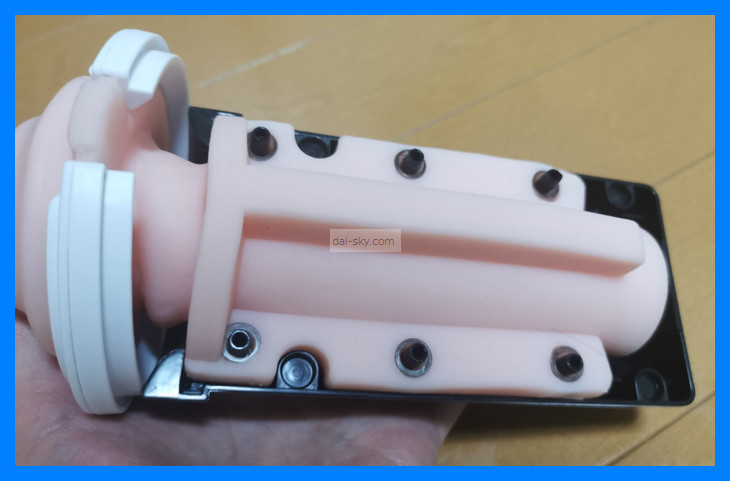
If you want to know which official A10 Piston SA sleeves are popular, see here.
Related article
>>> Top 3 official A10 Piston SA sleeves
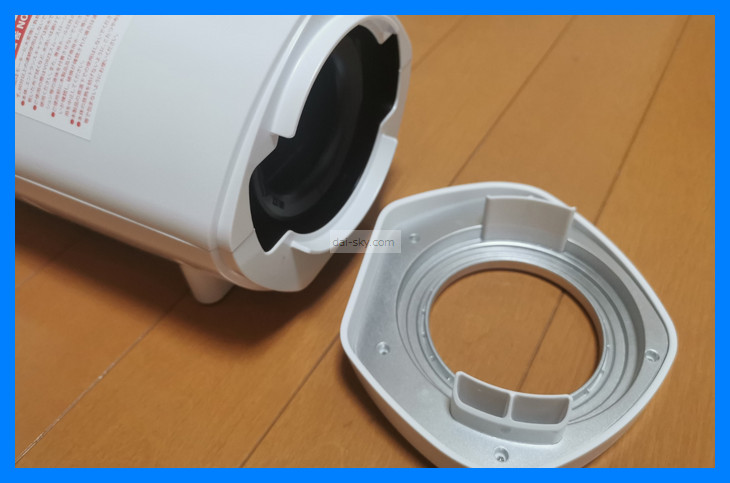
Fit the sleeve into the black case, then push it into the A10 Piston SA — magnets snap it into place.
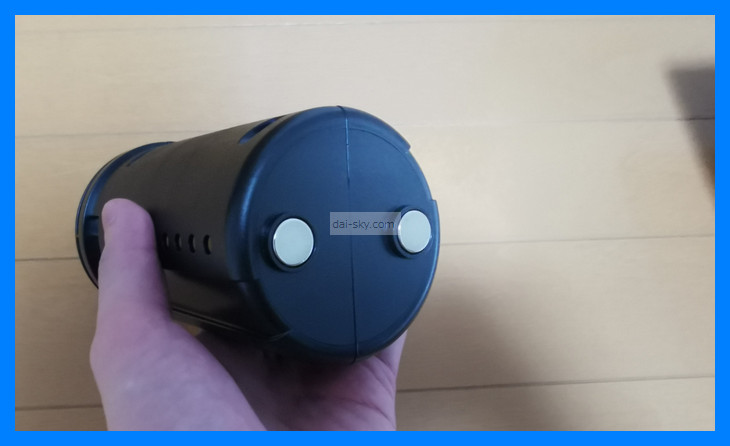
Put the front cover on, and you’re done.
Put the official lube into the sleeve
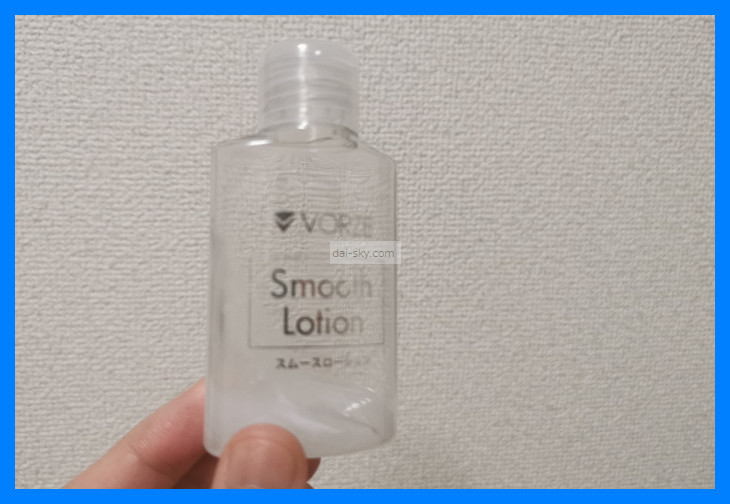
Lube is a must.
Without it, there’s too much friction for it to move.
The official lotion sold by RENDS is easy to use (NLS still sells it as of September 2026, at ¥836 (about US$5)).
>>>> [NLS] See VORZE Smooth Lotion
It isn’t very sticky, but it’s just thick enough.
Because it doesn’t get tacky, cleanup is easy too.
Lots of reviews on NLS (the official Japanese online store for RENDS/VORZE) say the same thing.
Insert your penis
Insert your penis before you start the A10 Piston SA, so everything moves smoothly.
If it doesn’t move smoothly, the A10 Piston SA gets strained and stops.
If it keeps stopping from the strain, you can’t focus on the video.
If you think it’s broken, see this article:
>>> Does the A10 Piston SA have a warranty? What to do when it breaks
Start the A10 Piston
You can choose between manual control and sync mode on the A10 Piston SA.
You can’t switch to manual while it’s synced over Bluetooth.
If you really want manual control, you have to turn it off first.
The blue light is on while it’s synced.
If the light on the front of the A10 Piston SA is any color other than blue, the sync isn’t set up correctly.
To sync the A10 Piston SA, read this article:
>>> The complete A10 Piston SA sync manual
A lot of people find the A10 Piston SA’s motor noise loud.
When it’s loud, it’s hard to lose yourself in it, right?
For ways to deal with the noise, read this related article:
>>> What to do when your A10 Piston SA is too loud
Press the eject button to take out the sleeve
Once you’ve come, it’s time to clean up.
Forcing the sleeve out is dangerous.
It could break your A10 Piston SA.
Press the eject button to take it out.
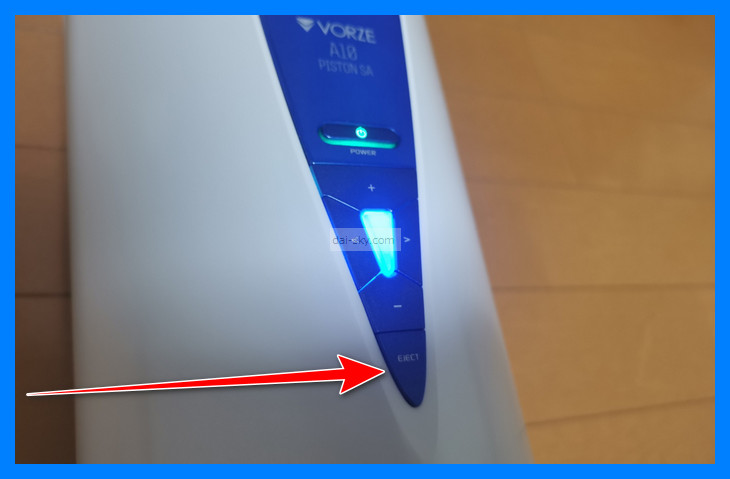
When you press eject, the light flashes in rainbow colors and the sleeve case pops out with a clunk.
Sometimes you can get it out just by twisting it, without pressing eject.
Finally, turn the power off.
Wash the sleeve
Washing it during the post-orgasm lull always feels like a chore.
It’s closed at the end, so it’s hard to wash.
I can never shake the feeling that some semen is still left inside, but at some point I call it good enough.
Push your finger in and wash all the way to the back.
Turn the official A10 Piston SA sleeve upside down, wrap it in a towel, and shake it.
That gets the water out much more easily.
Dry the sleeve
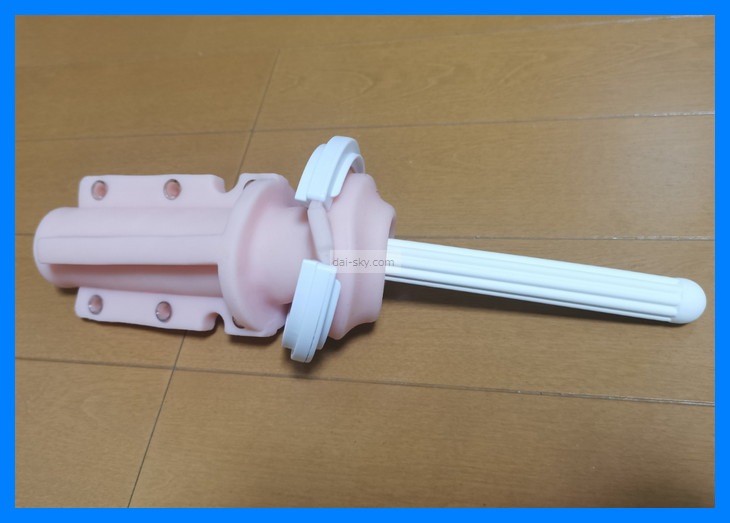
Because it’s closed at the end, it always takes a while to dry.
I recommend buying a diatomite drying stick to dry it out.
>>> [NLS] See the Diatomite Ona Dry stick
Don’t leave the diatomite stick inside.
Squeeze and knead the sleeve so the stick soaks up the moisture.
Buy a diatomite stick for hygiene’s sake, too.
There’s also a dedicated sleeve-cleaning soap, but I think ordinary hand soap is fine.
Store the sleeve in its case.
Charge it
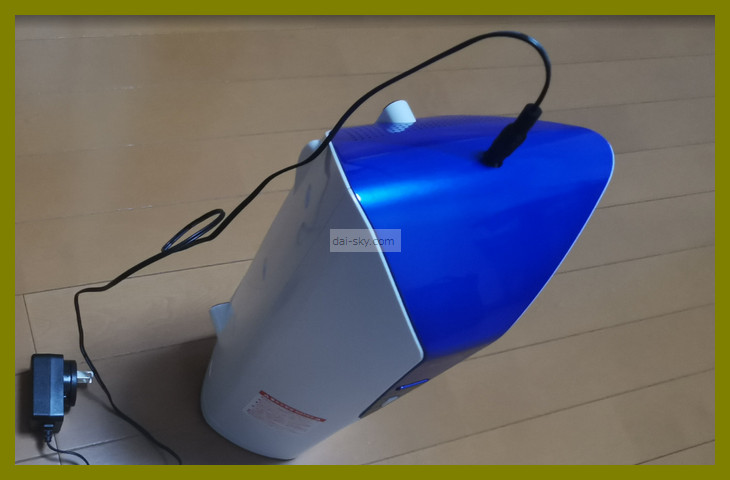
When you’re done with the A10 Piston SA, charge it properly.
If it runs out of battery right when you’re about to come, it kills the mood.
The connector is pretty stiff, but push it all the way in.
Once charging starts, the light on the A10 Piston SA comes on — VORZE’s manual says it blinks green while charging.
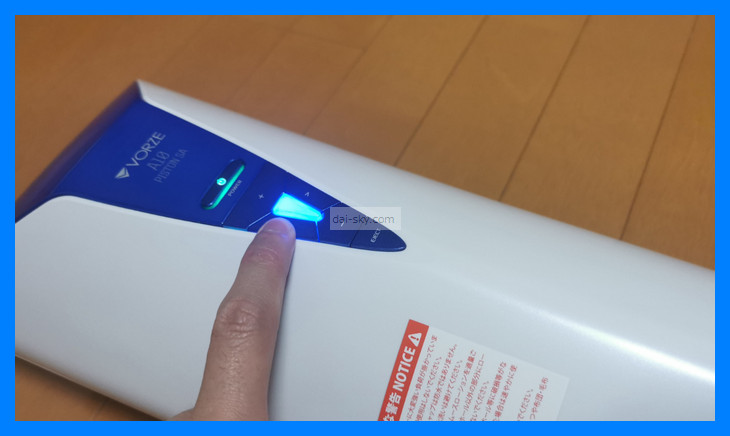
If the light doesn’t come on when you plug it in, it isn’t charging. (Note: according to the manual, the light also goes off once it’s fully charged, so an unlit lamp doesn’t always mean it failed to charge.)
How to Control the A10 Piston SA Remotely with the Smartphone App
Download the remote-control app from the link below (about halfway down the page).
Install the smartphone app for the A10 Cyclone SA + PLUSYou can use the buttons on the machine, but you can also control it remotely from your phone.
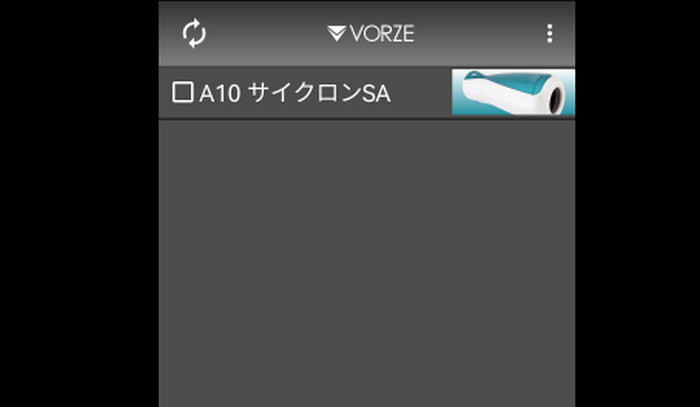
When the app finds your A10 Piston SA, tap it.
The controls in the app work the same way as the buttons on the machine.
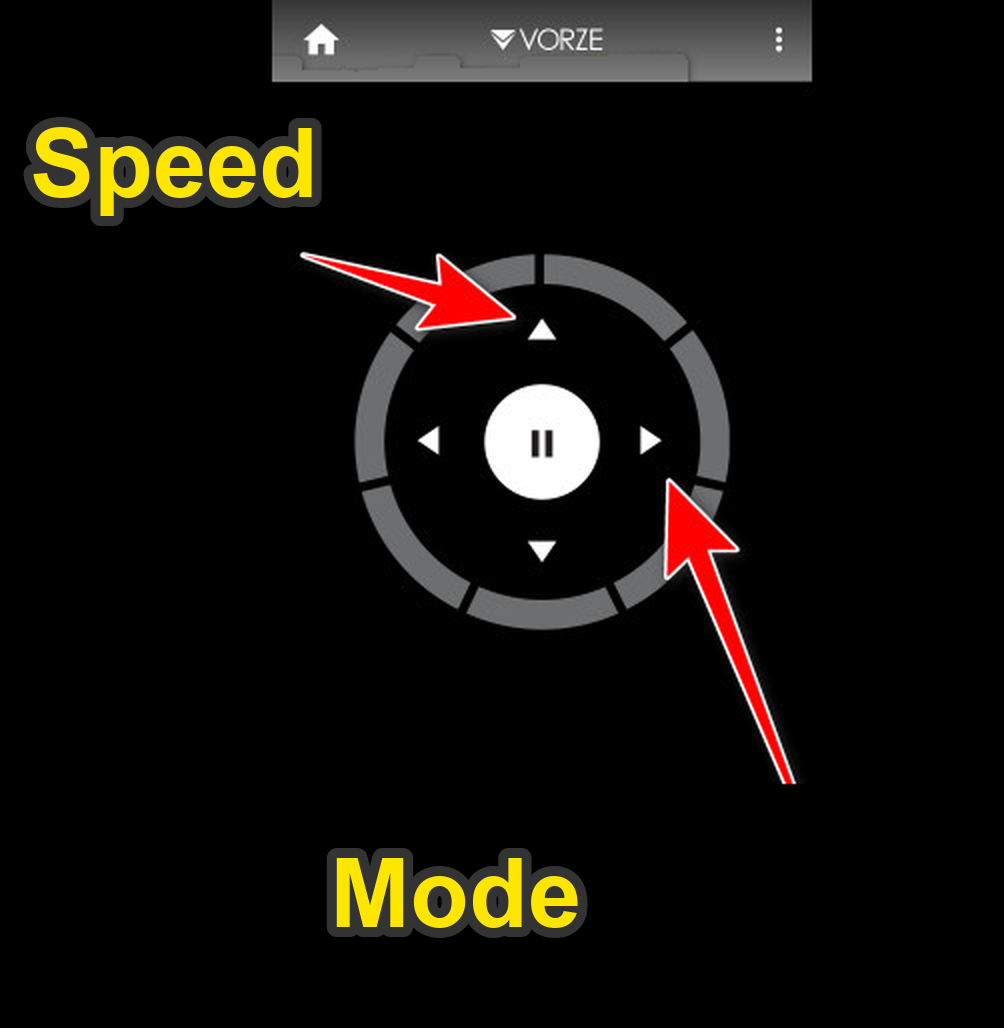
When you change the mode, the color changes. ↓↓
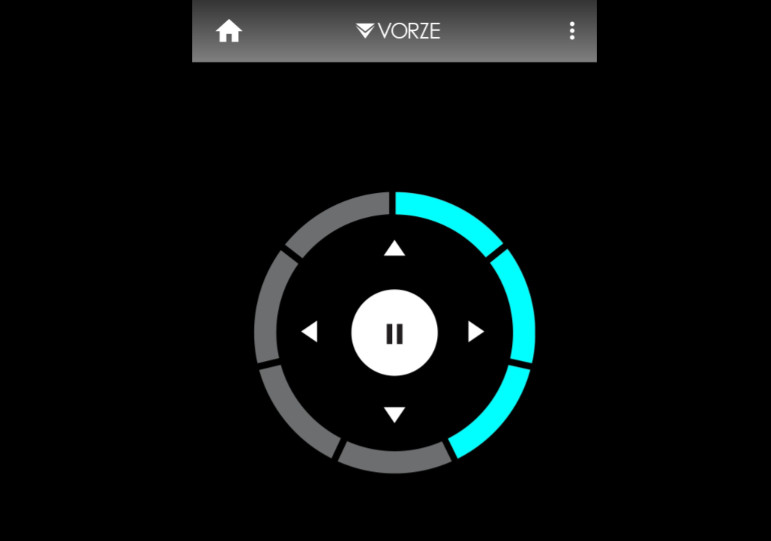
To end remote control, either turn the machine off or close the app.
Summary
You’ll probably be confused about how to use it at first.
Once you’ve used it once, you get the hang of it.
It’s simple enough that you don’t even need the manual.
Start by just playing around with your A10 Piston SA.
If you haven’t bought an A10 Piston SA yet, be sure to read this article and get it at the lowest price (as of May 2022).
Where to Buy a Genuine A10 Piston SA for the Lowest PriceWhere to buy a genuine VORZE A10 Piston SA + PLUS in Japan: NLS vs. Amazon Japan vs. FANZA prices, stock history, must-have extras and scams to avoid.Read the article ›