How to Sync the A10 Piston SA with VR (Adult Festa) and the Best Headset
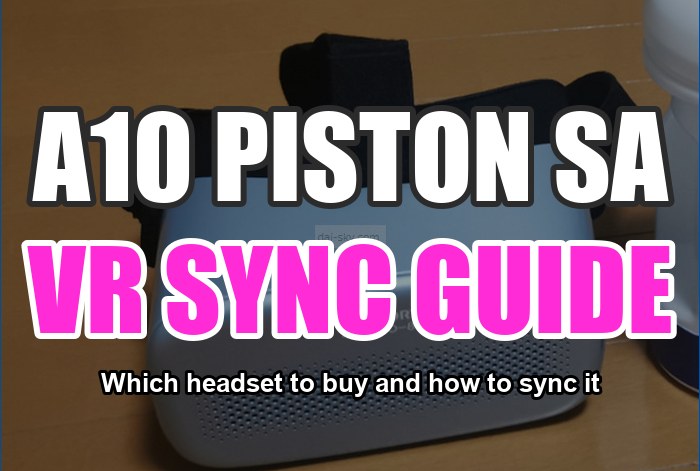
This article is for anyone wondering:
- Isn’t syncing the A10 Piston SA complicated?
- Which VR headset should I buy?
- Can I sync it without a VR headset?
I explain, in more detail than anywhere else, which headset you need to sync the A10 Piston SA — the electric masturbator that makes paid sex unnecessary — and exactly how to sync it.
For the VR headset, I personally recommend the lightest one, the SKYWORTH, but as of October 11, 2022, most online shops had stopped selling it…
Bottom line: I don’t recommend the Meta Quest headset: when I wrote this it needed a gaming PC, and syncing it is really difficult (see the note under the comparison table for what has changed).
There are several ways to sync the A10 Piston SA, so I’ll go through them in this order:
- How to sync with a high-end VR headset (SKYWORTH)
- How to sync with Adult Festa videos only
- How to sync with smartphone VR goggles
I explain how to sync the A10 Piston SA with pictures and video, so it’s very easy to follow.
For the A10 Cyclone, another electric masturbator, the syncing steps are basically the same.
If syncing the A10 Piston SA makes you nervous, bookmark this article.
>>> My trick for getting the A10 Piston SA at the lowest price
[Comparison Table] Which VR Headset Do You Need to Sync the A10 Piston SA?

For VR videos, resolution is everything.
A lighter headset is also definitely better.
Looking at price and specs, I’d pick the “DPVR-4D PRO” or the “SKYWORTH 4D PRO-802” (my picks in 2022).
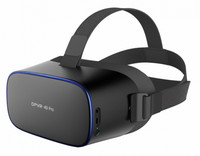

Not needed
32 GB

3840×2160 (4K)

350 g
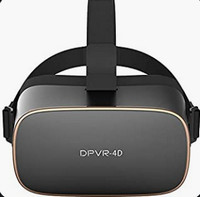
Not needed
16 GB

1280×1440 (2.5K)
350 g
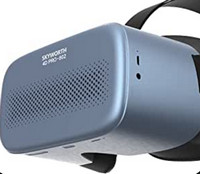
Not needed
32 GB
1920×2160 (4K)
310 g
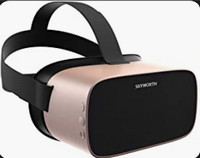
Not needed
16 GB
1280×1440 (2.5K)
350 g
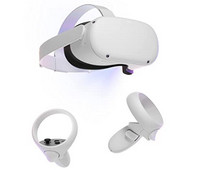
Required in 2022
(not any more)
128 GB
1832×1920 (4K)
503 g
Hard
*The biggest draw of the Oculus Quest 2 (Meta Quest) is that it plays FANZA’s VR videos (FANZA is Japan’s biggest adult video store).
But the headset is heavy, and when I wrote this it couldn’t sync with the A10 Piston SA without a gaming PC (about ¥150,000), so I didn’t recommend it. As of September 2026, Adult Festa says you can use a Quest either through Quest Link with its PC player or together with its 4DMEDIAPLAYER+ smartphone app — the Quest still can’t sync a toy on its own, but a gaming PC is no longer a must.
If you want to sync the A10 Piston SA, you need a VR headset made for Adult Festa (a Japanese VR video site).
Just commit and buy a high-resolution one: the “DPVR-4D PRO” or the “SKYWORTH 4D PRO-802”! (That was my advice in 2022 — see the Quest note above for what has changed.)
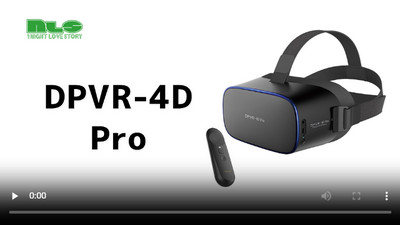
NLS (the official Japanese online store for RENDS/VORZE), which as far as I could tell sells the most A10 Piston SAs, has published a video showing how to use the DPVR-4D PRO.
How to Sync the A10 Piston SA with the SKYWORTH-4D PRO and How to Use It (with Pictures)
Among VR headsets, I recommend the SKYWORTH-4D PRO because it’s the easiest one to sync with the A10 Piston SA.
When I wrote this, the Oculus Quest (Meta Quest) needed a gaming PC.
Connecting it was also more of a hassle than with the SKYWORTH-4D PRO.
That’s because it synced with Adult Festa through a PC.
With the SKYWORTH-4D PRO, the whole sync happens inside the headset.
Syncing is really easy, so don’t worry!
Here’s how to sync the SKYWORTH Pro802 with the A10 Piston SA.
The steps are the same for the older SKYWORTH Pro801, too.
This is how it worked when I set it up in 2022:
- Buy Adult Festa videos on your PC or smartphone in advance
- Press the button on the bottom to turn the headset on
- Connect the SKYWORTH Pro802 to Wi-Fi (the headset starts updating, so this takes a while)
- Enter your Adult Festa login inside VR
- Turn on the A10 Piston SA
- Open the Bluetooth settings inside VR and connect
- Play a video you bought
- Or play an all-you-can-watch video
After turning on the SKYWORTH Pro802, enter your Adult Festa login inside VR.
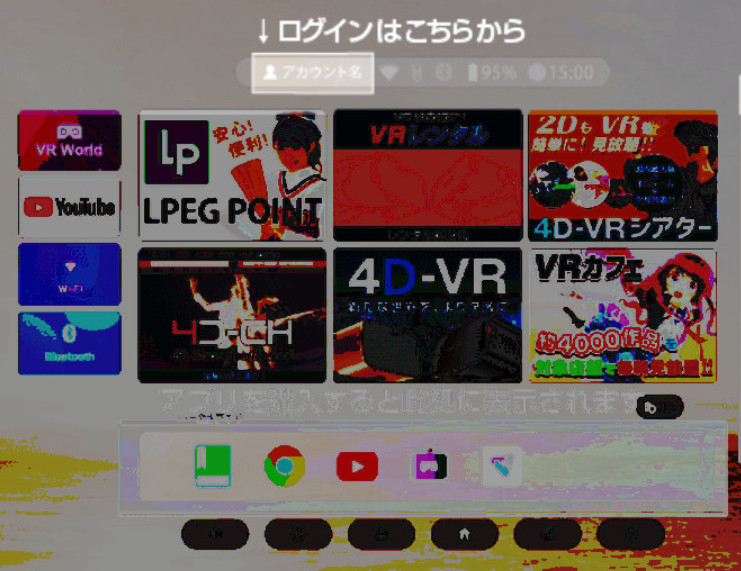
Once you’re logged in, you can watch the videos you bought on Adult Festa.
*Typing in VR takes getting used to, and it’s a real pain.
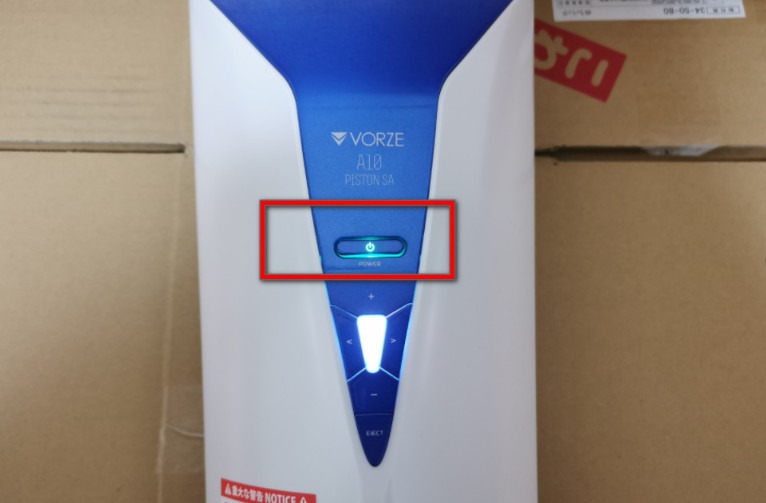
↓ Turn on the A10 Piston SA
Click “Bluetooth” inside VR
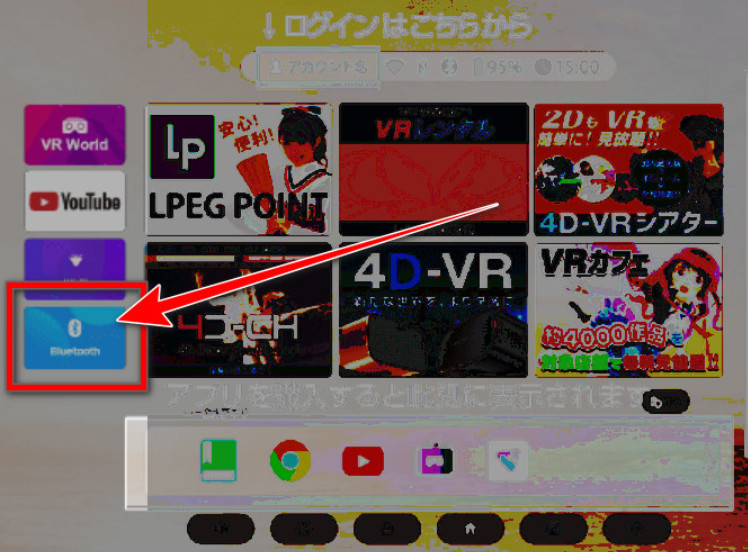
Once you click it, the A10 Piston SA is detected automatically.
Check that it says the connection to the A10 Piston SA is complete.
The A10 Piston SA is fairly loud, so if you have noise-cancelling headphones, I recommend pairing them over Bluetooth at the same time.
Even without headphones, the SKYWORTH Pro802’s own speakers sound good, so it’s no problem.
Then just play a video, and the A10 Piston SA starts syncing automatically.
[Using the Headset] Playing and Downloading Videos You Bought on Adult Festa
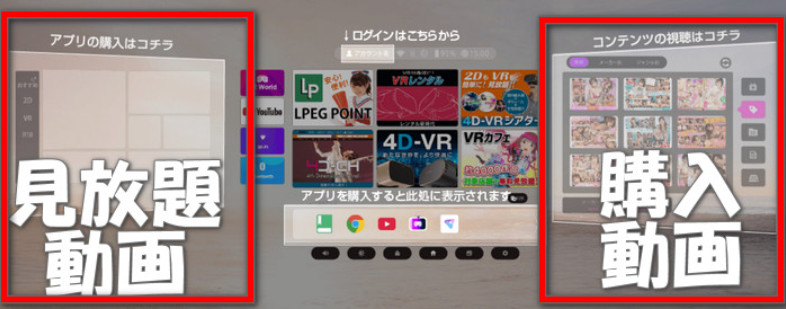
Videos you bought on Adult Festa should appear on the right side inside VR.
You can also buy videos inside the SKYWORTH-4D PRO.
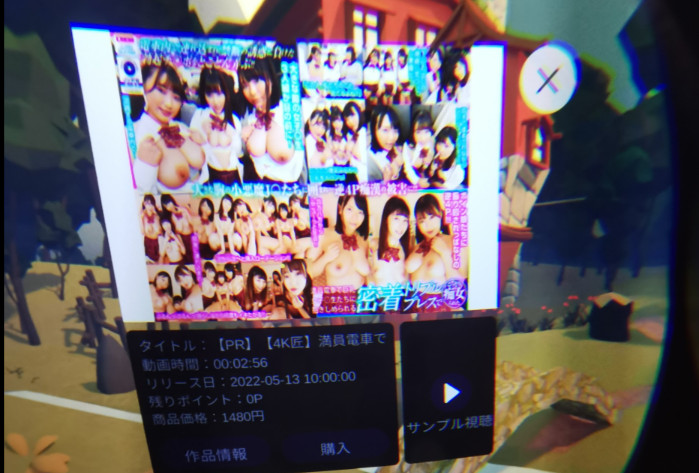
A player app comes preinstalled, so you don’t need to install anything.
The app appears on the right side inside the headset.
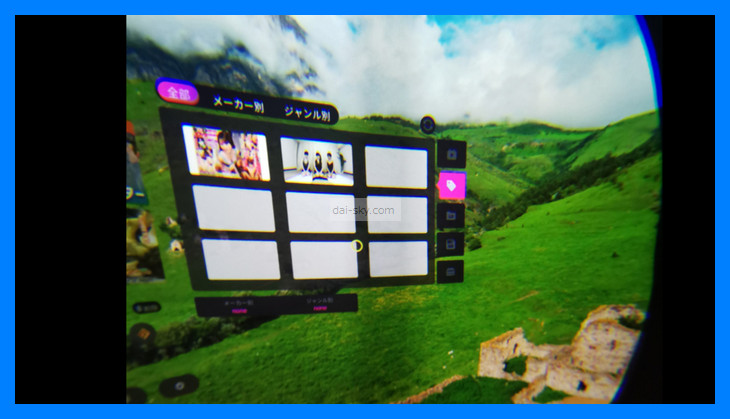
Instead of streaming the videos you bought, loading them onto the headset itself gives slightly better resolution and feels more real.
Streaming sometimes stalls.
Freezing while I’m sitting there with my bottom half bare is not cool, lol
The headset’s built-in storage is limited, so you can fit maybe two videos.
If you delete each downloaded video before loading the next one, it’s no problem.
Once you get used to it, it’s not hard.
It doesn’t take long, either.
If deleting them one by one is too much hassle, buy a 265 GB SD card on Amazon — any brand is fine.
You can put the Adult Festa videos you bought onto an SD card.
The SD card goes in here ↓↓
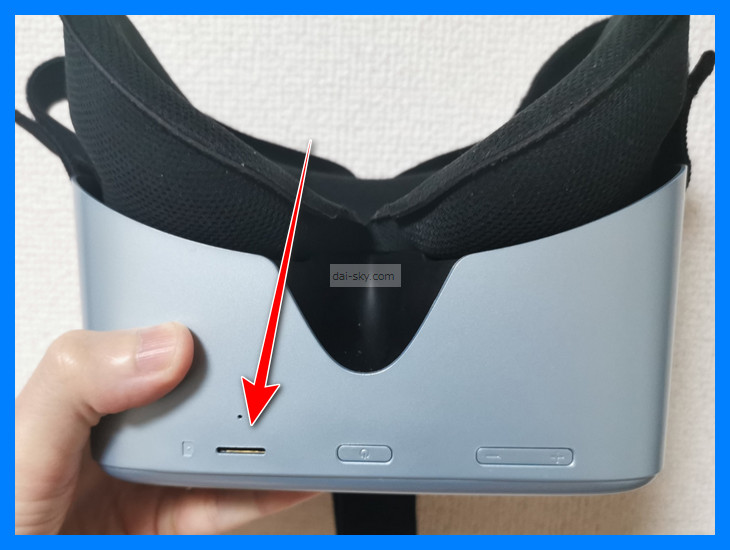
An SD card doesn’t take up any space.
You can also buy a 2 TB external hard drive.
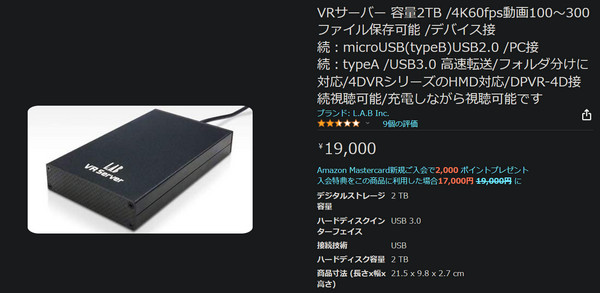
You can buy it on Amazon Japan.
Then you can keep as many videos as you like without worrying about space.
To play videos from the SD card or hard drive, click the part shown below to choose them.
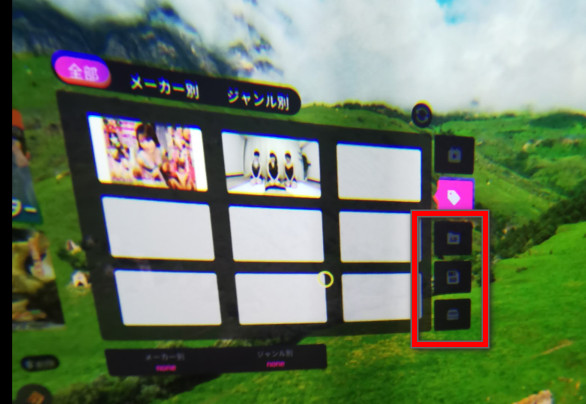
To save a video to an SD card or similar, click a video you bought on Adult Festa and choose where to save it.
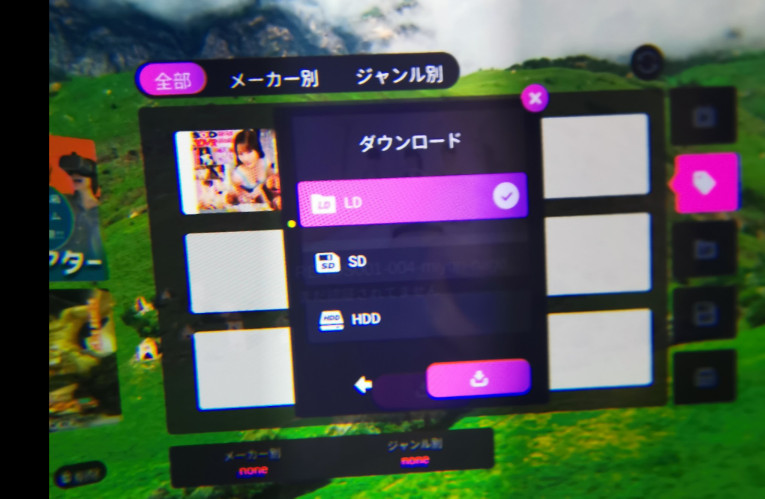
Choose where to save it:
- LD: local (the headset itself)
- SD: SD card
- HDD: 2 TB external hard drive (VR Server)
↑ Local saves to the headset itself, but there was only room for one or two videos on mine (2022).
In that case, stream it or save it to an SD card.
>>> My trick for getting the A10 Piston SA at the lowest price
Playing Adult Festa’s All-You-Can-Watch Videos
To watch all-you-can-watch videos rather than ones you bought, you need to install the Adult Festa app.
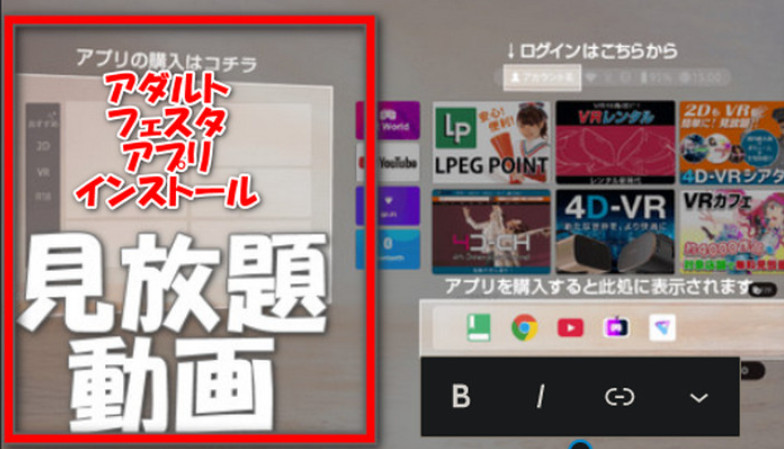
↓↓ Adult Festa’s all-you-can-watch videos appear on the left side inside VR.
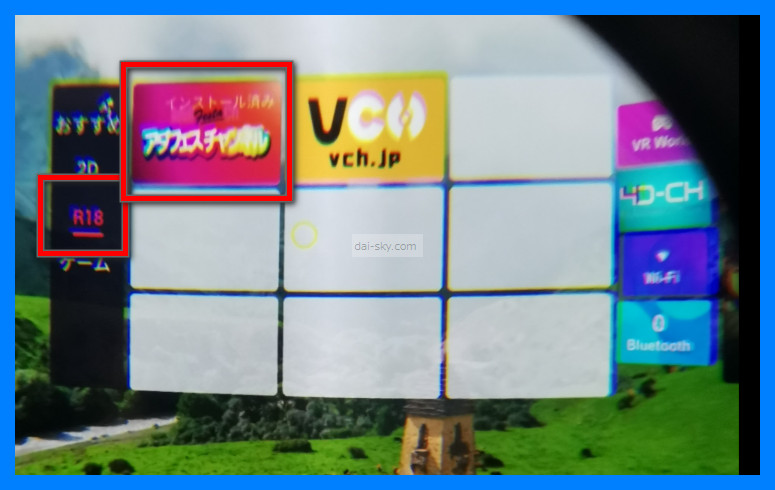
↓↓ Once it’s installed, play a video in the Adult Festa app and the A10 Piston SA syncs with it.
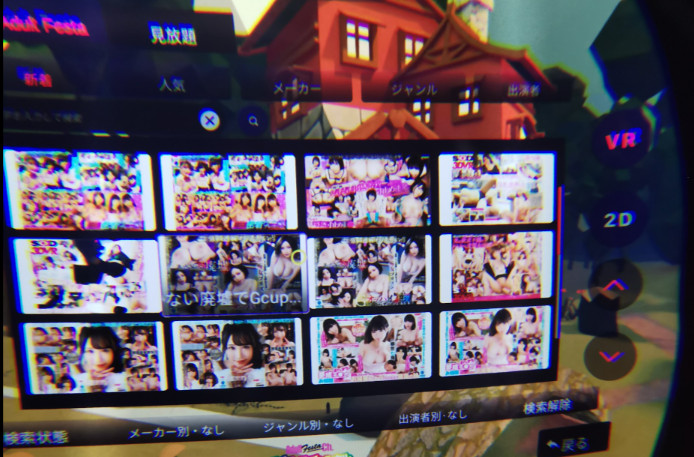
Adult Festa has both VR videos and 2D videos.
If you’re going to do it, I recommend VR videos for the realism.
Buying Adult Festa videos inside VR is a real pain.
It’s much easier to buy them on a PC.
>>> My trick for getting the A10 Piston SA at the lowest price
How to Buy the SKYWORTH Pro802 at the Lowest Price
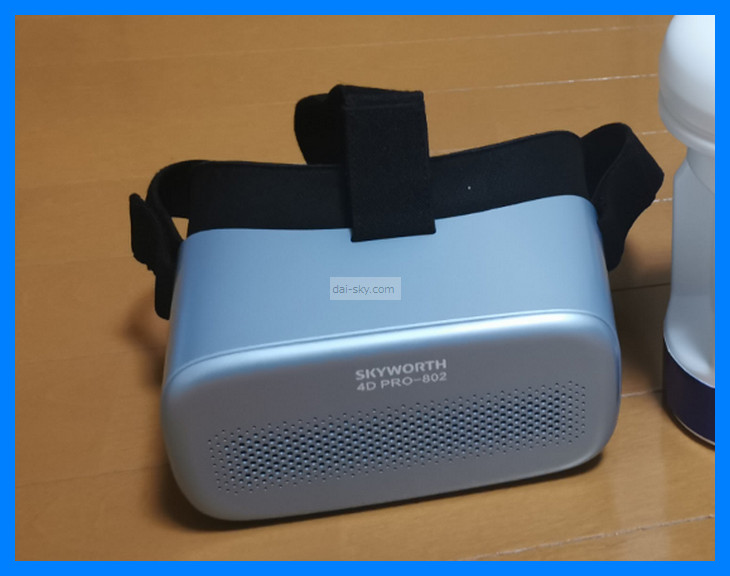
When I bought mine, Rakuten was the best deal
because you earn points.
The price on Amazon Japan was the same as on Rakuten.
I bought mine there and received a genuine unit, so I think Rakuten is a safe choice.
[Added September 5, 2022]
On Rakuten (a big Japanese marketplace), the SKYWORTH 4D PRO-802 was listed at ¥100,000.
Now, the DPVR-PRO, which performs better, is the better value.
When I wrote this, NLS often had no stock, but you could still watch its how-to video. (As of September 2026, NLS lists the DPVR-4D Pro at ¥69,443 and shows it in stock.)
How to Use the SKYWORTH Pro802 (VR Headset)
Attaching the head strap
Attaching the strap is really easy.
It uses Velcro.
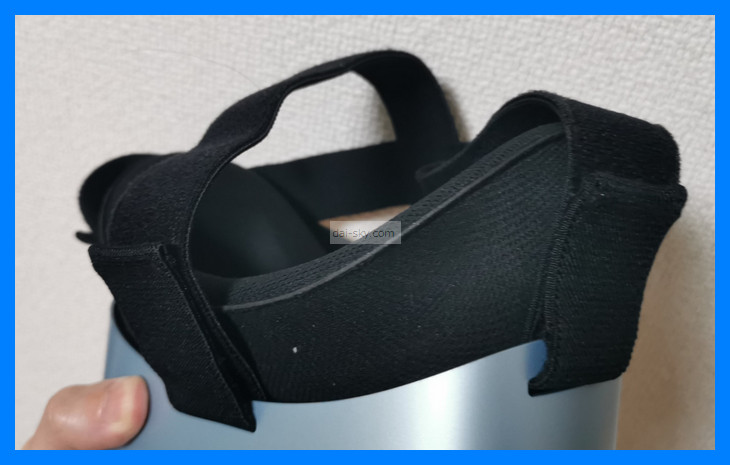
It only fits one way, so you can attach it without the manual.
Adjusting the lenses
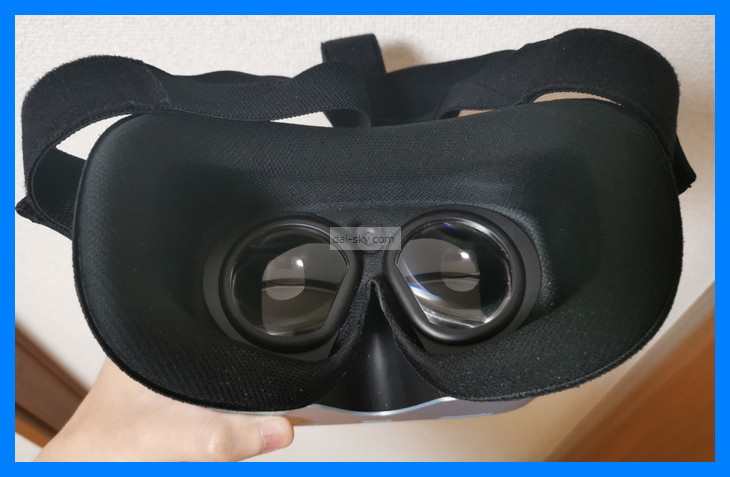
The lenses slide left and right, but only within a limited range.
But don’t worry — the picture is still easy to see.
Turning it on and off
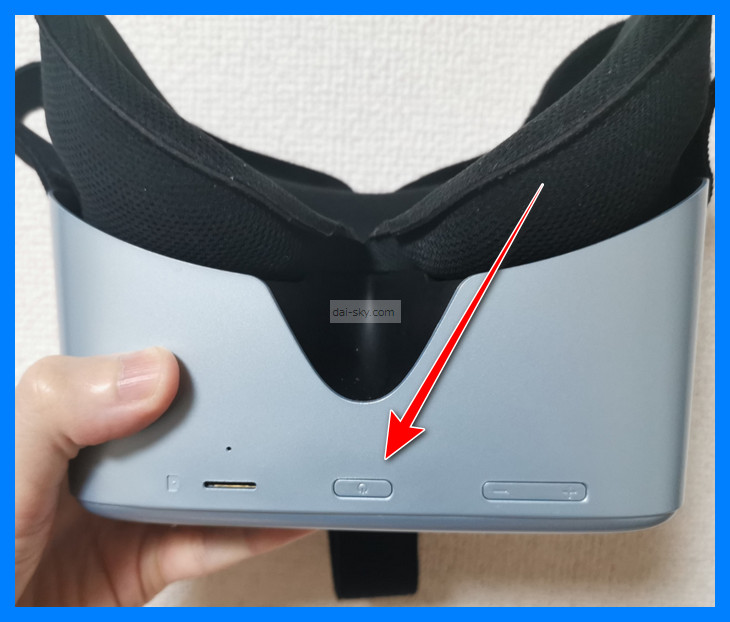
Press and hold the power button to turn it on.
When you press and hold it, a “Shut down” button appears on the screen inside the headset; click it to turn the headset off.
It’s hard to tell whether it’s off, so put the headset on and check that it doesn’t respond.
Otherwise, the battery keeps draining.
Control buttons
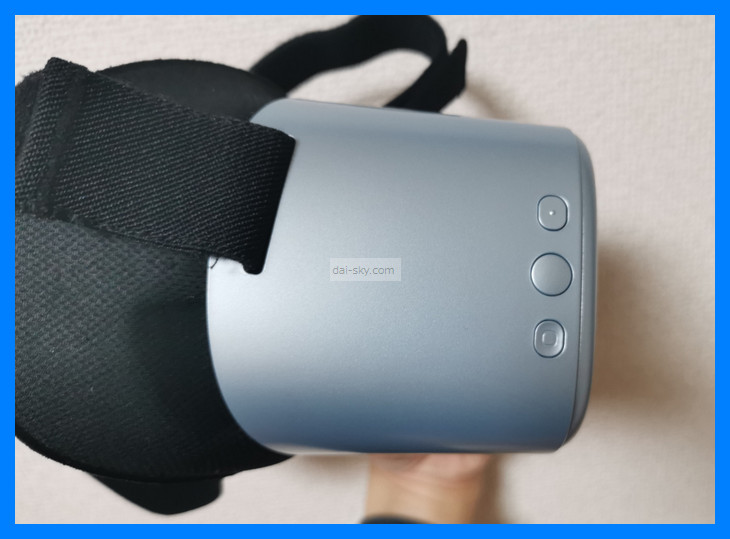
- Top button: back
- Middle button: select
- Bottom button: home
Put on the headset and move your head to move the cursor inside it.
Unlike a PC, there’s no mouse or anything like that.
Point the cursor and press the SKYWORTH-4D PRO’s select button (the middle one).
Volume buttons
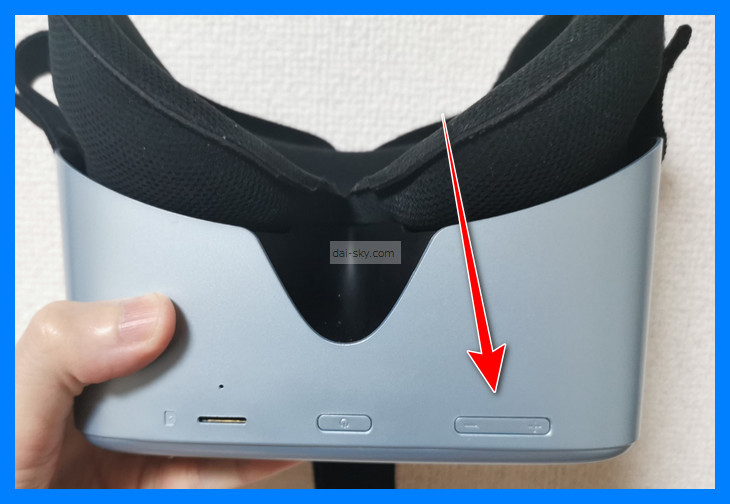
Use them to adjust the volume.
You can adjust the volume while a VR video is playing, too.
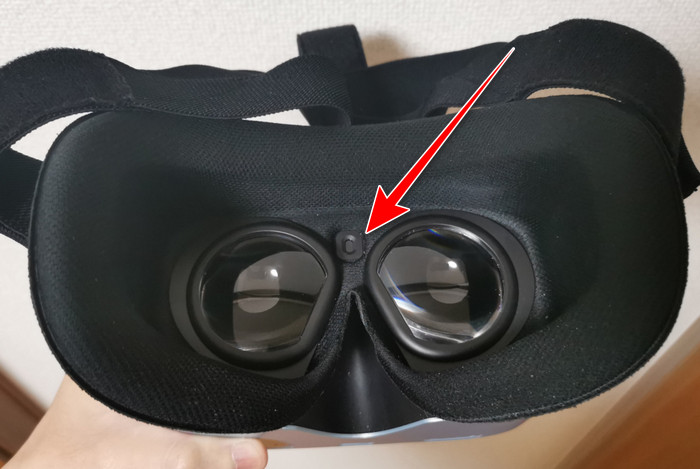
Face sensor
When you put it on, the face sensor reacts and the picture appears inside the headset.
The sensor is right here.
Charging
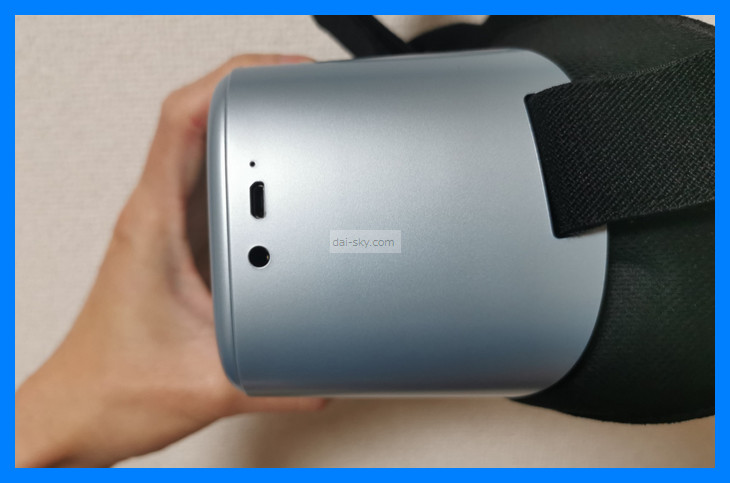
The SKYWORTH-4D PRO charges with a micro-USB cable.
Note that it’s not USB-C.
You can check the battery level at the top of the home screen inside the headset.
↑ The round hole at the bottom is a wired headphone jack.
>>> My trick for getting the A10 Piston SA at the lowest price
How to Sync the A10 Piston SA with Adult Festa Videos Only (No VR Headset)
[1] First, Buy an Adult Festa Video That Syncs with the A10 Piston SA
In the sidebar, click “Piston / ROCKET”
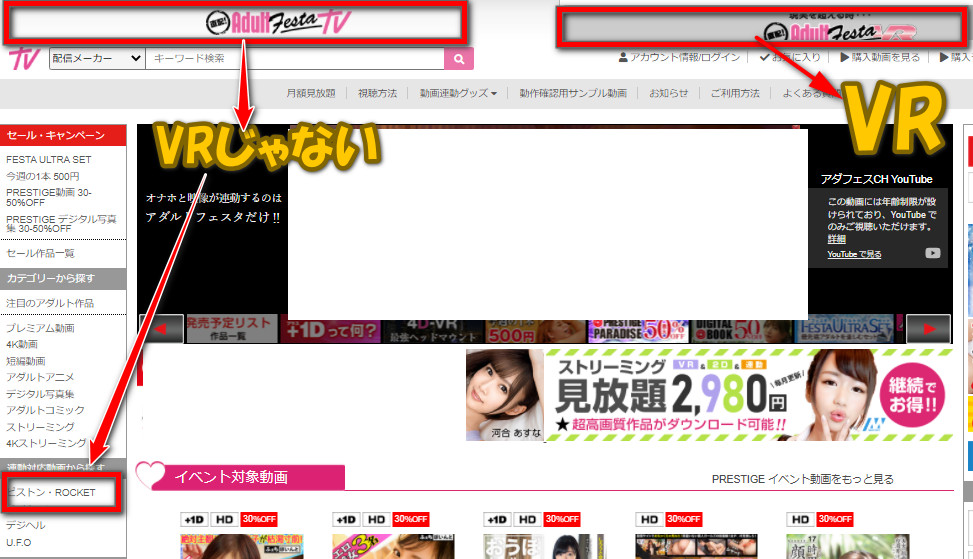
↓ Click the video you want
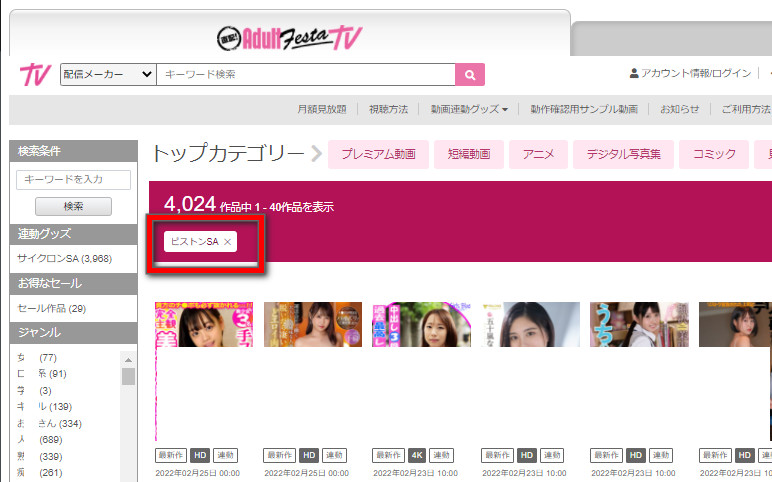
↓ Check that it’s marked as a sync video, then press the buy button
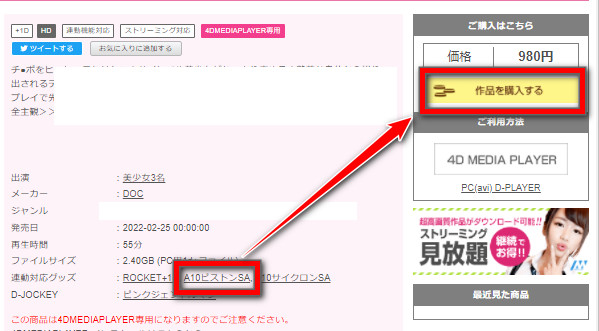
↓ Click “Create an account”
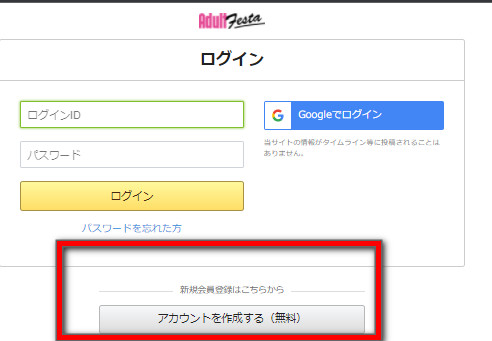
Create an account and register a credit card, and you can buy videos.
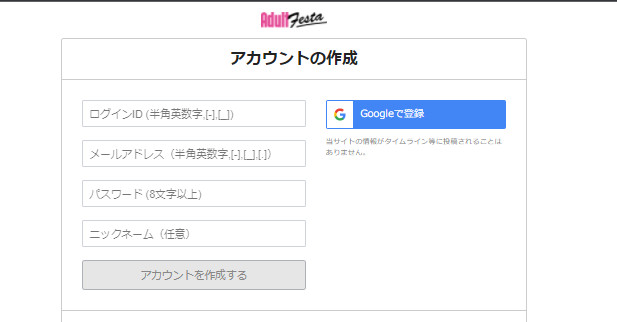
[2] Install Adult Festa’s 4D Player on Your PC or Smartphone and Sync the A10 Piston SA + PLUS
The steps are almost the same on a PC and a smartphone.
On a PC, though, installing the download player takes a few different steps.
Click 4DMEDIA PLAYER
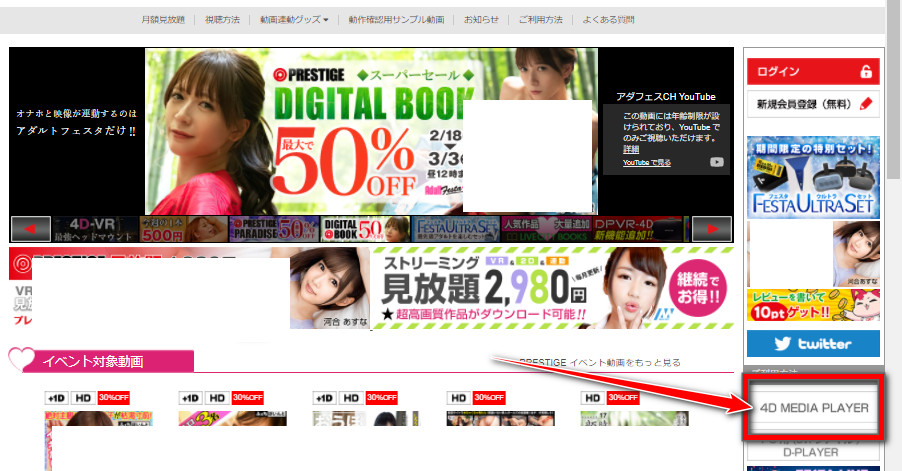
↓ Click the usage guide for PCs (on a smartphone, click “Android / iPhone”). As of September 2026, the smartphone player is 4DMEDIAPLAYER+, available on Google Play and the App Store, and it lists the Piston SA as a supported toy.
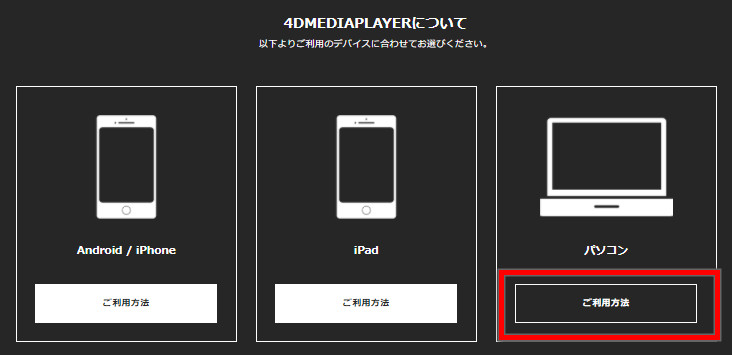
↓ Click Download
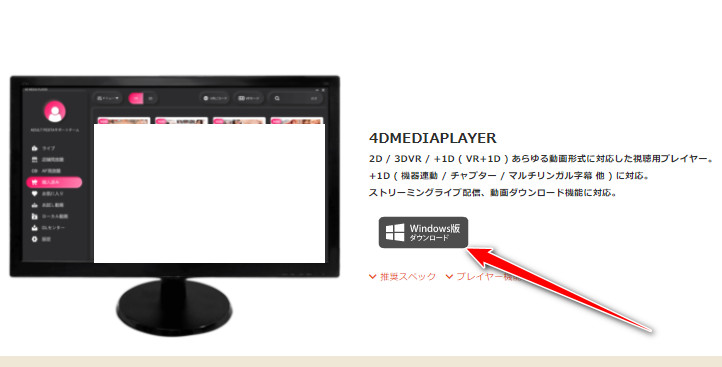
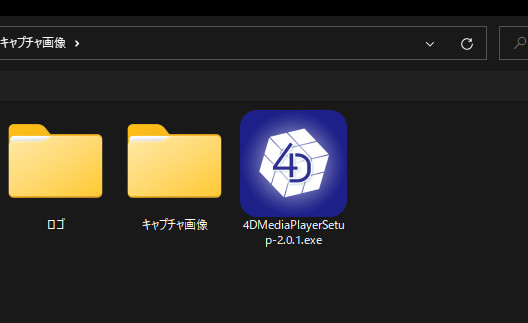
↓ Double-click the file you downloaded
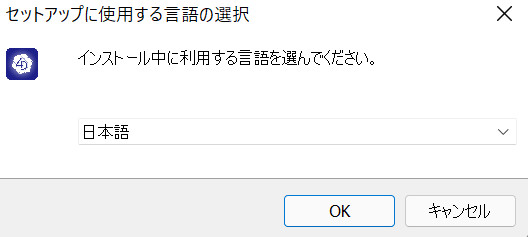
↓ Choose the language → OK
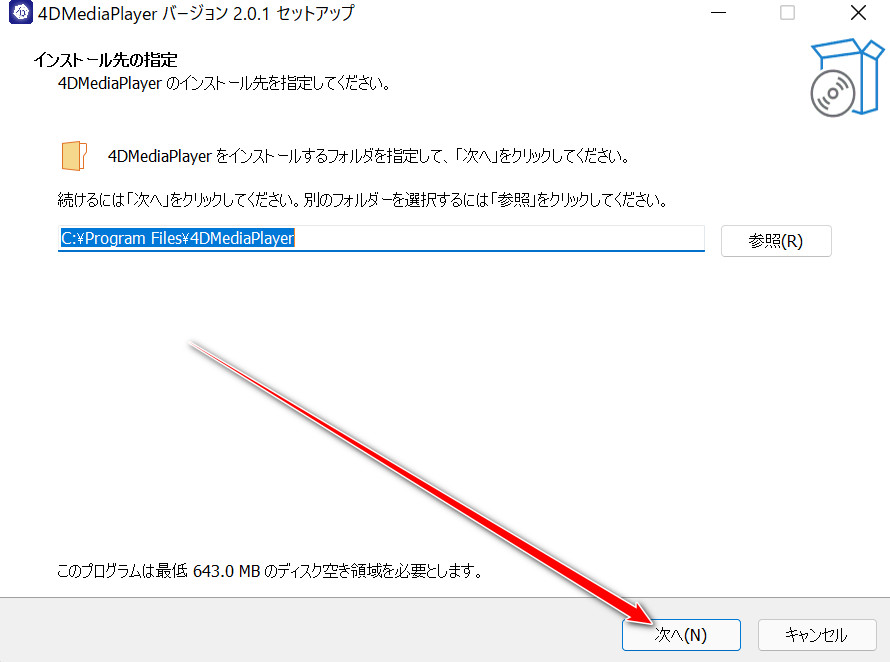
↓ Click Next
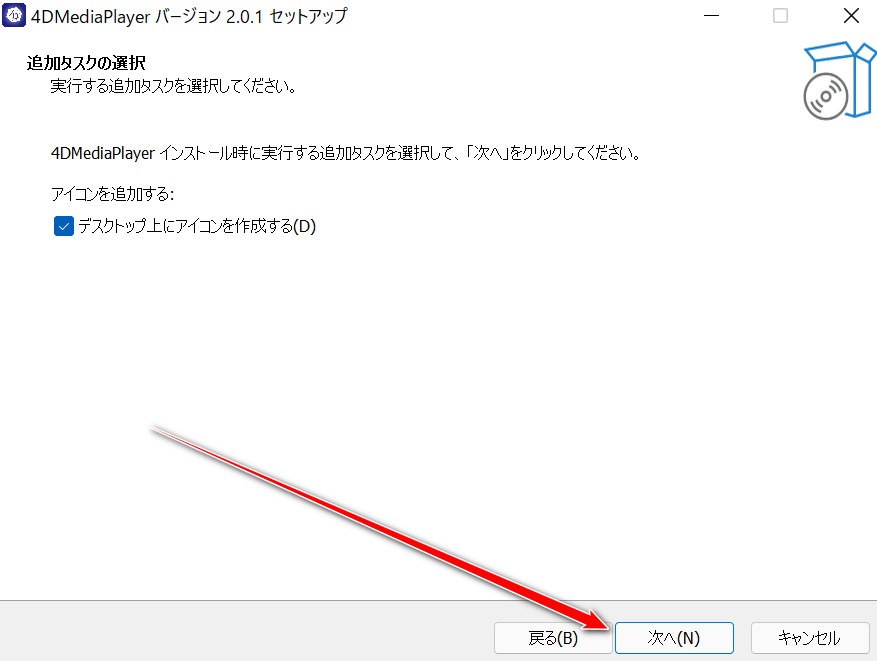
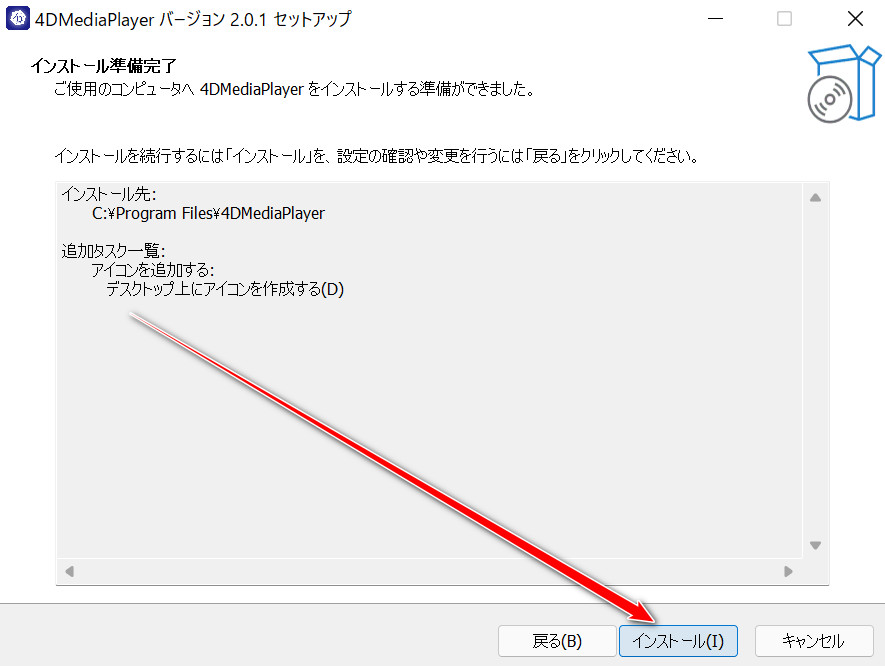
↓ Click Install → tick “Run 4DMEDIA PLAYER” → click Finish
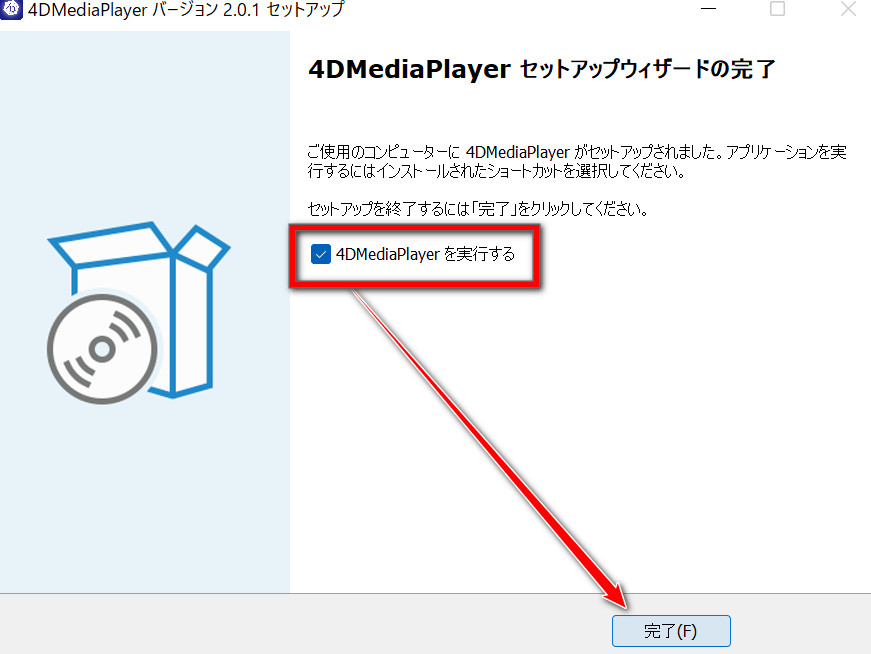
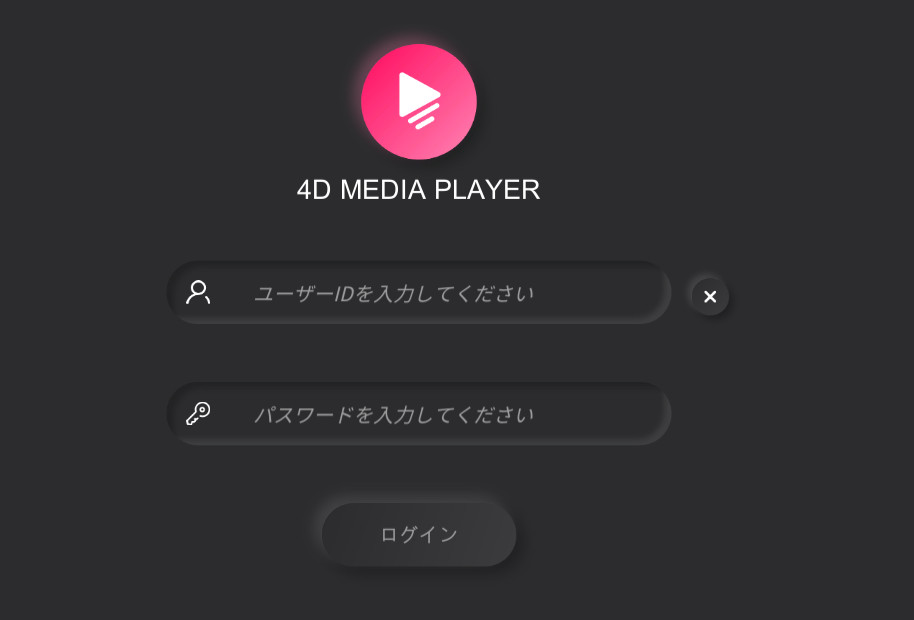
4DMEDIA PLAYER starts; enter the user ID and password you registered on Adult Festa.
↓ Choose Yes
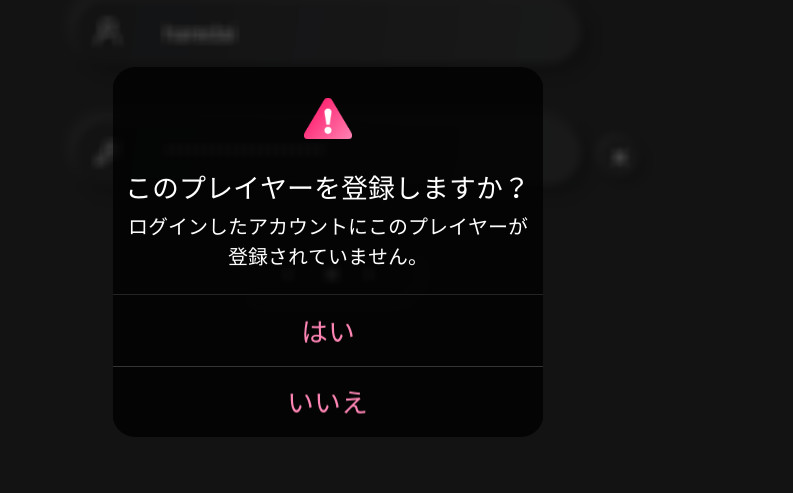
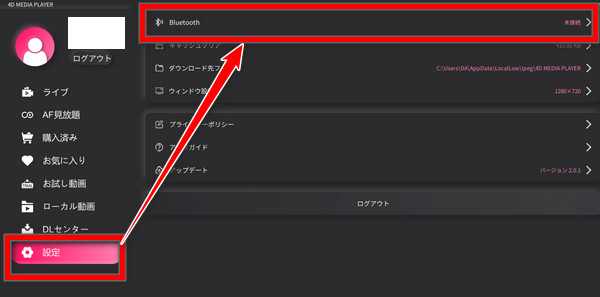
Turn on the A10 Piston SA, click Settings, then click Bluetooth
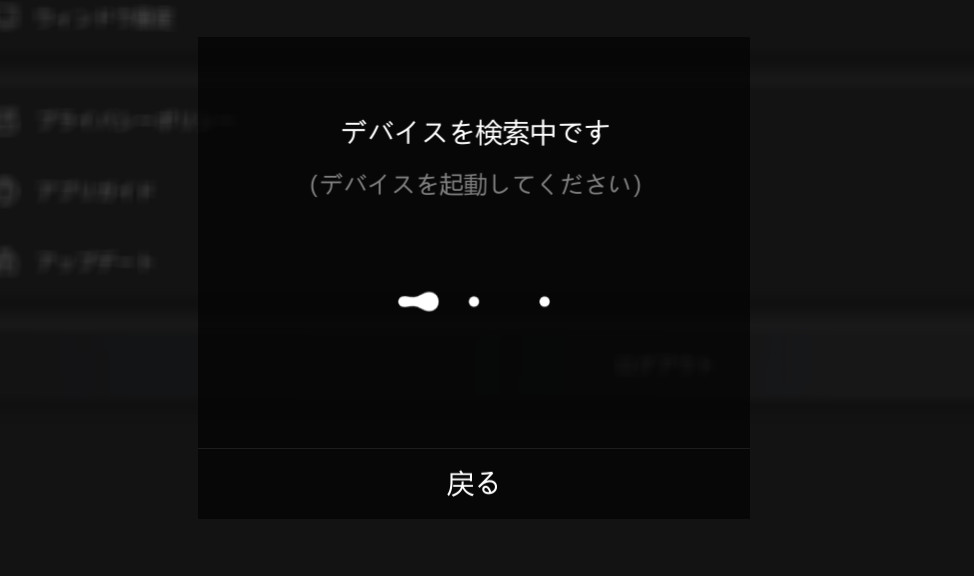
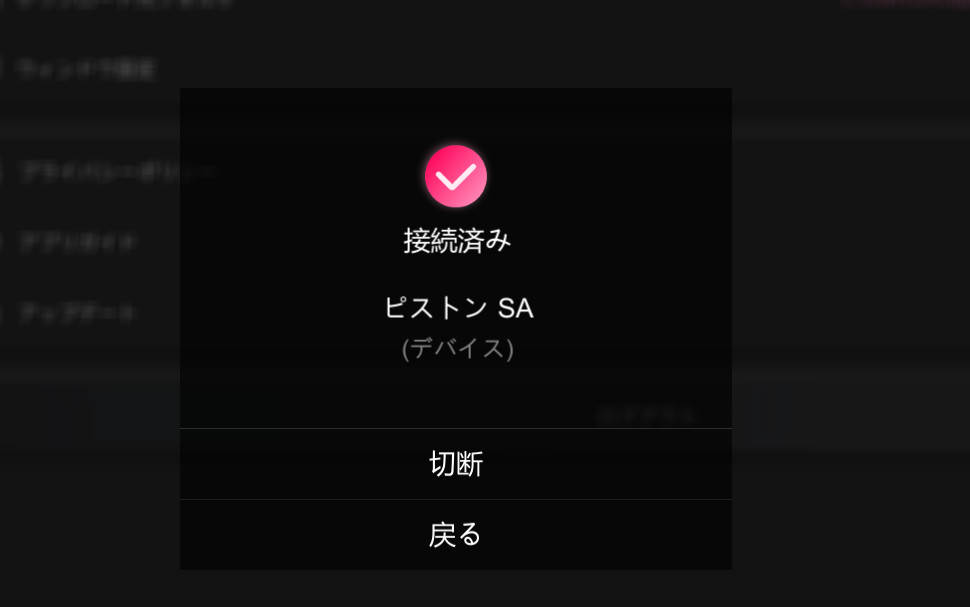
↓ It shows as connected
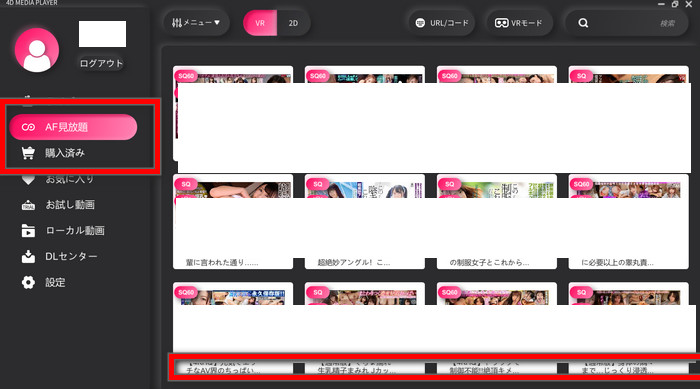
↓ If you’re on the all-you-can-watch plan, click “AF all-you-can-watch”; if you bought single videos, click “Purchased”
>>> My trick for getting the A10 Piston SA at the lowest price
About 4DMEDIA PLAYER
In the image below, videos with the pink icon at the bottom left — a device that looks like it’s vibrating — are the ones that sync with the toy (that’s how the player showed it in 2022).

You couldn’t check this in 4DMEDIA PLAYER itself, so you’ll probably need to check on Adult Festa’s website.
In the player, it can be hard to find the video you want.
In that case, find a video you like on the Adult Festa website first, then type its title into the search box at the top right of the player, and you’ll find it right away.
How to Sync the A10 Piston SA with Smartphone VR Goggles (ELECOM)
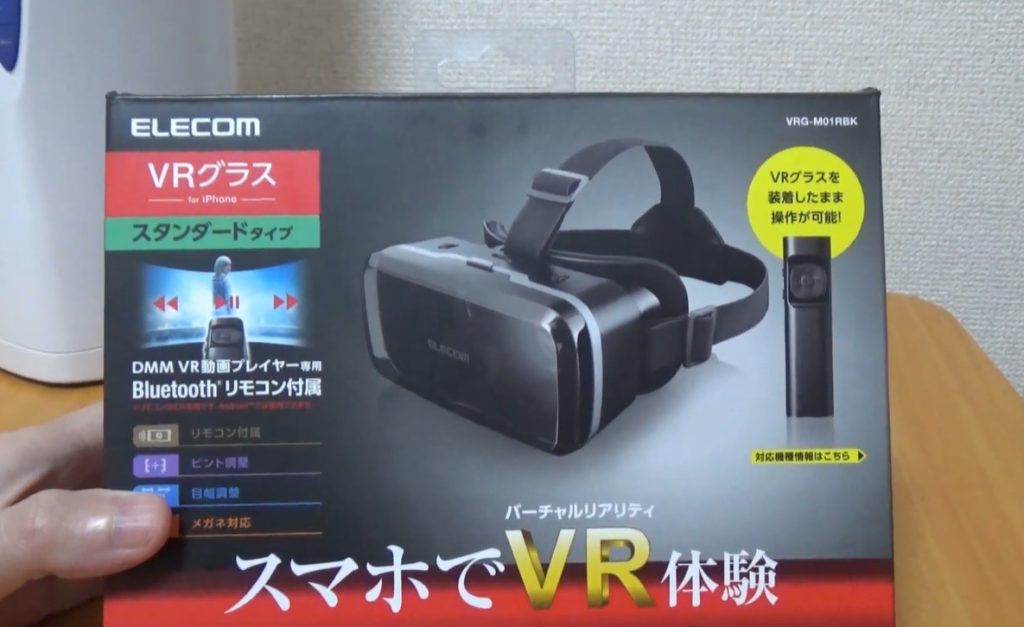
If you buy smartphone VR goggles, this is the easiest way to sync.
I recommend it if you just want to see what adult VR is like.
They cost about ¥3,000, so you could try them — but rather than spending that ¥3,000, you’re better off just buying a ¥40,000 VR headset (2022 prices).
Smartphone goggles have worse picture quality and a narrower field of view, so they’re much less immersive than a real VR headset.
>>> My trick for getting the A10 Piston SA at the lowest price
Syncing the A10 Piston SA with Smartphone Goggles: Step by Step
Install 4DMEDIA PLAYER on your smartphone (as of September 2026 the smartphone app is 4DMEDIAPLAYER+, on Google Play and the App Store) (on Android, from Google Play)
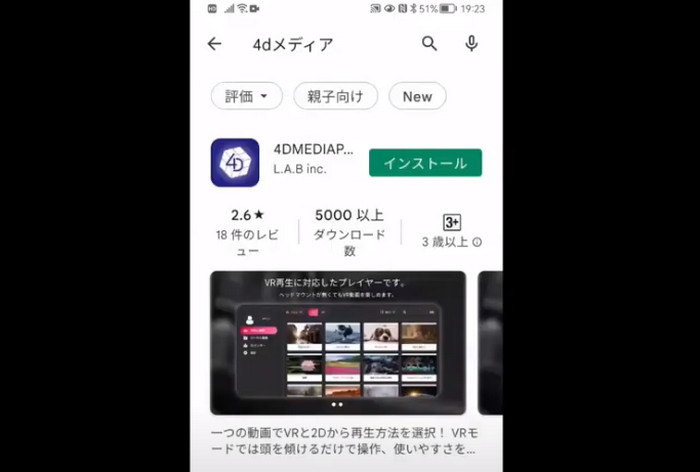
Open the 4D player and log in with the ID and password you used on Adult Festa.
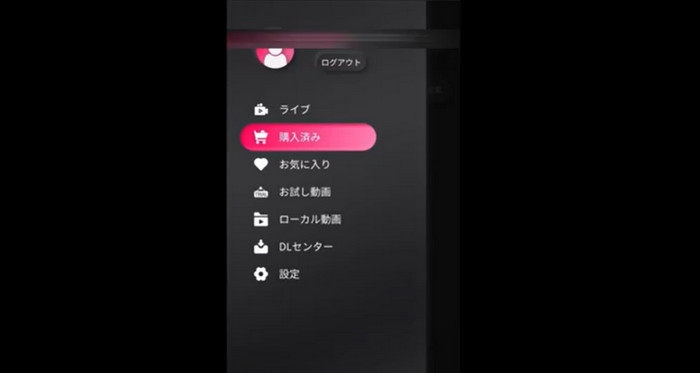
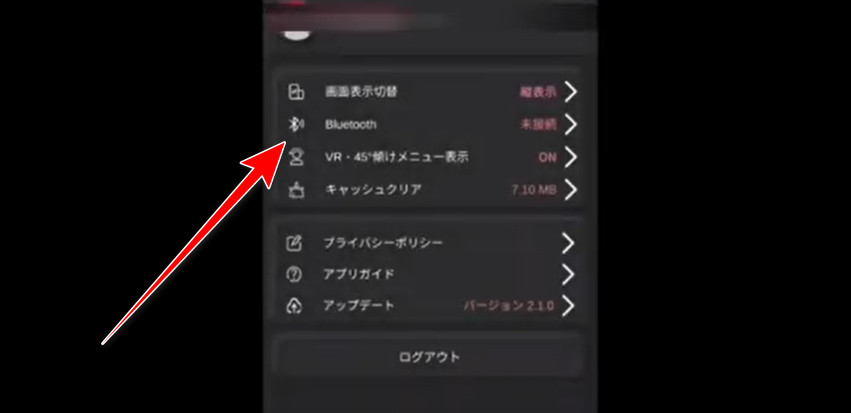
↑ Press the Settings button at the very bottom.
Turn on the A10 Piston SA and press the “Bluetooth” button; within a few seconds it shows “Connected.”
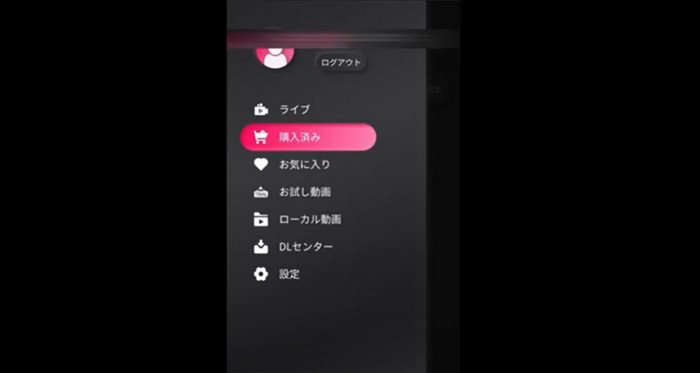
Press the Purchased button.
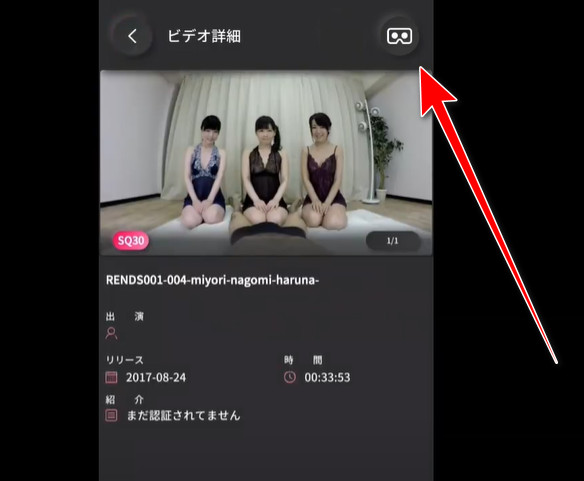
Your purchased and all-you-can-watch videos appear; click the one you want and press the “goggles button” at the top right. (In the current 4DMEDIAPLAYER+, you choose VR mode from the “⋮” menu on the video page or the viewing screen instead.)
In VR mode, the phone screen (held sideways) splits into two.
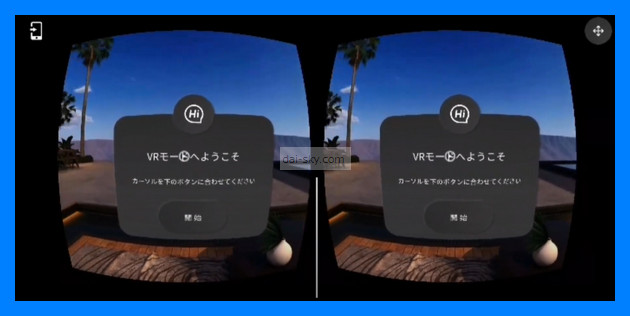
↑ Press the Start button, and the video switches to a VR playback screen; select the play button to start.
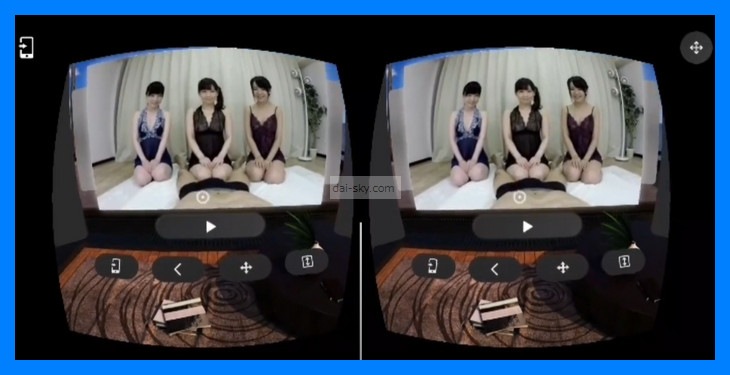
(The cursor moves as you move the phone and goggles; hold it on the play button for a few seconds and it counts as “select” and starts playing.)
Put the phone into the VR goggles.
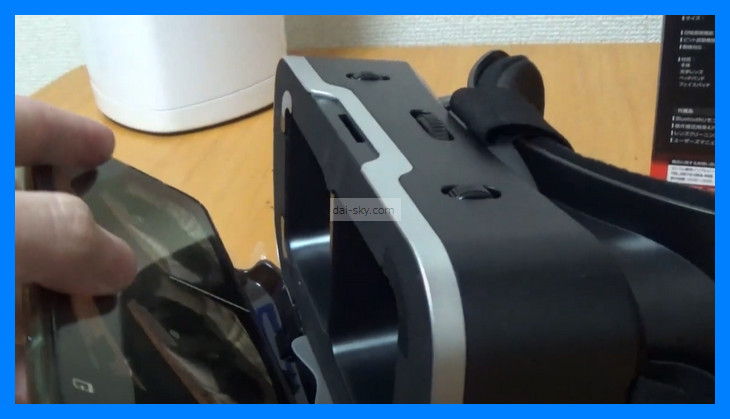
Tilt your head, and the control screen appears so you can operate it.
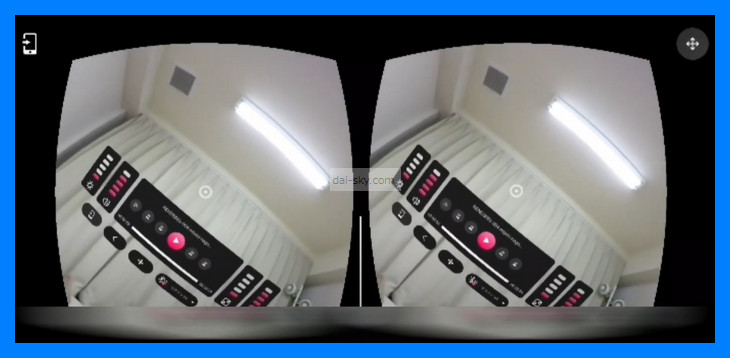
You can play and fast-forward without tapping a remote or your phone.
If the picture looks off, adjust the lenses to match your eyes.
Recommended smartphone VR goggles
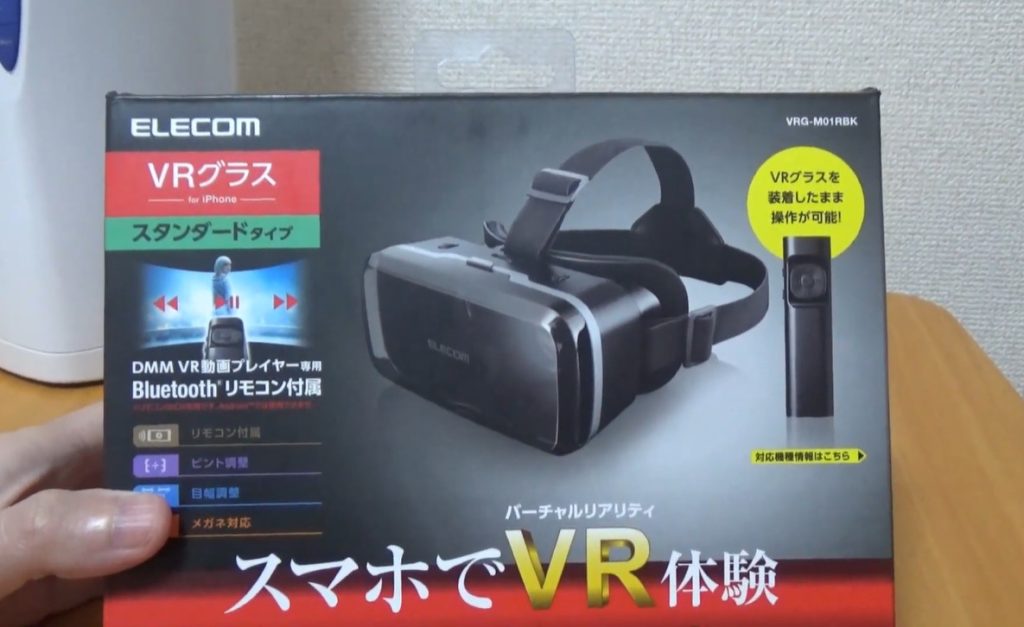
When I wrote this, the best-selling smartphone VR goggles were made by ELECOM (a Japanese brand).
Rather than buying a Chinese-made pair, buy a Japanese brand.
If you later buy a high-end VR headset, ELECOM goggles are easier to sell.
They come with a remote, but you don’t really need it.
With FANZA you can use the remote, but with Adult Festa you can’t.
>>> My trick for getting the A10 Piston SA at the lowest price
What to Do When the A10 Piston SA Won’t Sync
If it won’t sync, try the following. (Note: NLS says 4DMEDIAPLAYER doesn’t support VORZE’s own wireless adapter; on a PC, use the built-in Bluetooth or an ordinary Bluetooth adapter.)
- Restart 4DMEDIA PLAYER
- Restart your PC
- Try syncing on a different PC
Once, it synced fine on my laptop but not on my desktop PC.
It may simply be a compatibility issue with that PC, so if you have a second computer, try syncing with it.
That way you can narrow down why it won’t sync.
If you think your A10 Piston SA might be broken, read this article to find a fix.
Related article
How to Sync the A10 Piston SA + PLUS with DLsite Audio Works Using CSV Files
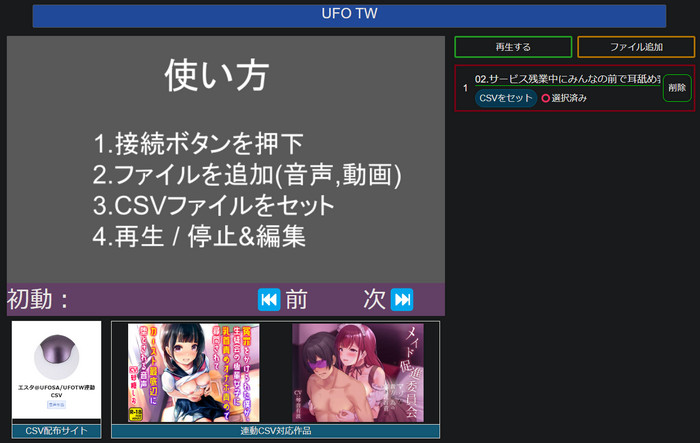
The A10 Piston SA + PLUS can sync not only with VR videos but also with audio works (DLsite is a Japanese site for audio works; this is how it worked in 2023).
Audio works include lots of the “being dominated” type that you rarely find among sync videos.
I thought, “Videos have to feel better!” — but an audio work where a younger girl from work dominates me with nothing but her voice was insane.
Her breath whispered right into my ears had me rock hard…
It works basically the same way as with the U.F.O. TW, the nipple toy, so see this article ↓↓
 How to Sync the U.F.O. TW to DLsite Audio with CSV FilesStep-by-step guide to driving the VORZE U.F.O. TW with fan-made CSV files and DLsite audio works in Web CSV Player, plus fixes when it won't move.Read the article ›
How to Buy Adult Festa Videos That Sync with the A10 Piston SA Using Points (Illustrated)
Videos that sync with the A10 Piston SA can only be bought in these two ways (Adult Festa still lists both as of September 2026):
- Credit card
- Points (L-POINT)
For anyone who doesn’t want to enter a credit card number, I tried buying an Adult Festa video with points.
How to Charge BitCash (on a PC)
Before buying an A10 Piston sync video on Adult Festa, charge your BitCash first.
I charged mine with PayPay (a Japanese mobile payment app).
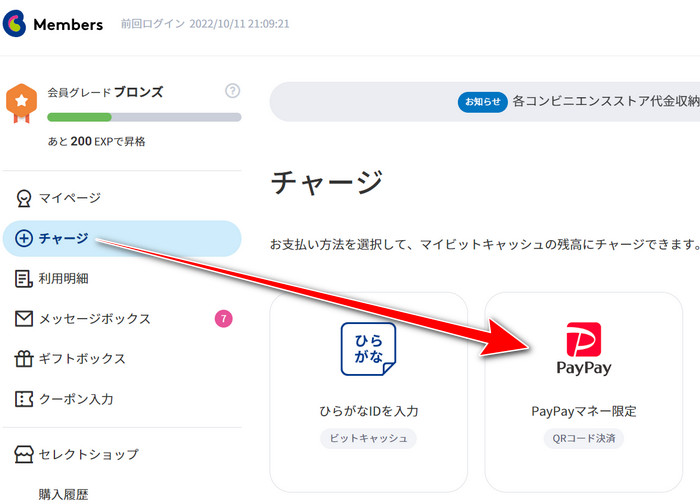
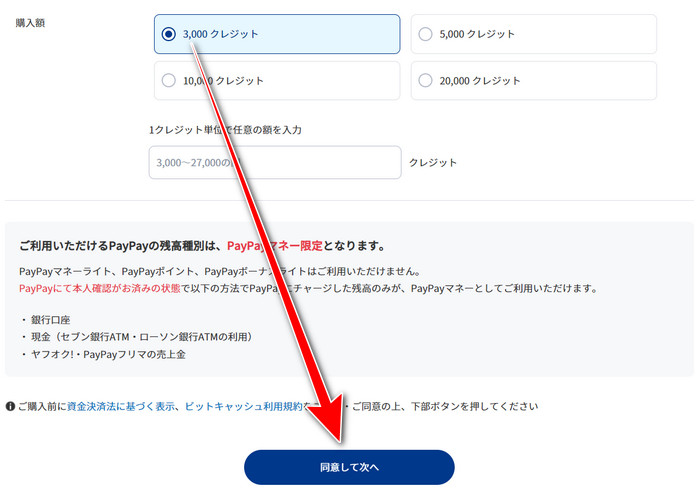
Select the minimum amount, 3,000 credits (¥3,000), and click the button.
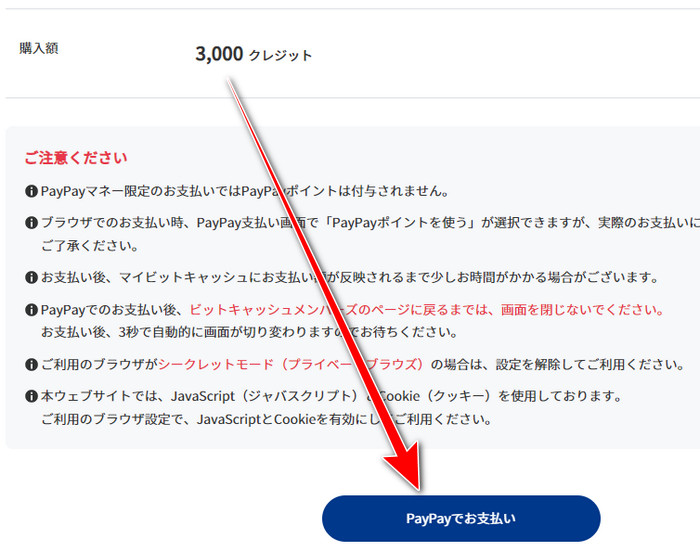
A confirmation screen appears; click the button.
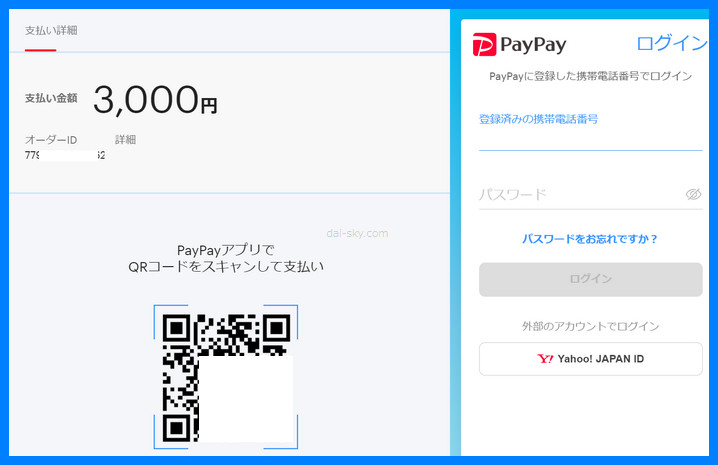
Open the PayPay app on your phone and scan the QR code, and the charge is done.
Buying the Video on Adult Festa
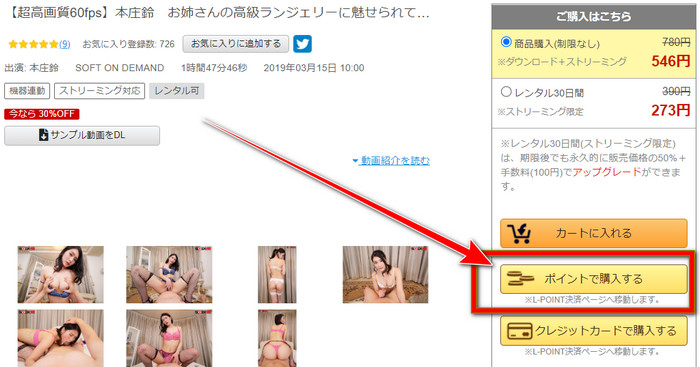
Pick the video you want on Adult Festa and click “Buy with points.”
After you enter your Adult Festa login, you get the screen below; choose “BitCash” ↓↓
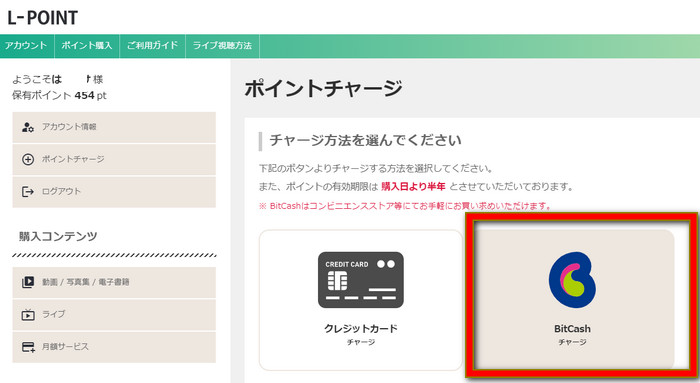
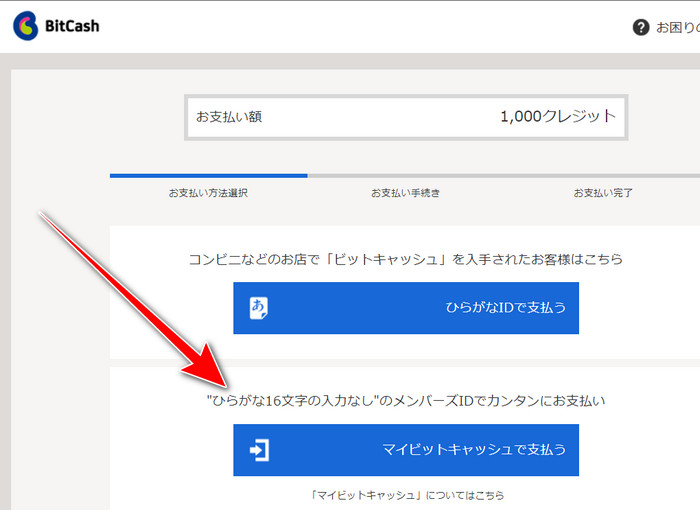
If you don’t have a BitCash card, click “Pay with My BitCash” ↓
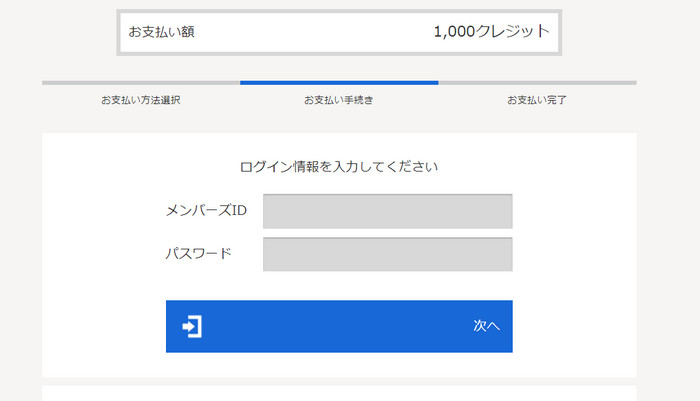
Enter your BitCash login ID and click “Next.”
When the BitCash payment is complete, you’ll see the screen below.
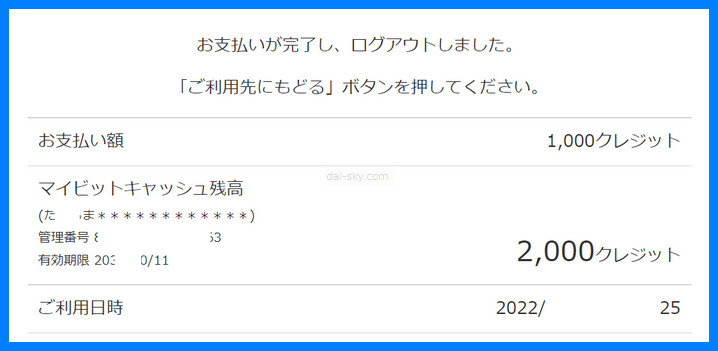
My L-POINT balance became 1,000 pt.
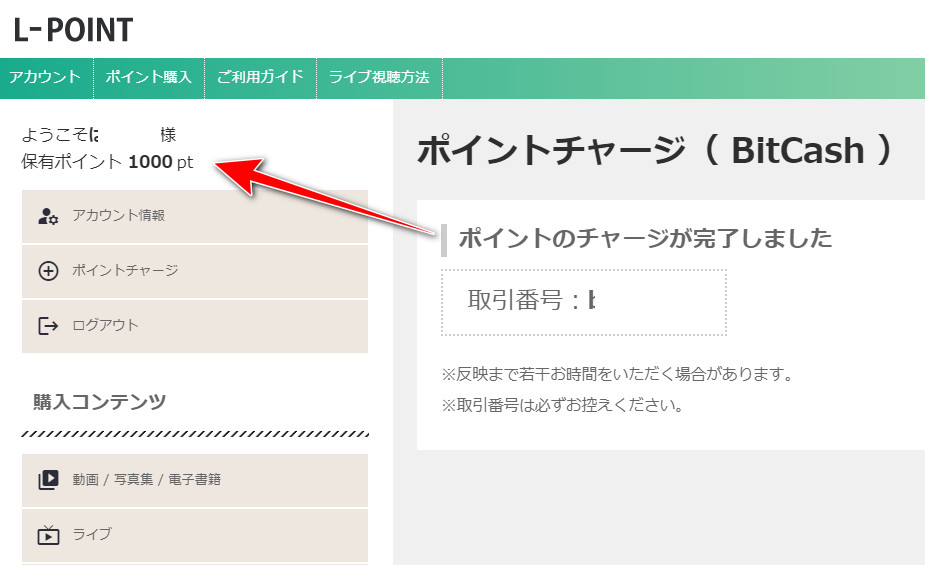
Once the charge is complete, you can buy videos.
Which Adult Festa Actresses Do I Recommend for the A10 Piston SA?
For submissive guys

Man, this one is the best.
Synced with the A10 Piston in VR
A school-uniform roleplay: “a footjob while she flashes her p*nties,” followed by insults like “Ew, gross”…
“Go on, say ‘I’m a pervert!’ Whoa, he actually said it… ew, gross.”
That’s the kind of thing the actresses in uniform say to you.
Actually saying ‘I’m a pervert’ out loud turns you on even more.
I bet a lot of guys are into this, right?
Ena Satsuki was in it, so I bought it instantly.
It’s not just me. I’m sure of it.
Mikako Abe

This is my personal taste, but my top recommendation among Adult Festa videos that sync with the A10 Piston SA is Mikako Abe.
I recommend her for submissive guys who want a younger girl to take the lead.
On Adult Festa’s all-you-can-watch plan, I watched almost nothing but Mikako Abe.
I also bought her A10 Piston SA sync videos that weren’t on the all-you-can-watch plan.
If anything, I found more videos I liked among the ones sold individually.
My advice: once you get bored of all-you-can-watch, start buying single videos.
Ena Satsuki
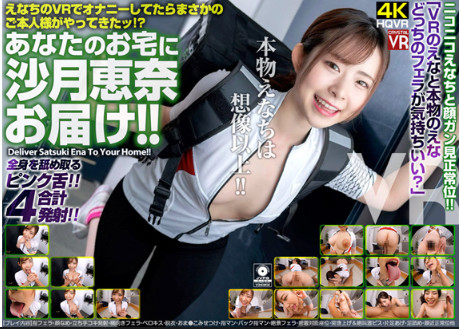
[Added September 5, 2022]
The Adult Festa sync videos I recommend are Ena Satsuki’s.
I got hooked more than I expected.
I got hooked on her slow, sultry way of talking.
It somehow feels like being with a girlfriend.
She has quite a lot of videos, so I don’t think I’ll get bored anytime soon.
There are annoying parts like the cleanup, but the fact that you can use it for life without getting bored is the A10 Piston SA’s biggest advantage.
Suzu Honjo
A petite, elegant AV actress.
She has lots of videos; I bought the one whose title translates as “Seduced by an Older Woman’s Luxury Lingerie.”
I was torn between that and one of her caregiving-themed videos.
>>> My trick for getting the A10 Piston SA at the lowest price
[Comparison] New A10 Piston SA + PLUS (Syncs) vs. Old A10 Piston BASIC (No Sync)
I compared the features of the new “A10 Piston SA + PLUS” and the older “A10 Piston BASIC” in the table below.
| Feature | A10 Piston BASIC (old) | A10 Piston SA + PLUS (new) |
|---|---|---|
| Video & content sync | | Expandable (videos, adult anime, ASMR, etc.) |
| Stroke range | Standard | 3 cm longer, more realistic (my 2023 note; not stated on NLS’s page) |
| Motor & durability | Basic | Upgraded, smoother (NLS: brushless motor) |
| Modes | Basic | Many modes, so it doesn’t get old |
| Price | Relatively affordable | Pricey but worth it (¥49,800 at NLS, Sept. 2026) |
| Size & weight | Standard | In 2023 I wrote “bigger and heavier”; NLS says the PLUS got lighter (no fan or heat sink). A mount is still recommended |
| Extras | Not possible | Create your own motions (with OpenFunScripter) |
NoWhen I wrote this, I concluded that the new model offers a richer, more varied experience thanks to better syncing, a longer stroke and a stronger motor, but that it was bigger, heavier and pricier than the old one. According to NLS’s product page (checked September 2026), the main changes in the PLUS are a brushless motor, USB-C charging, and a lighter body and smaller box because the cooling fan and heat sink were removed — so it is actually lighter, not heavier. Choose based on your own needs and situation.
Summary (How to Sync the A10 Piston SA)
My top pick is definitely syncing it with the SKYWORTH-4D PRO.
It’s a must-buy.
If you haven’t bought a SKYWORTH-4D PRO yet, you’re not getting even half the fun out of syncing the A10 Piston SA.
Syncing it with Adult Festa’s VR videos lets you enjoy the A10 Piston SA 1,000%.
Don’t cheap out with smartphone goggles — buy a proper VR headset like the SKYWORTH-4D PRO.
Getting started costs a fair bit, so get your A10 Piston SA at the lowest price.