How to Use the A10 Cyclone SA PLUS, Step by Step (20 Photos)

This article walks through exactly how I use it, step by step, so you should get a very real idea of what using the A10 Cyclone SA PLUS is like.
Here's what this guide covers for the A10 Cyclone SA PLUS:
- The controls
- Using the smartphone app
- Setting up the sleeve
- Washing the sleeve
- Charging
- Storing it
Some things are awkward until you get used to it — getting yourself inside, for example — so it helps to read this first.
Syncing is explained in detail here:
 How to Sync the A10 Cyclone SA PLUS with a VR Headset (Photo Guide)How to sync the VORZE A10 Cyclone SA PLUS with a SKYWORTH or DPVR VR headset and Adult Festa videos, step by step with photos, plus audio works and PC adapters.Read the article ›
Here's how I bought a genuine unit at the lowest price I could find (2022), plus the extras worth buying with it to make VR far more immersive:
 Avoid Fake A10 Cyclone SA Shops: How I Bought a Genuine One for LessWhere to buy a genuine VORZE A10 Cyclone SA PLUS in Japan: scam shops to avoid, why I chose NLS, discreet delivery, and prices at Amazon, M's and FANZA.Read the article ›
How I Use the A10 Cyclone SA PLUS, Step by Step
The controls work differently depending on whether it's synced or not.
Once you really know how to use it, you'll get far more out of your sessions with the A10 Cyclone SA PLUS.
You'll also see which extras you need.
Setting up the sleeve
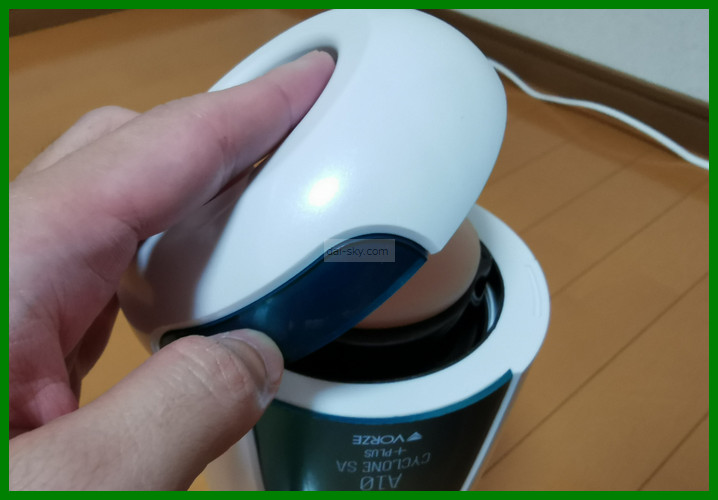
First, take off the front lid.
Pull out the holder that the sleeve sits in.
There's no release button — you just pull it out.
Press this tab and the holder pops open.
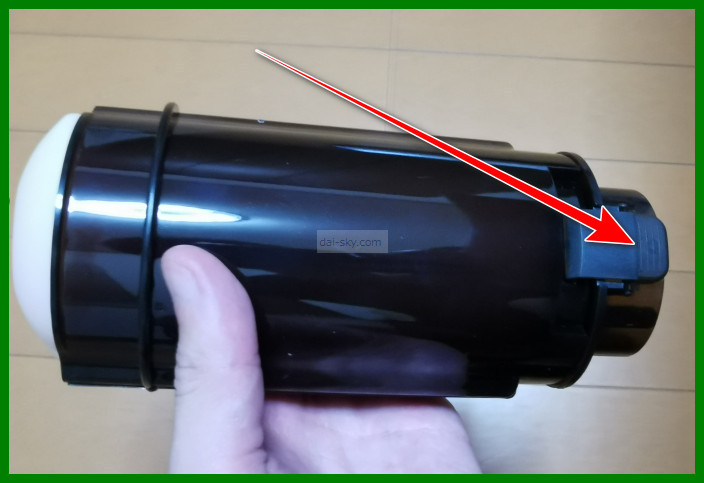
Put the sleeve into the holder you took out.
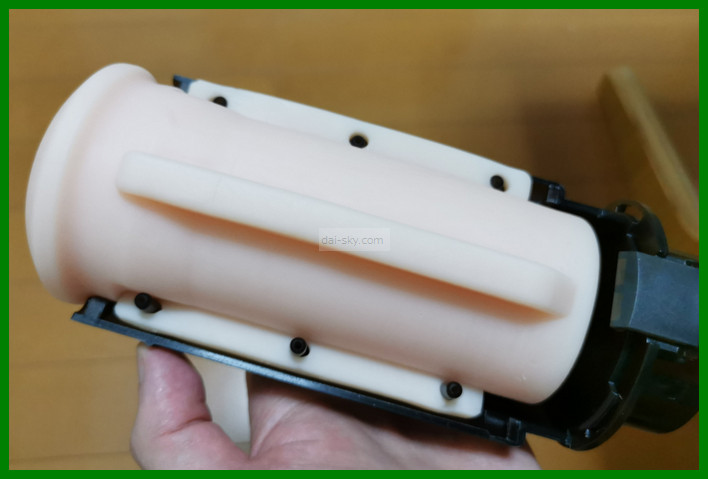
It's held by magnets, so it stays firmly in place.
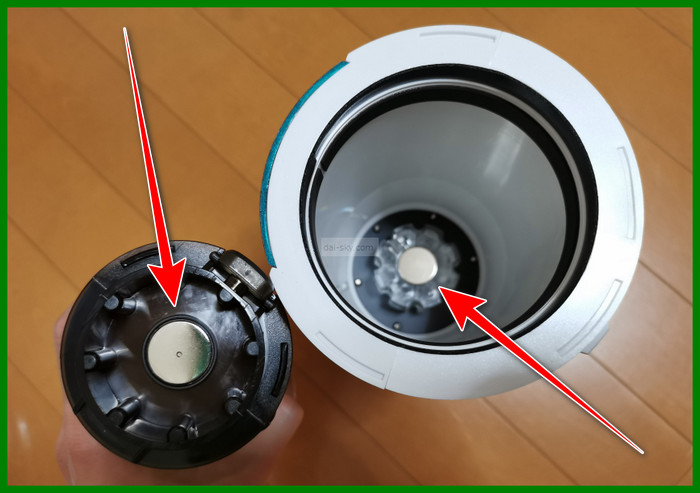
Close the front lid.
Add the official lotion
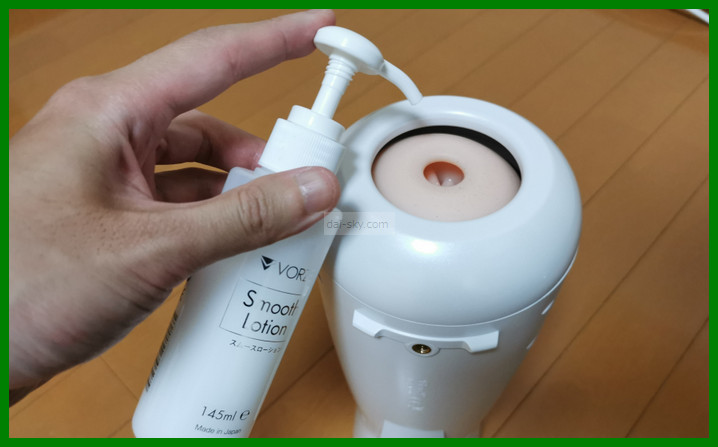
Adding lotion to the A10 Cyclone SA PLUS is a must.
Without it, the friction can make your penis sore.
Assume it can't be used without lotion.
I recommend putting lotion in the sleeve and also on yourself once you're hard.
That way, the lotion spreads much faster.
The A10 Cyclone SA PLUS uses a lot of lotion, so I recommend getting the official lotion in the pump bottle.
The lotion in the box runs out fast, so buy some together with the A10 Cyclone SA PLUS.

VORZE Smooth Lotion
Go in and let everything get slick
If you start it right away, the friction may make the A10 Cyclone SA PLUS stop.
Once the lotion is in, spread it over your whole penis.
You can move the A10 Cyclone SA PLUS yourself to spread it, or run it in a medium mode.
The quickest way to enjoy the A10 Cyclone SA PLUS is to make sure everything is slick enough that it moves smoothly.
Turn it on
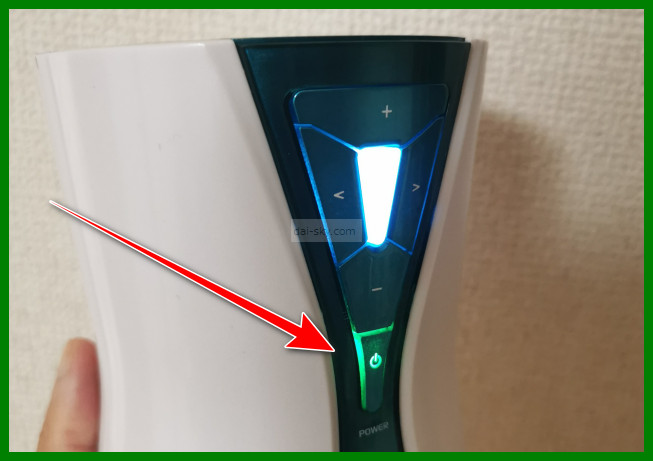
Press and hold this button on the A10 Cyclone SA PLUS to turn it on.
To turn it off, press and hold the power button again.
If you don't touch it for about 30 seconds, it turns itself off, so it won't waste battery.
But while the A10 Cyclone SA PLUS is synced with a VR headset, it stays on even if you don't touch anything.
Here's how to sync the A10 Cyclone SA PLUS with a VR headset:
How to Sync the A10 Cyclone SA PLUS with a VR Headset (Photo Guide)How to sync the VORZE A10 Cyclone SA PLUS with a SKYWORTH or DPVR VR headset and Adult Festa videos, step by step with photos, plus audio works and PC adapters.Read the article ›
How the A10 Cyclone SA PLUS moves, and the controls
Here's how to control the A10 Cyclone SA PLUS.
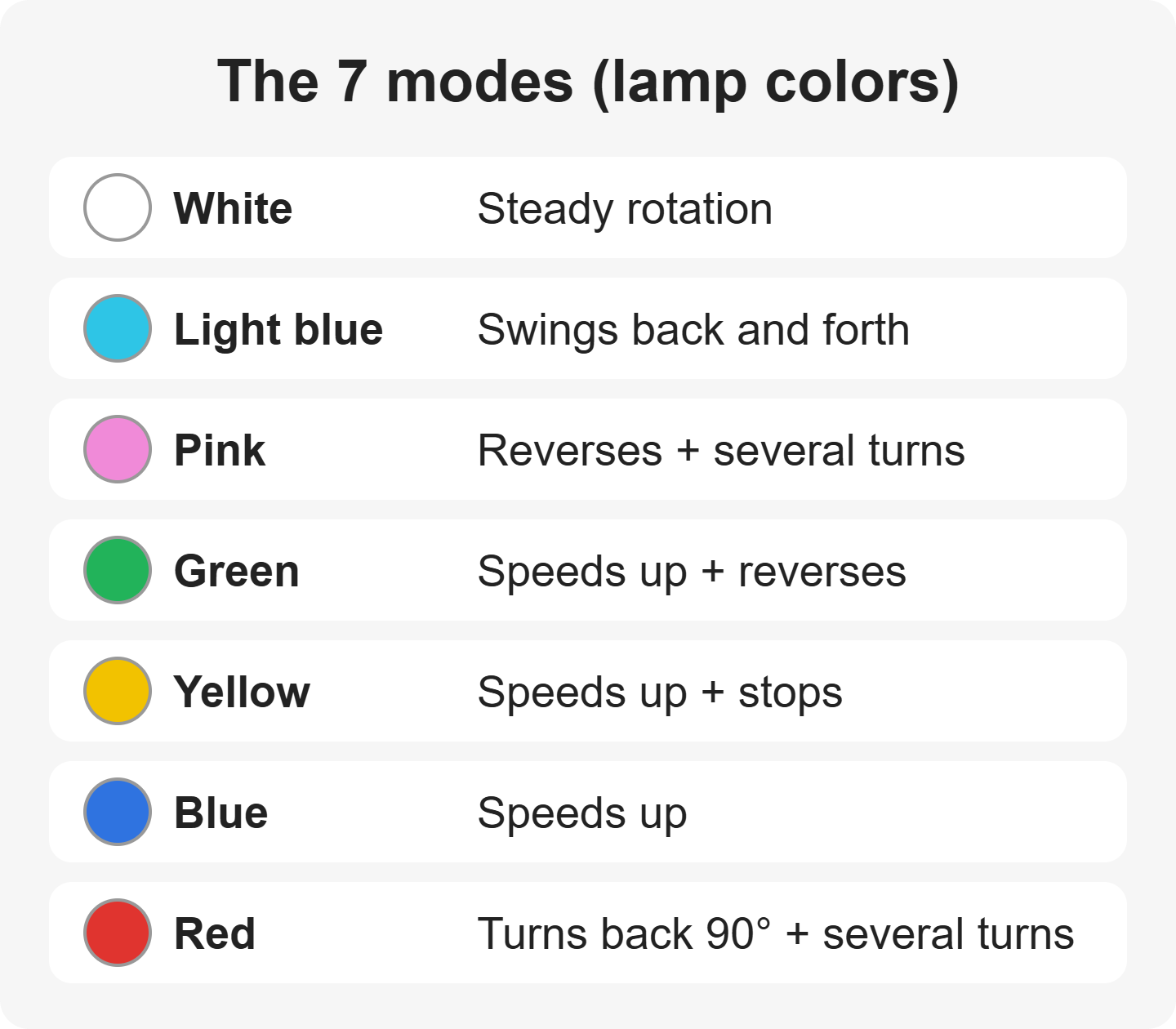
↑ This chart makes it easy to see how each mode moves.
The white lamp means it's rotating forward.
In sync mode with Adult Festa (a Japanese VR video site) videos, the buttons on the machine don't work.
It only moves to match the video.
I recommend starting in a medium-speed mode.
At low speed, the load can make it stop.
Run it at medium speed until you and the lotion are nicely slick.
Here's what to do if the A10 Cyclone SA PLUS feels too loud:
 Is the A10 Cyclone SA Loud? How to Keep It Quiet at HomeHow loud is the VORZE A10 Cyclone SA PLUS? My decibel test (40-50 dB), what users say, and easy ways to keep your family from hearing it.Read the article ›
Changing the mode
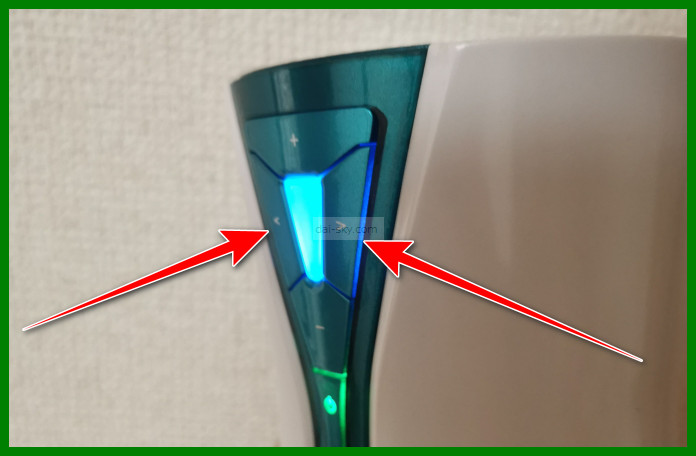
Press the left and right buttons to change the mode.
The lamp color tells you which mode you're in.
Keep pressing and it cycles through all of them.
There are 7 modes.
Changing the speed
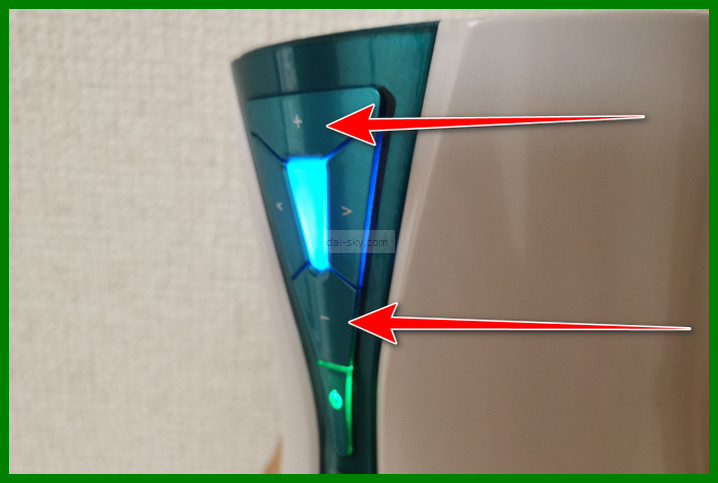
The up and down buttons change the speed.
The + button at the top makes it faster.
Each press makes it a bit faster.
There are 7 speed levels.
Pausing
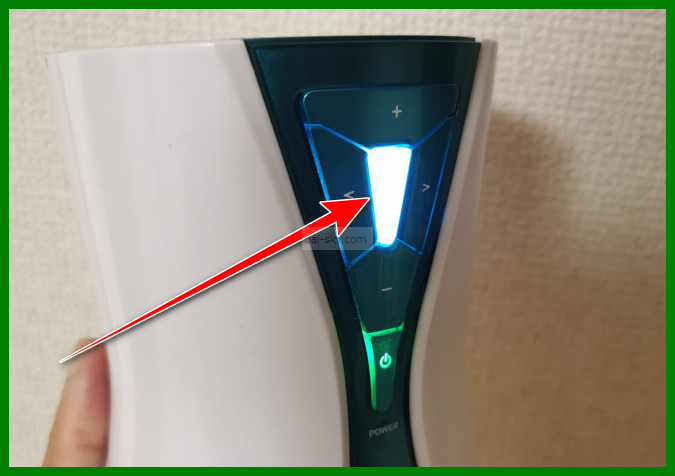
To pause the A10 Cyclone SA PLUS, press the middle button.
When you're about to come, pause it and hold out — that's the right way to use it.
Note that you can't pause it while it's synced with an Adult Festa video.
To stop it, you have to either stop the VR video or turn off the A10 Cyclone SA PLUS.
Force-stopping it
You can't pause it while it's synced with a VR video, so you have to force-stop it.
To force-stop it, press and hold the power button.
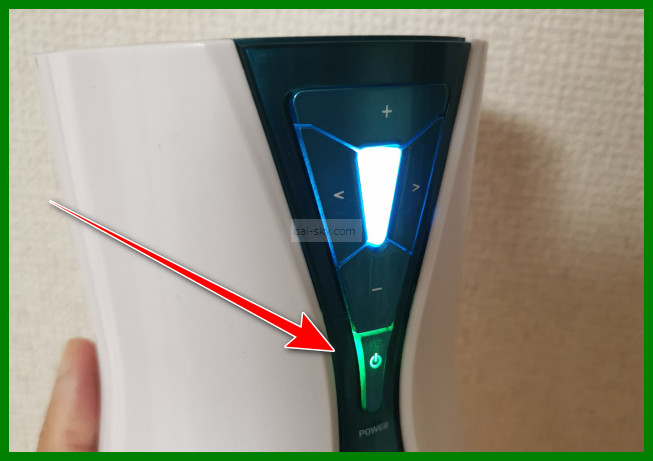
If you stop the VR video, the A10 Cyclone SA PLUS stops moving too.
Then turn it off with the power button.
Take the sleeve out
After you're done, take the sleeve out.
When you pull out of the sleeve, watch out for cum and lotion dripping out.
To deal with drips, I recommend laying down a bath towel before you start.
After you pull out, turn it upright and pull the sleeve holder out.
Wash the sleeve
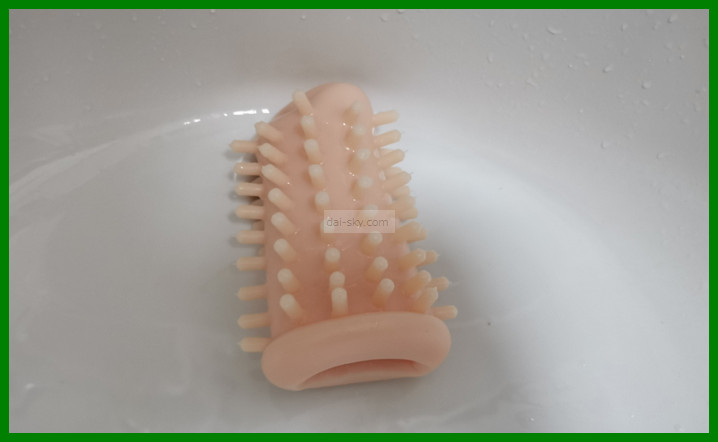
Wash the sleeve thoroughly.
Otherwise it starts to smell.
I turn the A10 Cyclone SA PLUS sleeve inside out to wash it.
But be aware that turning it inside out is not officially recommended.
Inside out, it's so much easier to wash.
After washing, you can also dry it thoroughly with a towel while it's still inside out.
That way, you don't need to push an Ona-Dry diatomaceous-earth stick inside to soak up the water.
If you wash it without turning it inside out, here's what to keep in mind.
Fill it with water again and again, and make sure all the cum is flushed out.
You can use some hand soap too.
Many people worry whether it's really clean, but you could go on forever, so stop at a reasonable point.
Some people modify the sleeve into an open-ended one to make it easier to wash, but I don't recommend it because it could break the A10 Cyclone SA PLUS.
Related article
 A10 Cyclone SA Mods: Do They Really Double the Pleasure?VORZE A10 Cyclone SA PLUS mods: other brands' strokers users swear by, what failed for me, sleeve tricks, monitor arms, AC power and controller hacks.Read the article ›
If you live with family, be careful not to leave the sleeve in the bathroom.
Or you can use a hair dryer on a cool setting to dry it faster.
Drying it on a hot setting wears the sleeve out faster, so be careful.
It's safer to dry it after you've taken it back to your own room.
Charge it with the USB cable
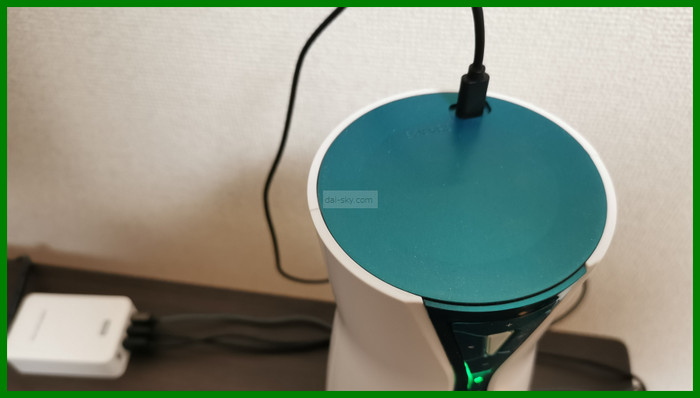
Charge the A10 Cyclone SA PLUS right after you use it.
Next time, if the battery dies halfway through, you won't be able to finish.
Stand the A10 Cyclone SA PLUS on its sleeve end and plug the USB cable in at the top — that makes charging easy.
You can buy a charger at NLS (the official Japanese online store for RENDS/VORZE), but you can also use one bought anywhere else (as of July 2022).
A charging cable comes in the box.
You don't need a special adapter anymore; you charge it just like a smartphone.
It uses a USB Type-C cable, the same as an Android phone.
Older A10 Cyclone SA PLUS units used a micro-USB (Type-B) charging cable, but this was changed in July 2022.
You can check the charging status by the lamp on the A10 Cyclone SA PLUS: according to VORZE's manual (checked September 2026), it blinks green while charging, goes off when fully charged, and blinks red when the battery is low.
A full charge takes about 5.5 hours (NLS still lists 5.5 hours as of September 2026).
Charging longer than that may actually wear out the battery, so unplug the cable.
This is the part that breaks most often, so be careful when charging.
If it won't turn on or has another fault, see this article:
 A10 Cyclone SA Not Working? Fixes and the 3-Month WarrantyVORZE A10 Cyclone SA PLUS won't move, charge or connect? Checks to try first, how the 3-month warranty works, paid repairs, and how to keep it from breaking.Read the article ›
Storing it
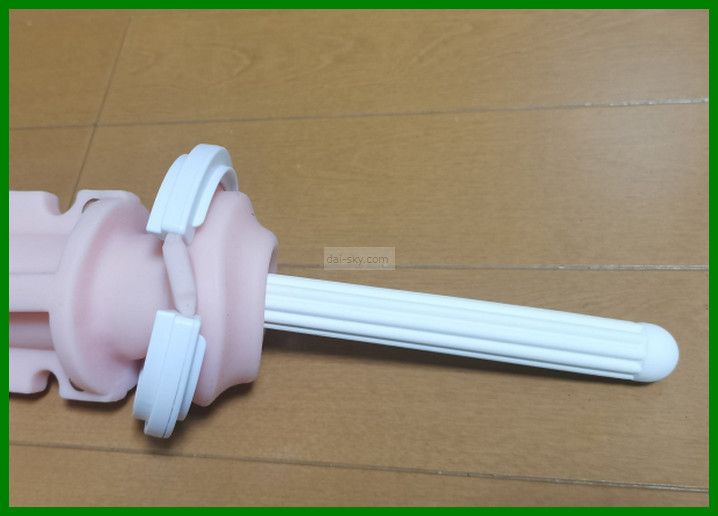
Even when you're short on time, a diatomaceous-earth drying stick speeds up the annoying cleanup after you've come.
Store it somewhere with good airflow.
If you store it with the Den-Ona Holder mount still attached, it takes up space.
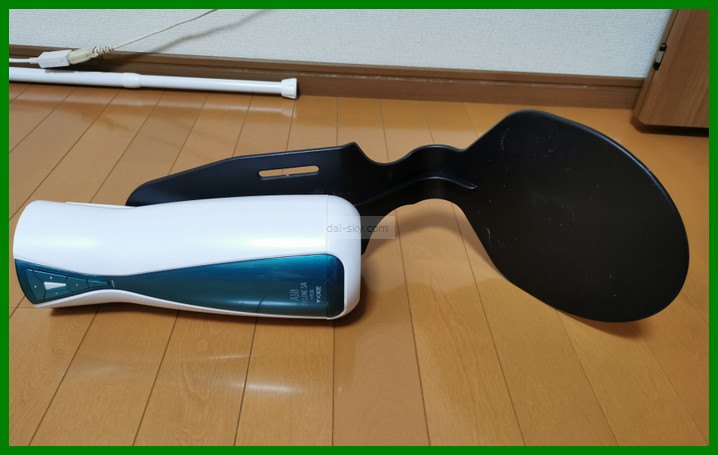
But taking it off every time is a pain, so leaving it attached keeps you from getting lazy about using it — I recommend it if you have the space.
Controlling It Remotely with the Smartphone App
You don't have to use the smartphone app controller.
You can control everything with the buttons on the A10 Cyclone SA PLUS itself.
To use it, you need to install the smartphone app.
When I wrote this (July 2022), the app could be downloaded from NLS.
>>> Download the A10 Cyclone SA PLUS smartphone app
Open the app and the A10 Cyclone SA PLUS appears in the list; tap it. ↓↓
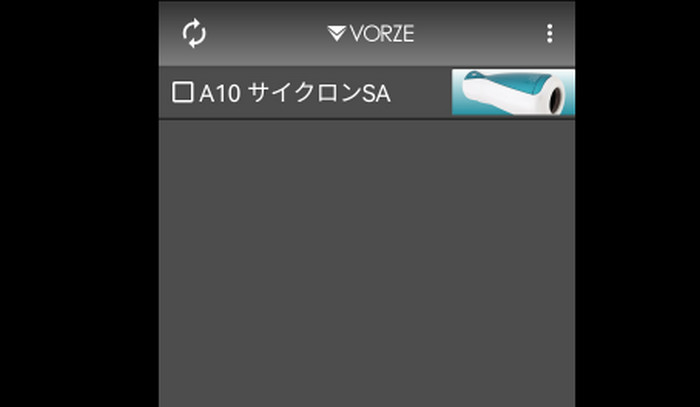
If it's synced with a VR headset, the app can't connect, so turn off the VR headset or turn off syncing.
The controls are the same as on the A10 Cyclone SA PLUS itself.
Up and down change the speed; left and right change the mode.
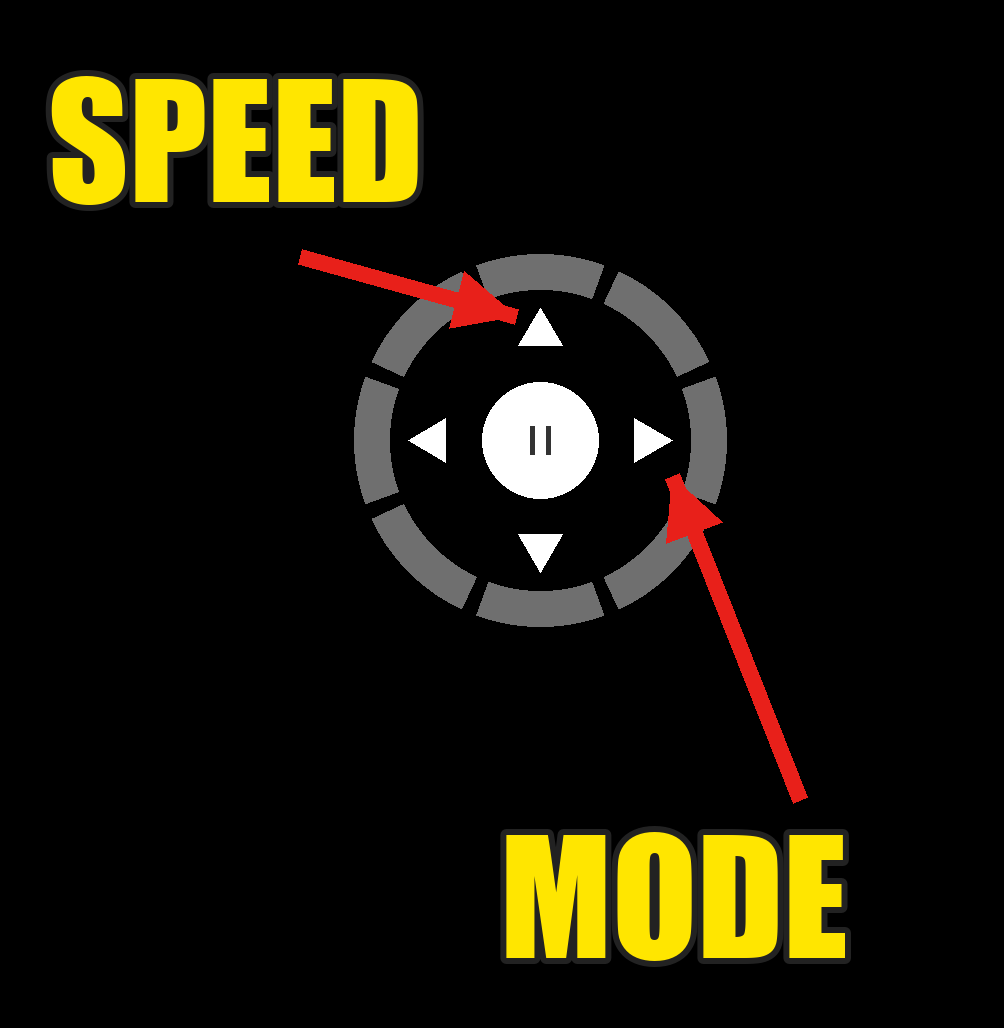
Basically, while you're using the app, the buttons on the A10 Cyclone SA PLUS don't work.
But I could still pause it and do one thing, like lower the speed.
In July 2022 I'd heard that the official A10 Cyclone SA PLUS app doesn't support Apple iOS, so I tried it on an Apple device. (As of September 2026, NLS points iPhone users to BLE ToyBox, a free unofficial iOS app, instead.)
Sure enough, it wouldn't connect.
You can also have your girlfriend control it remotely from her phone.
I tested whether remote control works between the first and second floors. It moved the A10 Cyclone SA PLUS with no problem.
Here's how I bought a genuine unit at the lowest price I could find (2022), plus the extras worth buying with it to make VR far more immersive:
Avoid Fake A10 Cyclone SA Shops: How I Bought a Genuine One for LessWhere to buy a genuine VORZE A10 Cyclone SA PLUS in Japan: scam shops to avoid, why I chose NLS, discreet delivery, and prices at Amazon, M's and FANZA.Read the article ›