How to Sync the A10 Cyclone SA PLUS with a VR Headset (Photo Guide)
- I want an A10 Cyclone SA PLUS, but I'm worried because I don't know how to sync it
- Can it really connect to a VR headset?
- It would be awful to buy it and then not get it to sync…
It's true — there isn't much information out there, and it's confusing.
Don't worry. This article explains how to sync the A10 Cyclone SA PLUS with photos, so you'll be able to sync it right away.
I use both the A10 Cyclone SA PLUS and the A10 Piston, and I'll walk you through the whole flow and what it looks like, so you'll be able to picture exactly how syncing works.
- Syncing only with Adult Festa videos, without a VR headset
- Choosing a VR headset for the A10 series (as of September 2026, a Meta Quest works too, through Adult Festa's 4DMEDIAPLAYER+ app)
For these, see the detailed article here.
How to Sync the A10 Cyclone SA PLUS with a VR Headset (Photo Guide)How to sync the VORZE A10 Cyclone SA PLUS with a SKYWORTH or DPVR VR headset and Adult Festa videos, step by step with photos, plus audio works and PC adapters.Read the article ›

Watch out for scam online shops selling the A10 Cyclone SA PLUS.
Here's how I bought a genuine unit at the lowest price I could find (2022), plus the extras worth buying with it to make VR far more immersive:
 Avoid Fake A10 Cyclone SA Shops: How I Bought a Genuine One for LessWhere to buy a genuine VORZE A10 Cyclone SA PLUS in Japan: scam shops to avoid, why I chose NLS, discreet delivery, and prices at Amazon, M's and FANZA.Read the article ›
How to Sync It with a SKYWORTH VR Headset
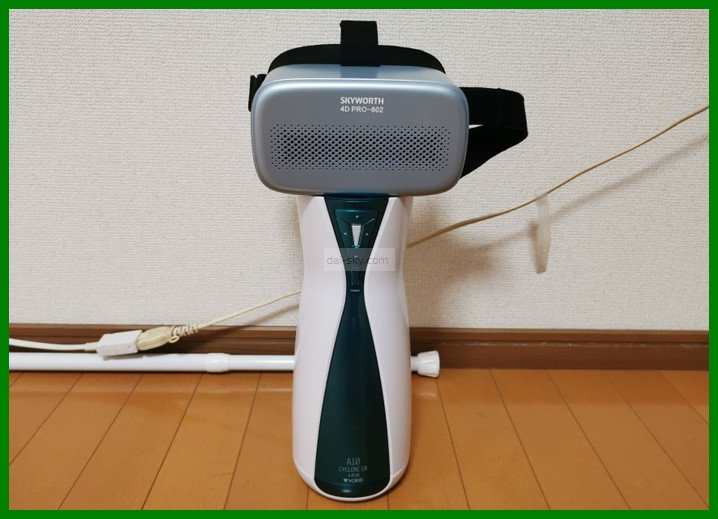
I'm using a SKYWORTH VR headset here, but the steps are almost the same on a DPVR. (These screens are from July 2022.)
Buy synced videos on Adult Festa first
Buy videos here:
>>> Buy videos on the official Adult Festa site
I recommend buying your videos in advance, on either your phone or your PC.
Videos that sync with the A10 Cyclone SA PLUS carry a “sync” label.
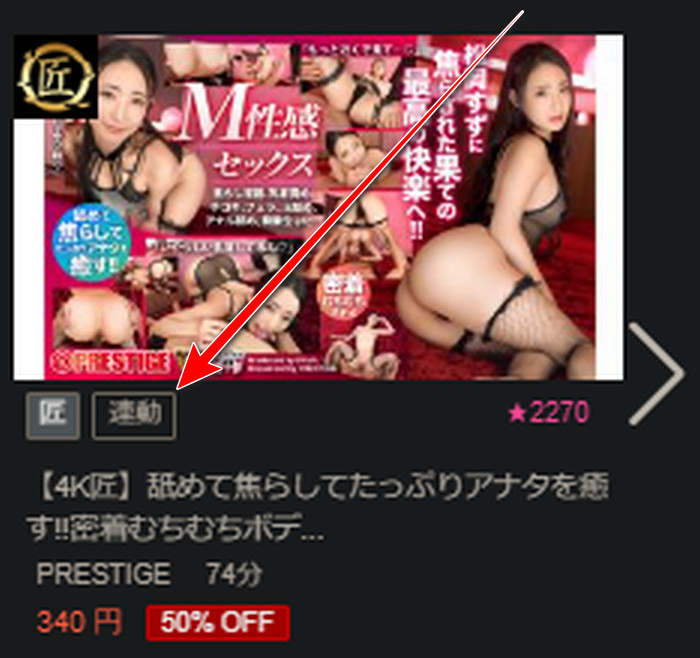
You can buy them inside the VR headset too, but typing in there is a real pain, so I recommend doing it on your phone or PC.
Be sure to keep your Adult Festa login ID and password somewhere safe (you'll need to log in inside the VR headset).
Turn on the VR headset
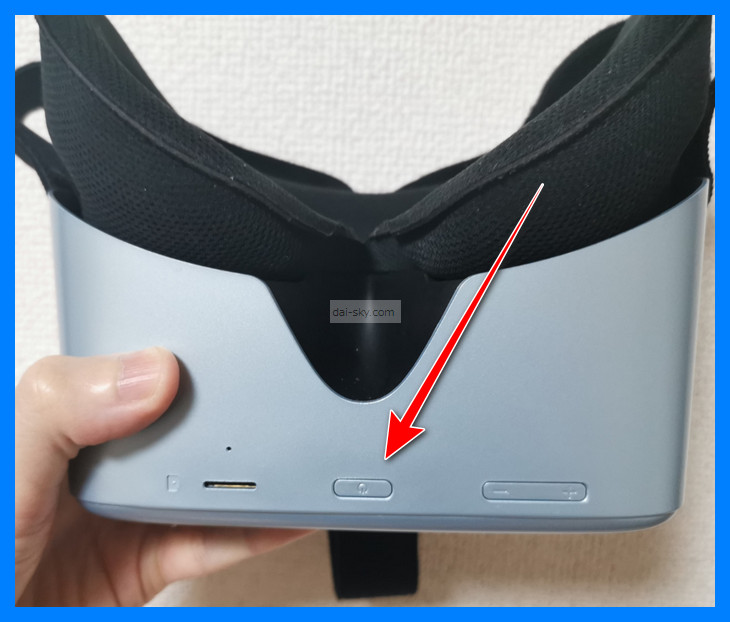
Press and hold to turn it on.
After about an hour of use, the battery is often down to less than half, so don't forget to charge it every time.
Enter your home Wi-Fi password in the VR headset
Inside the VR headset, click the fan-shaped Wi-Fi icon.
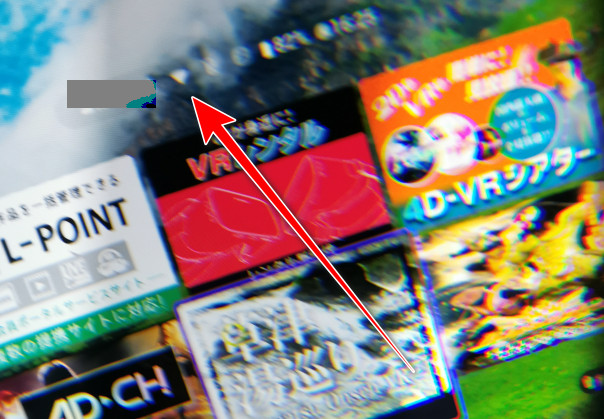
Enter your home Wi-Fi password in the VR headset to connect.
If it doesn't work, check upper- and lower-case letters and type the password again.
You only have to enter it once; after that it connects automatically.
With a slow pocket Wi-Fi, the video may keep freezing and the sync won't run smoothly.
If it keeps freezing, download the video to the VR headset and play it from there, and it shouldn't freeze anymore. (Adult Festa's current 4DMEDIAPLAYER+ app also lets you download and play videos locally, although Adult Festa doesn't promise this stops every stall.)
Downloads take a while, though, so download well before you want to start playing.
Wi-Fi on a home fixed line is the safe choice.
You could also tether to your smartphone.
But it uses a lot of data, so I don't really recommend tethering.
Log in to Adult Festa inside the VR headset
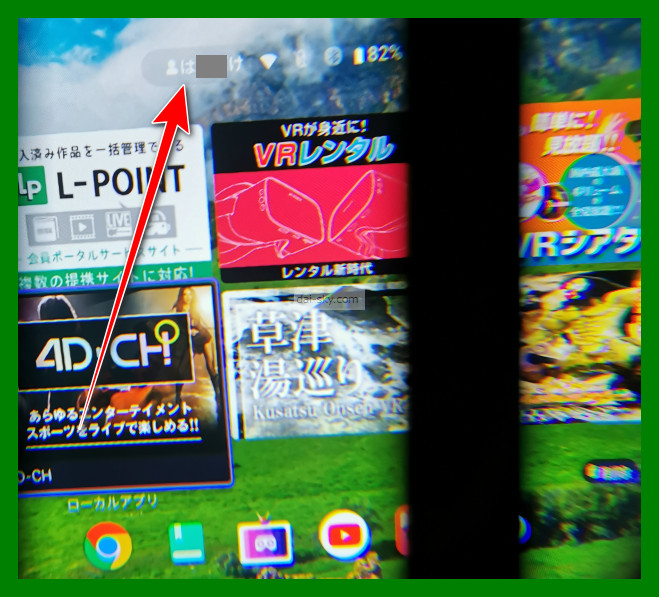
Once you log in, the videos you bought on Adult Festa show up automatically.
Even if the screen doesn't say “Adult Festa” anywhere, log in with your Adult Festa ID.
Once you've logged in, it logs you in automatically after that, so you don't have to enter your login details every time.
Turn on the A10 Cyclone SA PLUS
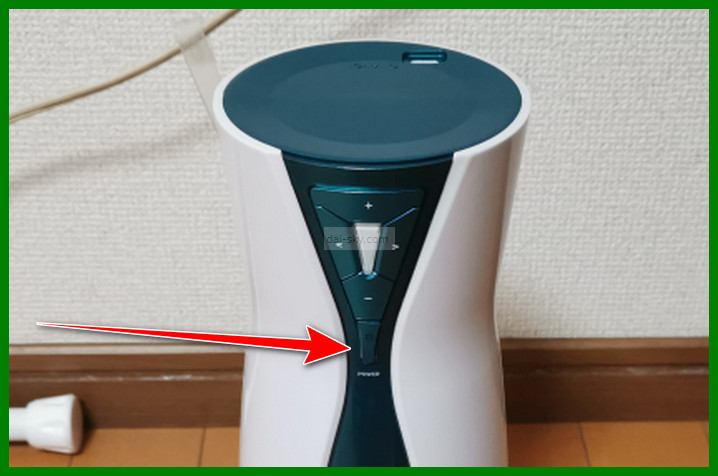
Press and hold the power button on the A10 Cyclone SA PLUS to turn it on.
When it's on, the lamp on the A10 Cyclone SA PLUS is white.
Connect the A10 Cyclone SA PLUS over Bluetooth inside the VR headset
With the A10 Cyclone SA PLUS on, press the Bluetooth button inside the VR headset.
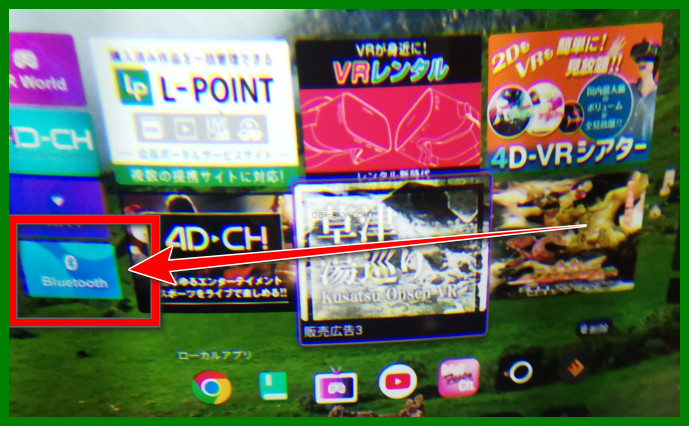
“cycSA” appears in the VR headset; click it. ↓↓
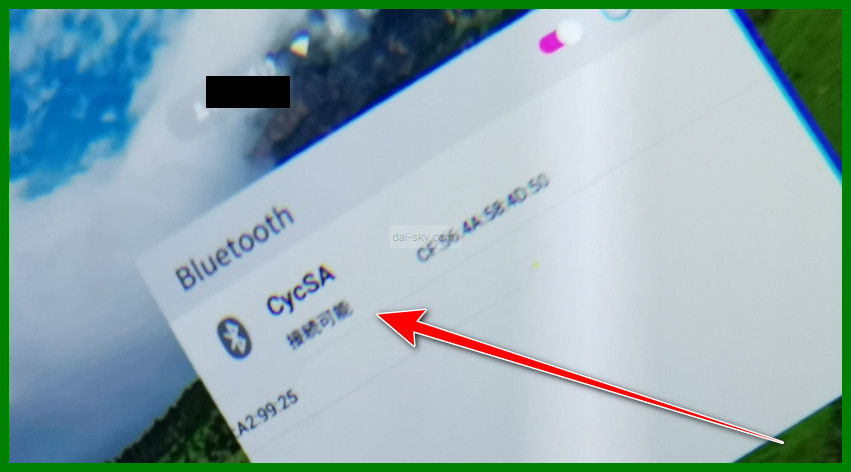
If the A10 Cyclone SA PLUS is connected to the smartphone controller app over Bluetooth, it may not show up, so disconnect it from the app.
If it still doesn't show up, turning the A10 Cyclone SA PLUS off and on again sometimes makes it appear.
Check that “Connected” appears under cycSA.
When it says connected and the lamp on the A10 Cyclone SA PLUS changes from white to blue, it's in sync mode.
Play a video, and the A10 Cyclone SA PLUS sleeve moves in sync automatically.
For manual controls without syncing, see this article:
 How to Use the A10 Cyclone SA PLUS, Step by Step (20 Photos)How to use the VORZE A10 Cyclone SA PLUS in 20 photos: setting up the sleeve, lotion, buttons and modes, pausing, washing, charging, storage and the app.Read the article ›
It also explains how to force-stop it while it's synced.
How to Sync the A10 Cyclone SA PLUS with DLsite Audio Works Using CSV Files
The A10 Cyclone SA PLUS can sync not only with VR videos but also with audio works (DLsite is a Japanese site for audio works; this worked as of 2022).
Audio works have lots of “being teased and dominated” content, which is rare among synced videos.
I used to think, “Videos are obviously going to feel better!” — but an audio work where a girl who's my junior teases me with nothing but her voice was insane.
The steps are basically the same as for the U.F.O. TW nipple toy, so see this article ↓↓
 How to Sync the U.F.O. TW to DLsite Audio with CSV FilesStep-by-step guide to driving the VORZE U.F.O. TW with fan-made CSV files and DLsite audio works in Web CSV Player, plus fixes when it won't move.Read the article ›
Do You Need a Wireless Adapter to Sync the A10 Cyclone SA PLUS?
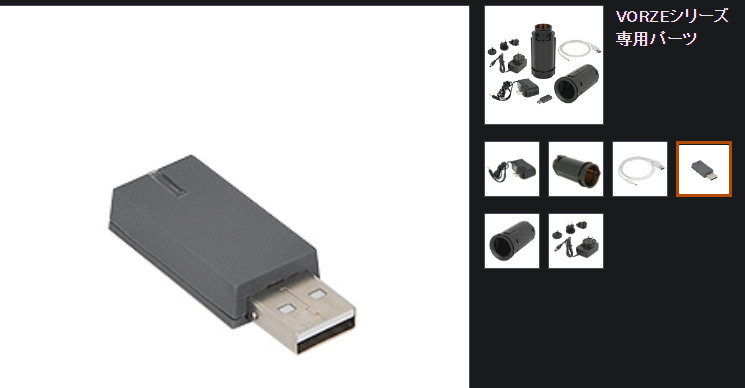
NLS (the official Japanese online store for RENDS/VORZE) sold a wireless adapter when I wrote this, but you don't need it if your PC has Bluetooth. In fact, as of September 2026, Adult Festa says the current PC version of 4DMEDIAPLAYER doesn't support VORZE's own USB adapter at all; it uses the PC's built-in Bluetooth or an external Bluetooth 4.0 (or later) receiver.
Most laptops today have Bluetooth built in, so be careful not to buy one by mistake.
You don't have to buy from NLS — smaller Bluetooth USB dongles are sold elsewhere too (Adult Festa asks for Bluetooth 4.0 or later), so try one if you already have it.
If your PC just won't connect, I recommend trying a Bluetooth receiver like that.
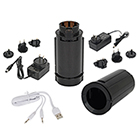
VORZE series spare parts
Watch out for scam online shops selling the A10 Cyclone SA PLUS.
Here's how I bought a genuine unit at the lowest price I could find (2022), plus the extras worth buying with it to make VR far more immersive:
Avoid Fake A10 Cyclone SA Shops: How I Bought a Genuine One for LessWhere to buy a genuine VORZE A10 Cyclone SA PLUS in Japan: scam shops to avoid, why I chose NLS, discreet delivery, and prices at Amazon, M's and FANZA.Read the article ›